

At some point, every healthcare SaaS team discovers the same uncomfortable truth:
You’re not running “customer support.” You’re running an always-on interruption engine that quietly taxes product velocity, burns out your smartest people, and turns documentation into a museum exhibit (“Last updated: who knows”).
That was us.
We didn’t have a support “scaling problem.” We had a signal routing problem. Too many issues landed in too many places (email, threads, random DMs), the same questions kept repeating, and the stuff that should have become documentation… stayed stuck in someone’s head or a Slack scrollback graveyard.
So we did the thing you’re not supposed to do when you’re busy: we introduced a new system.
We wired up OpenClaw as an ops layer for support — not to auto-reply like a reckless intern, but to watch the inbox, draft answers, summarize customer context, and propose doc updates with a human approval gate before anything becomes customer-facing.
The results were not subtle:
- First response time dropped from ~30 minutes to ~5 minutes
- Support load dropped by ~60–70%
- The agent drafts covered ~80–90% of issues
- We reclaimed ~20–30 hours per week, and about 80% of that time came from eliminating follow-ups, summaries, and “doc debt”
- Documentation updates went from monthly to weekly PRs (because docs are code, and code can be reviewed)
And the weirdest part? The biggest win wasn’t speed. It was calm.
When support stops being a firehose and starts behaving like a system — triage, context, drafts, handoffs, doc fixes — your team can finally do what it was hired to do: ship improvements instead of writing the same email 47 times.
In this post, I’ll break down exactly what we built, how the workflows work (including where we draw hard lines for human approval), and what to consider if you want to apply the same approach in a healthcare environment — including what changes the moment PHI enters the conversation.
| Quick question: How can I cut customer support workload without letting AI “freestyle” in front of customers?
Quick answer: We used OpenClaw as an ops layer that triages the inbox, drafts responses, summarizes customer context, and proposes documentation updates—while keeping a human approval gate on anything customer-facing. The result: ~60–70% less support load, ~30→5 minute median first response time, and ~20–30 hours/week reclaimed. |
Key Takeaways
- Automate the pipeline, not the personality. The biggest win came from routing/triage + context compression + doc PRs—not from “AI-written emails.”
- Human-in-the-loop is an architecture choice. Draft-only + approval gates let you move fast without turning support into an AI liability generator.
- Docs are the compounding asset. Weekly doc PRs turned repeat questions into durable answers and drove most of the long-term time savings.
Table of Contents
- The Support Problem We Were Actually Trying to Solve
- What OpenClaw Is (and Why We Picked It)
- Workflow #1: Inbox Triage and Daily Digests
- Workflow #2: Proactive Investigation (Before the Customer Even Reaches Out)
- Workflow #3: Docs Gap Detection → Weekly PRs (Docs as a Support Product)
- Workflow #4: Proactive Onboarding Outreach (Helpful, Not Spammy)
- Human-in-the-Loop Isn’t a Vibe — It’s an Architecture Decision
- If PHI Is Involved: What Changes (and What Doesn’t)
- Where This Goes Next: From “Support Bot” to an AI Ops Layer
The Support Problem We Were Actually Trying to Solve
If you’ve ever looked at your support inbox and thought, “This isn’t customer support — this is cardio,” welcome to the club.

Our problem wasn’t that customers were asking “too many questions.” It was that support had quietly become a system with no system:
- Issues arrived through multiple doors (email, chat threads, internal pings).
- Context lived in random places (a past conversation, a doc page, a teammate’s memory).
- The same handful of questions kept reappearing, just wearing different hats.
- Every “quick reply” created two more tasks: follow-up, status tracking, and “someone should update the docs.”
And then there’s the cost nobody budgets for: the engineering tax. Not because the team is unwilling — but because support interruptions are perfectly designed to destroy flow. One “can you take a look?” turns into a 30-minute context rebuild, a partial fix, and a shrug emoji that somehow counts as closure.
We weren’t trying to make support faster for the sake of speed. We were trying to make it less disruptive, while still being helpful. In other words:
Turn support from a firehose into a pipeline.
So we got specific about what we actually wanted:
- One place to see what’s outstanding
Who’s waiting, how long they’ve been waiting, what’s blocked, what’s repeating. - Drafts, not autopilot
The fastest support response is the one you don’t have to write from scratch. But we weren’t interested in letting a bot freestyle in front of customers. - Better answers over time
If a question is asked five times, it shouldn’t get answered five times. It should become a doc update, a product improvement, or both. - Less “support theatre”
A lot of support work is not solving the issue — it’s narrating the issue: summaries, handoffs, follow-ups, status checks, internal updates. Useful, but soul-crushing.
That last one is where the real time went. When we measured it, roughly 80% of the time we ended up saving came from eliminating the busywork around support: chasing, summarizing, and patching knowledge gaps after the fact.
Once we defined the problem that way, the shape of the solution became obvious. We didn’t need a chatbot. We needed an ops layer that could do four jobs consistently:
- Triage & daily digests (start/end of day clarity)
- Proactive investigation (summarize customer context and likely root causes)
- Docs gap detection (turn repeated support into weekly doc PRs)
- Onboarding outreach (help trial users succeed, without spamming or guessing)
That’s the system we built with OpenClaw — with one non-negotiable rule:
A human stays in the loop anywhere the customer can see the result.
Next, I’ll explain what OpenClaw is (quickly), and why we picked it for this kind of workflow instead of bolting more automations onto an already chaotic stack.
What OpenClaw Is (and Why We Picked It)
Let’s define OpenClaw in plain English, because the internet currently swings between “this is the future” and “this thing will eat your laptop.” Both camps have a point.
At its core, OpenClaw is a self-hosted agent runtime + message router. You run it on your own infrastructure, connect it to the channels you already live in (for example, email and chat apps), and it can read context, plan steps, call tools, and draft or execute actions. The headline promise on the project site is basically: “the AI that actually does things — from your chat app.”
Under the hood, it’s structured like a gateway/daemon that maintains connections and exposes an API to clients (Mac app / CLI / admin UI), which is exactly the kind of architecture you want if you’re building repeatable “ops workflows,” not one-off prompts.
If you’re curious how we think about speeding up delivery without turning engineering into a prompt casino, here’s our take on AI-accelerated app development.
Why We Used It for Customer Support (instead of “just adding another chatbot”)
Because our goal wasn’t to “automate replies.” It was to install a support operating system.
OpenClaw gave us three things that mattered:
1) It Lives Where Work Already Happens
Support starts in email and ends in… Slack threads, docs PRs, internal notes, and follow-ups. OpenClaw is designed to sit across those surfaces and coordinate actions through a single agent loop.
2) It’s self-Hosted, so We Control the Boundaries
For healthcare-adjacent workflows, “where does this run and what can it see?” isn’t a philosophical question. Self-hosting doesn’t magically make something compliant, but it does let you enforce your access rules, logging, and review gates instead of hoping a black-box SaaS bot behaves.
3) It’s Built for Tool-Use, Not Just Text Generation
Support is a chain of steps: check inbox → find relevant docs → draft response → log state → notify human → propose doc patch. OpenClaw’s whole reason to exist is orchestrating multi-step work across tools.
The Rule We Kept (because we like sleeping at night)
OpenClaw can execute actions — which is also why it’s getting headlines for being risky if you run it like a YOLO Roomba on your production accounts. There’s been recent coverage of agent safety and marketplace/plugin risks, including malicious extensions and automation gone wrong.
So we ran it with one hard constraint:
If a customer can see it, a human approves it.
Drafts are cheap. Reputation is expensive.
With that framing, OpenClaw becomes less of a “support bot” and more of a support ops teammate: it watches, drafts, summarizes, proposes updates — and then waits for a responsible adult to hit “send” or “merge.”
Next, we’ll start with the first workflow: Inbox triage + daily digests, because that’s where the 30-minute-to-5-minute response-time win actually begins.
Workflow #1: Inbox Triage and Daily Digests
This is where most “AI support” efforts fail, because teams start with the sexy part: writing answers.
We started with the boring part: knowing what’s actually happening.

Before OpenClaw, support looked like this:
- Someone checks the inbox when they remember.
- A “quick reply” goes out, but nobody tracks whether it’s resolved.
- A customer follows up. Now it’s urgent. Now it’s distracting.
- Meanwhile, three other threads quietly age into resentment.
So we made OpenClaw responsible for one job: support accountability.
What It Does (every day, without drama)
Morning digest (start of day):
- Pulls new and unresolved customer emails.
- Groups them by status (new / awaiting our reply / awaiting customer / blocked).
- Flags anything stale (“this has been sitting for X hours/days”).
- Attaches draft responses for the straightforward stuff by pulling context from our docs.
Evening digest (end of day):
- Lists what got handled today.
- Lists what didn’t — and why (waiting on engineering, missing info, needs escalation).
- Calls out the highest-risk threads (the ones most likely to turn into “are you ignoring me?” tomorrow).
That’s it. No magic. Just a consistent system that doesn’t forget.
Why This Mattered More Than “AI-Written Emails”
Because the biggest pain in support isn’t typing. It’s:
- rebuilding context,
- tracking state across threads,
- remembering who needs a reply,
- and making sure nothing falls through the cracks.
Once OpenClaw took over that scaffolding, humans stopped wasting time on “support theater” and started spending time on the parts that actually require judgment.
How Drafts Work (without letting the bot cosplay as your brand voice)
For each issue, OpenClaw:
- searches the relevant docs,
- pulls the most likely answer paths,
- drafts a response in our tone,
- and suggests follow-up questions if something is unclear.
But it stays in draft-only mode unless a human approves sending.
That human gate sounds obvious, but it’s the difference between:
- “AI helps us move faster,” and
- “AI just emailed something weird to a customer and now we’re doing damage control.”
The Measurable Impact
This workflow is what drove the biggest visible win:
- Median first response time went from ~30 minutes to ~5 minutes, because the “what’s waiting + what’s the likely answer” package is ready immediately.
- It also contributed to the broader 60–70% reduction in support load, because once you consistently catch and resolve issues early, you prevent the follow-up spiral.
And the side effect we didn’t fully appreciate until it happened:
Support stopped feeling like whack-a-mole. The team could start the day with a clear list, end the day knowing what’s still open, and stop carrying the mental backlog.
Next, we’ll cover the second workflow — the one that feels borderline unfair: proactive investigation, where OpenClaw reviews customer interactions with the healthcare SaaS AI builder and surfaces likely issues before the customer even reaches out.
Workflow #2: Proactive Investigation (Before the Customer Even Reaches Out)
Most support teams are reactive by design. A customer hits a wall, writes in, waits, and then you start reconstructing what happened.
We flipped that.
Because our product is an AI builder, a lot of “support issues” aren’t mysterious bugs — they’re visible in the customer’s build trail: what they asked the AI coder to do, what got generated, where it drifted, what error surfaced, what workaround they tried next.
So we had OpenClaw do something simple, but absurdly useful:
Review customer build sessions, detect patterns, and produce an engineering-ready summary.
What OpenClaw Actually Does
On a schedule (and sometimes triggered by signals like repeated retries, long stalled sessions, or certain error patterns), OpenClaw:
- pulls the relevant customer interaction history with the AI builder (again: in our case, demo-building, no PHI)
- summarizes the attempt chain in plain English:
- what the customer was trying to build
- what they prompted
- what the AI produced
- where it broke or deviated
- flags likely root causes:
- prompt ambiguity
- missing prerequisites (auth, schema, roles, etc.)
- feature edge cases
- known product limitations
- suggests the next best action:
- a support reply draft (“try X, avoid Y”)
- a product fix suggestion (“this flow needs a guardrail”)
- a docs update candidate (“this keeps happening → add a page / snippet / checklist”)
Then it hands that bundle to a human.
The key here is context compression. Instead of a support person spending 20 minutes spelunking through a messy build trail, they get a 60-second read that’s already structured for action.
Why This Matters (even if you never “auto-send” anything)
Because proactive work changes the dynamic:
- Engineering gets cleaner, faster bug reports instead of “it’s broken pls help.”
- Support can respond like they were already watching (because… they were).
- Customers feel guided, not abandoned.
- The team stops paying the “context rebuild tax” on every ticket.
This is also where a big chunk of our reclaimed time comes from. When we say we got back 20–30 hours a week, a lot of that isn’t typing emails. It’s eliminating the manual work of figuring out what happened and rewriting the same internal explanation three times.
Human-in-the-Loop Still Applies
Even though this workflow is internal, we still keep boundaries:
- OpenClaw can summarize and recommend.
- Humans decide what becomes customer-facing guidance.
- Humans decide what becomes an engineering task.
- Humans decide what becomes documentation.
No autopilot. Just a system that does the tedious parts relentlessly.
This kind of workflow is one slice of our broader generative AI work — especially the parts where tool-use, logging, and guardrails matter more than flashy demos.
Next up is the workflow that quietly keeps this whole thing from regressing: docs gap detection → weekly PRs — because if your support answers don’t turn into documentation, you’re just paying interest on the same debt forever.
Workflow #3: Docs Gap Detection → Weekly PRs (Docs as a Support Product)
Here’s the dirty secret of customer support:
If your docs don’t improve, your support load is basically a subscription.
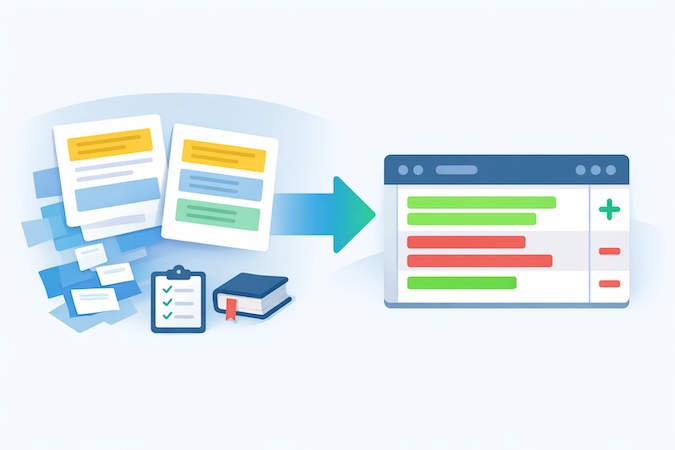
Every unanswered “why is this happening?” becomes:
- another email next week,
- another Slack ping,
- another “quick call?” request,
- and another tiny cut to the team’s attention span.
We didn’t need more documentation. We needed a system that constantly answers one question:
“What are customers repeatedly confused about — right now?”
So we put OpenClaw on docs duty.
What OpenClaw Actually Does
It looks across two streams of “truth”:
- Support conversations (emails, threads, drafts we approve)
- AI builder interaction patterns (what users try, where they stall, what errors show up)
Then it does three things on repeat:
- Detects doc gaps
“We answered this question 6 times this week.”
“Users keep missing step X.”
“This feature behaves differently than people assume.” - Proposes a doc change, not a doc idea
Not “we should improve docs about auth.”
More like:- add a missing prerequisite checklist
- rewrite a confusing paragraph
- insert an example prompt
- add a troubleshooting section with known failure modes
- link the right page from the right place
- Creates a PR-style update in our docs repo
Because our docs are code-driven (Mintlify), OpenClaw can generate a clean patch the same way a teammate would: a diff you can review, comment on, and merge.
And again: nothing goes live without a human approving it.
Why “Weekly PRs” Changed Everything
This single workflow turned docs from “we’ll get to it” into a habit.
We went from monthly doc updates (best intentions, zero time) to weekly PRs, because the hard part — finding what to change and drafting the patch — was no longer competing with everyone’s day job.
And this is where the time savings really stacked up: about 80% of our reclaimed time came from killing the follow-up + summarization + doc debt loop. Once the docs improve, the same issues stop coming back with a mustache and a new subject line.
The Side Effect: Support Becomes Calmer and More Consistent
When docs are updated in weekly increments:
- support answers get shorter (because you can link instead of re-explain),
- onboarding gets easier (because the “first-week confusion” shrinks),
- engineering gets fewer repeat interruptions,
- and customers stop feeling like they’re discovering landmines alone.
Support stops being “heroic” and starts being… boring.
Which, in operational terms, is the highest compliment.
Next, we’ll cover the last workflow: proactive onboarding outreach — the one that helps trial users succeed without spamming them or letting an agent freestyle in their inbox.
Workflow #4: Proactive Onboarding Outreach (Helpful, Not Spammy)
Free-trial users are a special kind of support problem.
They don’t ask for help early because they’re “fine.” They don’t ask because they don’t know what to ask. Then they hit a wall, churn quietly, and your analytics politely labels it “trial conversion opportunity.”
So we used OpenClaw for the thing most teams say they do but rarely execute consistently:
timely, specific onboarding help — triggered by real behavior.
What OpenClaw Looks For
Instead of blasting generic “Need help?” emails, the agent watches for signals that someone is stuck or under-using the product:
- repeated attempts at the same flow
- long gaps after an initial build session
- common “prompting mistakes” patterns
- feature usage that indicates they’re building the wrong thing first
- recurring friction points that we already know how to unblock
Then it prepares outreach that’s actually actionable.
What It Drafts (and why it works)
The outreach is short and specific, typically one of these:
- “Try these 3 prompts next” (based on what they’re building)
- “Here’s the missing prerequisite” (auth / roles / schema / workflow order)
- “This is the fastest path to a working demo” (reduce scope, ship one happy path)
- “Here’s the doc page you need” (because we now have it, thanks to Workflow #3)
The tone matters here. It can’t sound like marketing automation. It needs to sound like a helpful operator who’s seen this movie before.
The Non-Negotiable Guardrail
Even though this outreach is “proactive,” it’s still customer-facing. So the same rule applies:
OpenClaw can draft outreach, but it does not send without human approval.
That single gate prevents two bad outcomes:
- the agent pestering someone who isn’t actually stuck, and
- the agent accidentally introducing confusion or over-promising something the product can’t do.
Humans also decide whether outreach is appropriate at all for a given account. Some users want to explore quietly. Some are evaluating vendors. Some are mid-demo and don’t need a backseat driver.
Why This Fits the Bigger System
This workflow works because it’s not a standalone “growth hack.” It’s downstream of the other three:
- Inbox triage tells us what’s breaking now
- Proactive investigation tells us why users get stuck
- Docs PRs turn that into durable guidance
- Outreach delivers the right guidance at the right time
Done right, onboarding outreach doesn’t increase support load — it reduces it, because fewer users end up in the “I’m stuck and angry” state.
Next, we’ll zoom out and talk about the control layer that makes all four workflows safe: human-in-the-loop isn’t a vibe — it’s an architecture decision.
Human-in-the-Loop Isn’t a Vibe — It’s an Architecture Decision
When people hear “AI agents,” they imagine a bot that does things on its own. Which is exactly why most teams either (a) never ship it, or (b) ship it and then spend the next month apologizing.

We treated “human-in-the-loop” as a control system, not a checkbox.
Because in customer support, the risk isn’t that the AI is occasionally wrong. The risk is that it’s wrong confidently, publicly, and at scale. That’s how you turn a time-saver into a brand liability.
So we drew hard lines around what the agent can do, where it can do it, and what it’s allowed to finalize. This is the part that made everything else work in practice .
1) Separate “Thinking” From “Shipping”
OpenClaw can:
- read inputs (emails, threads, internal signals)
- pull context (docs, past resolutions)
- draft outputs (email replies, doc patches, summaries)
- recommend next actions (escalate, request info, link doc, file bug)
But it cannot ship anything customer-facing without a human approval event:
- no sending emails
- no publishing docs
- no initiating proactive outreach
- no “just pushed a fix” style messaging
The agent’s job is to get you to 80% done fast. The human’s job is to decide whether that 80% is actually correct, appropriate, and on-brand.
2) Define “Surfaces” and Lock Them Down
We learned to think in “surfaces” — places where output can land:
- Internal surfaces: digests, summaries, engineering notes
→ agent can be more autonomous here (still needs boundaries, but lower risk) - External surfaces: anything a customer can read
→ agent stays in draft-only mode
That simple split prevents the classic failure mode: the agent writing something technically plausible but strategically dumb (“We’re working on it!” when you’re not).
3) Make Approvals Lightweight (or they won’t happen)
If approvals are annoying, humans will bypass them. So we kept it simple:
- drafts come pre-filled with the relevant context links
- the “review” step is fast (scan, tweak, approve)
- the state is tracked so you don’t review the same thing twice
This is also why your Mintlify setup matters: docs updates are code diffs, which means they can be reviewed like any other PR, not “someone please edit this page in a CMS.”
4) Give the Agent a Job, Not a Personality
We didn’t ask OpenClaw to “be helpful.” That’s how you get poetic nonsense.
We gave it explicit roles:
- triage operator
- incident summarizer
- documentation editor
- onboarding assistant
Each role has:
- allowed inputs
- allowed tools
- allowed outputs
- escalation rules
That’s how you avoid the agent wandering off into “helpfulness” that’s actually just scope creep.
5) Auditable State Beats “It Felt Handled”
One underrated part of this whole system: the agent keeps tabs on what’s open, what’s waiting, what’s stale. That’s not flashy, but it’s the difference between “support is fine” and “support is quietly melting down.”
The moment you can reliably answer:
- what’s outstanding?
- who owns it?
- how long has it been waiting?
- what’s the next action?
…you stop running support on vibes.
If PHI Is Involved: What Changes (and What Doesn’t)
In our current support workflow, our customers aren’t building with PHI — which keeps the blast radius pleasantly small.
But the second you point an agent at anything that touches ePHI, the conversation changes from “cool automation” to risk management with a keyboard.
Here’s the practical version (not legal advice, just the reality of how HIPAA gets enforced in the real world):
1) You Stop Thinking “AI Tool” and Start Thinking “Business Associate”
If the agent (or anything behind it) can create, receive, maintain, or transmit PHI on behalf of a covered entity, you’re in Business Associate territory — and you need the right contracting + obligations (BAA, subcontractor flow-down, permitted uses, safeguards).
2) “Minimum Necessary” Becomes a Design Requirement
Agents love context. HIPAA loves restraint.
The Privacy Rule’s “minimum necessary” concept pushes you to limit what the agent can access and disclose based on purpose — not “give it everything so it can be helpful.” Practically: scoped retrieval, role-based views, redaction, and “no full-record dumps.”
3) Safeguards Move From a Slide Deck to an Architecture Diagram
The Security Rule is explicit: protect ePHI with administrative, physical, and technical safeguards.
In agent terms, that usually translates to:
- Administrative: risk analysis, policies, training, incident response, vendor management (this is where teams try to “skip” and later regret it). NIST SP 800-66 Rev. 2 is a solid implementation guide if you want something practical rather than vibes.
- Technical: access controls, audit logs, encryption, session controls, secure configs, and strict tool permissions.
- Physical: yes, still matters if you’re self-hosting or running local components.
4) “Human Approval” is Necessary but Not Sufficient
Approval gates are a great control for outbound comms (and we’d keep them), but HIPAA risk often happens before the draft is sent:
- what the agent can retrieve
- what it can store/log
- what external tools it can call
- what ends up in prompts, traces, and telemetry
So the big shift is: you design the boundary first, and then you automate inside it.
Where This Goes Next: From “Support Bot” to an AI Ops Layer
What we built with OpenClaw started as a customer support fix. But it’s really a repeatable pattern:
an agent watches operational signals → drafts the work → routes it to humans → keeps the system honest (state, follow-ups, docs).
Customer support just happens to be the most obvious place to prove it, because it’s measurable, painful, and full of repetitive decisions.

The bigger opportunity is applying the same pattern to other healthcare ops workflows that are drowning in “small tasks that add up”:
- intake + scheduling triage
- prior auth status chasing
- RCM / billing follow-ups
- referral coordination
- internal knowledge management (the “where is that answer?” problem)
And yes — the moment PHI enters the workflow, the controls and architecture matter more than the model. But that’s exactly the point: teams don’t need AI magic. They need an implementation that won’t blow up under real-world constraints.
We’re going to keep publishing what we learn as we run more experiments, break a few things safely, and turn the useful parts into a playbook healthcare operators can actually use.
If you’re looking at your support (or ops) workload and thinking, “we’re hiring people to do copy/paste with context,” we should talk. We help healthcare teams design and implement agent workflows with real guardrails—from “draft-only + human approval” all the way to production-grade automation where it’s appropriate.
Frequently Asked Questions
What exactly did OpenClaw automate for you?
Inbox triage + daily digests, draft responses, proactive issue summaries from customer build trails, and doc-update PR drafts.
Did OpenClaw send emails or publish docs automatically?
No. Anything customer-facing stayed draft-only until a human approved it.
How much did support performance improve?
Support load dropped ~60–70%, draft coverage hit ~80–90% of issues, and median first response time went from ~30 minutes to ~5 minutes.
Where did the 20-30 hours/week savings come from?
Mostly from removing follow-ups, summaries, and documentation debt—roughly 80% of the savings.
Is this approach safe from workflows that involve PHI ?
It can be, but the design changes: strict access boundaries, auditability, and HIPAA-aligned safeguards become mandatory.
What's the minimum setup to try this pattern in a healthcare organization?
Start with draft-only triage + daily digests and a tight approval workflow, then add doc PRs once you see repeat questions.