

At some point, every healthcare SaaS team discovers the same uncomfortable truth:
The “customer support” you’re running is really an always-on interruption engine. It quietly taxes product velocity, burns out your smartest people, and turns documentation into a museum exhibit (“Last updated: who knows”).
That was us.
More support staff wouldn’t have fixed it. We had a signal routing problem: too many issues landed in too many places (email, threads, random DMs), the same questions kept repeating, and the stuff that should’ve become documentation just stayed stuck in someone’s head or a Slack scrollback graveyard.
So we did the thing you’re not supposed to do when you’re busy: we introduced a new system.
We wired up OpenClaw as an ops layer for support: it watches the inbox, drafts answers, summarizes customer context, and proposes doc updates. A human approval gate sits in front of anything customer-facing, so it never freestyles a reply like a reckless intern.
The results weren’t subtle:
- First response time dropped from ~30 minutes to ~5 minutes
- Support load dropped by ~60–70%
- The agent drafts covered ~80–90% of issues
- We reclaimed ~20–30 hours per week, and about 80% of that came from eliminating follow-ups, summaries, and “doc debt”
- Documentation updates went from monthly to weekly PRs (because docs are code, and code can be reviewed)
And the weirdest part? We expected the win to be speed. The real win was calm.
When support stops being a firehose and starts behaving like a system (triage, context, drafts, handoffs, doc fixes), your team can finally do what it was hired to do: ship improvements instead of writing the same email 47 times.
| Quick question: How can I cut customer support workload without letting AI “freestyle” in front of customers?
Quick answer: We used OpenClaw as an ops layer that triages the inbox, drafts responses, summarizes customer context, and proposes documentation updates, while keeping a human approval gate on anything customer-facing. The result: ~60–70% less support load, ~30→5 minute median first response time, and ~20–30 hours/week reclaimed. The same agent later expanded past support into customer context, marketing-to-product sync, and pre-sales compliance answers. |
Key Takeaways
- Automate the pipeline; keep the voice human. The biggest win came from triage and routing, context compression, and doc PRs. The AI-written-email part barely mattered.
- Human-in-the-loop is an architecture choice. Draft-only and approval gates let you move fast without turning support into an AI liability generator.
- Docs are the compounding asset. Weekly doc PRs turned repeat questions into durable answers and drove most of the long-term time savings.
- Support was just the first workflow. Once the agent understood the product, customers, docs, and tools, the same setup extended into customer profiles, marketing-to-product sync, and pre-sales compliance answers at almost no marginal cost.
Table of Contents
- Support had quietly become a system with no system
- What OpenClaw is (and why we picked it)
- Workflow #1: inbox triage and daily digests
- Workflow #2: spotting issues before the customer reaches out
- Workflow #3: docs gap detection → weekly PRs (docs as a support product)
- Workflow #4: onboarding outreach triggered by real behavior
- Beyond support: where the agent became an ops layer
- Human-in-the-loop is an architecture decision
- If PHI is involved: what changes (and what doesn’t)
- What we learned: the “support bot” frame was too small
Support had quietly become a system with no system
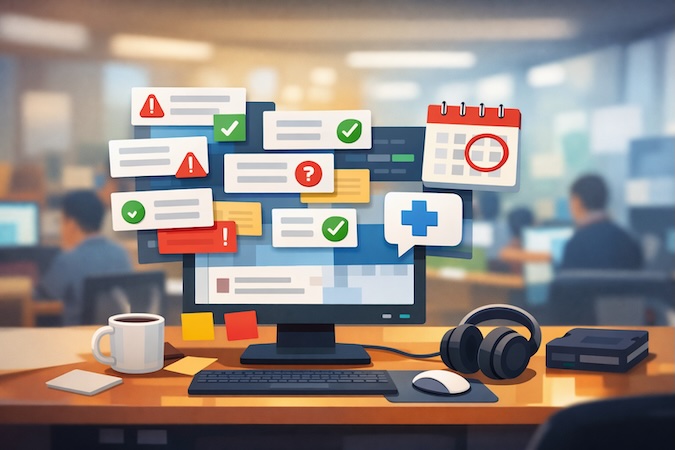
If you’ve ever looked at your support inbox and thought “when did customer support turn into cardio?”, welcome to the club.
The symptoms stacked up fast:
- Issues arrived through multiple doors (email, chat threads, internal pings).
- Context lived in random places, usually a teammate’s memory or a thread no one could find.
- The same handful of questions kept reappearing, just wearing different hats.
- Every “quick reply” created more tasks: follow-up, status tracking, and “someone should update the docs.”
And then there’s the cost that never makes it onto a budget line: the engineering tax. Your engineers want to help. The problem is that support interruptions are perfectly designed to destroy flow. One “can you take a look?” turns into a 30-minute context rebuild, a partial fix, and a shrug emoji that somehow counts as closure.
We wanted support that stayed helpful without wrecking everyone else’s focus.
Turn support from a firehose into a pipeline.
So we got specific about what we actually wanted:
- One place to see what’s outstanding. Who’s waiting, how long they’ve been waiting, what’s blocked, what’s repeating.
- Draft-only by default. The fastest support response is the one you don’t have to write from scratch. But we weren’t interested in letting a bot freestyle in front of customers.
- Better answers over time. A question asked five times should become a doc update, a product change, or both. Answer it once, somewhere people can find it.
- Less “support theater.” A lot of support work is pure narration: summaries, handoffs, follow-ups, status checks, internal updates. Useful, but soul-crushing.
That last one is where the real time went. When we measured it, roughly 80% of the time we ended up saving came from eliminating the busywork around support: chasing, summarizing, and patching knowledge gaps after the fact.
Once we defined the problem that way, the shape of the solution became obvious. A chatbot would’ve missed the point. We needed an ops layer that could do four jobs consistently:
- Triage and daily digests (start/end-of-day clarity)
- Early investigation (summarize customer context and likely root causes)
- Docs gap detection (turn repeated support into weekly doc PRs)
- Onboarding outreach (help trial users succeed, without spamming or guessing)
That’s the system we built with OpenClaw, with one non-negotiable rule:
A human stays in the loop anywhere the customer can see the result.
So before the four workflows, a quick word on what OpenClaw is and why we picked it over bolting more automation onto an already chaotic stack.
What OpenClaw is (and why we picked it)
There are two camps on OpenClaw online: “this is the future” and “this thing will eat your laptop.” Both have a point.
At its core, OpenClaw is a self-hosted agent runtime and message router. You run it on your own infrastructure, connect it to the channels you already live in (for example, email and chat apps), and it can read context, plan steps, call tools, and draft or execute actions. The headline promise on the project site is basically: “the AI that actually does things, right from your chat app.”
Under the hood, it’s structured like a gateway/daemon that maintains connections and exposes an API to clients (Mac app, CLI, admin UI), which is exactly the architecture you want for repeatable “ops workflows,” the kind that outlast a one-off prompt.
If you’re curious how we think about speeding up delivery without turning engineering into a prompt casino, here’s our take on AI-accelerated app development.
Why we used it for customer support (instead of “just adding another chatbot”)
Our goal was to install a support operating system.
OpenClaw gave us three things that mattered:
1) It lives where work already happens
Support starts in email and sprawls into Slack threads, docs PRs, internal notes, and follow-ups. OpenClaw is designed to sit across those surfaces and coordinate actions through a single agent loop.
2) It’s self-hosted, so we control the boundaries
For healthcare-adjacent workflows, “where does this run and what can it see?” isn’t a philosophical question. Self-hosting won’t make you compliant on its own. What it does buy you is control: your access rules, your logging, your review gates, instead of hoping a black-box SaaS bot behaves.
3) It’s built for multi-step tool use
Support is a chain of steps: check inbox → find relevant docs → draft response → log state → notify human → propose doc patch. OpenClaw’s whole reason to exist is orchestrating multi-step work across tools.
The rule we kept (because we like sleeping at night)
OpenClaw can execute actions, which is also why it’s getting headlines for being risky if you run it like a YOLO Roomba on your production accounts. There’s been recent coverage of agent safety and marketplace and plugin risks, including malicious extensions and automation gone wrong.
So we ran it with one hard constraint:
If a customer can see it, a human approves it.
Drafts are cheap. Reputation is expensive.
With that framing, OpenClaw behaves like a support ops teammate: it watches, drafts, summarizes, proposes updates, and then waits for a responsible adult to hit “send” or “merge.”
The first workflow, inbox triage and daily digests, is where the 30-minute-to-5-minute response-time win begins.
Workflow #1: inbox triage and daily digests
This is where most “AI support” efforts fail, because teams start with the sexy part: writing answers.
We started with the boring part: knowing what’s actually happening.

Before OpenClaw, support ran on memory and good intentions. Someone checks the inbox when they remember. A “quick reply” goes out, but no one tracks whether it’s resolved. The customer follows up, so now it’s urgent and distracting. Meanwhile, three other threads quietly age into resentment.
So we made OpenClaw responsible for one job: support accountability.
What it does (every day, without drama)
Morning digest (start of day):
- Pulls new and unresolved customer emails.
- Groups them by status (new / awaiting our reply / awaiting customer / blocked).
- Flags anything stale (“this has been sitting for X hours/days”).
- Attaches draft responses for the simple stuff by pulling context from our docs.
Evening digest (end of day):
- Lists what got handled today.
- Lists what didn’t, and why (waiting on engineering, missing info, needs escalation).
- Calls out the highest-risk threads (the ones most likely to turn into “are you ignoring me?” tomorrow).
That’s it. No magic. Just a consistent system that doesn’t forget.
Why this mattered more than “AI-written emails”
You’d expect the support bottleneck to be writing replies. In practice it’s the scaffolding:
- rebuilding context,
- tracking state across threads,
- remembering who needs a reply,
- and making sure nothing falls through the cracks.
Once OpenClaw owned that scaffolding, people stopped losing hours to support theater. The time went to the parts that actually need judgment.
How drafts work (without letting the bot cosplay as your brand voice)
For each issue, OpenClaw:
- searches the relevant docs,
- pulls the most likely answer paths,
- drafts a response in our tone,
- and suggests follow-up questions if something is unclear.
But it stays in draft-only mode unless a human approves sending.
That human gate sounds obvious, but it’s the difference between “AI helps us move faster” and “AI just emailed something weird to a customer, and now we’re doing damage control.”
The measurable impact
This workflow is what drove the biggest visible win:
- Median first response time went from ~30 minutes to ~5 minutes, because the “what’s waiting and what’s the likely answer” package is ready immediately.
- It also contributed to the broader 60–70% reduction in support load, because once you consistently catch and resolve issues early, you prevent the follow-up spiral.
And the side effect we didn’t fully appreciate until it happened:
Support stopped feeling like whack-a-mole. The team could start the day with a clear list, end the day knowing what’s still open, and stop carrying the mental backlog.
Next up is the workflow that feels borderline unfair: OpenClaw reads the customer’s build trail with the AI builder and surfaces the likely issue before they ever reach out.
Workflow #2: spotting issues before the customer reaches out
Most support teams are reactive by design. A customer hits a wall, writes in, waits, and then you start reconstructing what happened.
We flipped that.
Because our product is an AI builder, the customer’s build trail usually shows the whole story: what they asked the AI coder to do, what got generated, where it drifted, what error surfaced, what workaround they tried next.
So we had OpenClaw do something simple, but absurdly useful:
Review customer build sessions, detect patterns, and produce an engineering-ready summary.
What OpenClaw actually does
On a schedule (and sometimes triggered by signals like repeated retries, long stalled sessions, or certain error patterns), OpenClaw:
- pulls the relevant customer interaction history with the AI builder (again: in our case, demo-building, no PHI)
- summarizes the attempt chain in plain English: what the customer was trying to build, what they prompted, what the AI produced, and where it broke or deviated
- flags likely root causes:
- prompt ambiguity
- missing prerequisites (auth, schema, roles, etc.)
- feature edge cases
- known product limitations
- suggests the next best action:
- a support reply draft (“try X, avoid Y”)
- a product fix suggestion (“this flow needs a guardrail”)
- a docs update candidate (“this keeps happening → add a page, snippet, or checklist”)
Then it hands that bundle to a human.
The key here is context compression. Instead of a support person spending 20 minutes spelunking through a messy build trail, they get a 60-second read that’s already structured for action.
Why this matters (even if you never “auto-send” anything)
Working ahead of the customer changes the whole interaction:
- Engineering gets cleaner, faster bug reports instead of “it’s broken pls help.”
- Support can respond like they were already watching (because… they were).
- Customers feel guided, like someone’s actually paying attention.
- The team stops paying the “context rebuild tax” on every ticket.
This is also where a big chunk of our reclaimed time comes from. When we say we got back 20–30 hours a week, most of that is eliminating the manual work of figuring out what happened and rewriting the same internal explanation three times.
Human-in-the-loop still applies
Even though this workflow is internal, the boundaries hold. OpenClaw summarizes and recommends. Humans decide what becomes customer-facing guidance, an engineering task, or documentation.
No autopilot. Just a system that does the tedious parts relentlessly.
This kind of workflow is one slice of our broader generative AI work, especially the parts where tool-use, logging, and guardrails matter more than flashy demos.
The next workflow keeps the whole thing from regressing: turning repeated support into weekly doc PRs. If your support answers never become documentation, you’re paying interest on the same debt forever.
Workflow #3: docs gap detection → weekly PRs (docs as a support product)
Here’s the dirty secret of customer support:
If your docs don’t improve, your support load is basically a subscription.
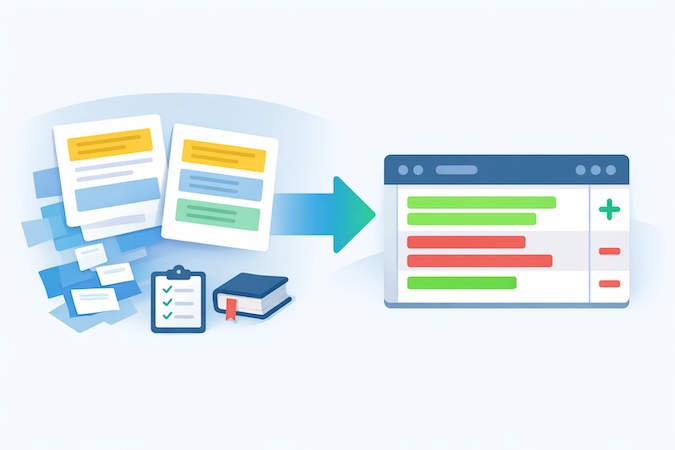
Every unanswered “why is this happening?” becomes:
- another email next week,
- another Slack ping,
- another “quick call?” request,
- and another tiny cut to the team’s attention span.
More documentation wouldn’t have helped. What we needed was a system that constantly answers one question:
“What are customers repeatedly confused about, right now?”
So we put OpenClaw on docs duty.
What OpenClaw watches, and what it ships
It looks across two streams of “truth”:
- Support conversations (emails, threads, drafts we approve)
- AI builder interaction patterns (what users try, where they stall, what errors show up)
Then it does three things on repeat:
- Detects doc gaps. “We answered this question 6 times this week.” “Users keep missing step X.” “This feature behaves differently than people assume.”
- Proposes the specific edit to make. A concrete change, the kind a teammate would open a PR for:
- add a missing prerequisite checklist
- rewrite a confusing paragraph
- insert an example prompt
- add a troubleshooting section with known failure modes
- link the right page from the right place
- Creates a PR-style update in our docs repo. Because our docs are code-driven (Mintlify), OpenClaw can generate a clean patch the same way a teammate would: a diff you can review, comment on, and merge.
And again: nothing goes live without a human approving it.
Why weekly PRs turned docs into a habit
This single workflow turned docs from “we’ll get to it” into a habit.
We went from monthly doc updates (best intentions, zero time) to weekly PRs, because the hard part (finding what to change and drafting the patch) was no longer competing with everyone’s day job.
And this is where the time savings really stacked up: about 80% of our reclaimed time came from killing the follow-up, summarization, and doc-debt loop. Once the docs improve, the same issues stop coming back with a mustache and a new subject line.
The side effect: support gets calmer and more consistent
When docs are updated in weekly increments:
- support answers get shorter (because you can link instead of re-explain),
- onboarding gets easier (because the “first-week confusion” shrinks),
- engineering gets fewer repeat interruptions,
- and customers stop feeling like they’re discovering landmines alone.
Support stops being “heroic” and starts being… boring.
Which, in operational terms, is the highest compliment.
The last workflow, onboarding outreach, helps trial users succeed without spamming them or letting an agent freestyle in their inbox.
Workflow #4: onboarding outreach triggered by real behavior
Free-trial users are a special kind of support problem.
They don’t ask for help early because they’re “fine.” They don’t ask because they don’t know what to ask. Then they hit a wall, churn quietly, and your analytics politely labels it “trial conversion opportunity.”
So we used OpenClaw for the thing most teams say they do but rarely pull off: timely, specific onboarding help, triggered by real behavior.
What OpenClaw looks for
Instead of blasting generic “Need help?” emails, the agent watches for signals that someone is stuck or under-using the product:
- repeated attempts at the same flow
- long gaps after an initial build session
- common “prompting mistakes” patterns
- feature usage that indicates they’re building the wrong thing first
- recurring friction points that we already know how to unblock
Then it prepares outreach that’s actually actionable.
What it drafts (and why it works)
The outreach is short and specific, typically one of these:
- “Try these 3 prompts next” (based on what they’re building)
- “Here’s the missing prerequisite” (auth, roles, schema, workflow order)
- “This is the fastest path to a working demo” (reduce scope, ship one happy path)
- “Here’s the doc page you need” (because we now have it, thanks to Workflow #3)
The tone matters here. Marketing-automation voice kills it. It has to read like a helpful operator who’s seen this movie before.
The non-negotiable guardrail
Even though this outreach goes out before the customer asks, it’s still customer-facing. So the same rule applies:
OpenClaw can draft outreach, but it does not send without human approval.
That single gate prevents two bad outcomes:
- the agent pestering someone who isn’t actually stuck, and
- the agent accidentally introducing confusion or over-promising something the product can’t do.
Humans also decide whether outreach is appropriate at all for a given account. Some users want to explore quietly. Some are evaluating vendors. Some are mid-demo and don’t need a backseat driver.
Why this fits the bigger system
This workflow only works because it sits downstream of the other three:
- Inbox triage tells us what’s breaking now
- Early investigation tells us why users get stuck
- Docs PRs turn that into durable guidance
- Outreach delivers the right guidance at the right time
Done right, onboarding outreach reduces support load instead of adding to it, because fewer users end up in the “I’m stuck and angry” state.
Once these four workflows were stable, the agent drifted into work that had nothing to do with tickets, and “support bot” stopped being an accurate name.
Beyond support: where the agent became an ops layer
It started with a predictable question: “can it also do X?”
That question is cheap to answer when the agent already understands your product, your customers, your docs, and your internal tools. The expensive part, wiring it into all of those systems, was already done for support. So a new workflow cost almost nothing, and the agent spread out of the inbox into the rest of how we run the company: understanding customers, keeping marketing current, tracking product decisions, and answering compliance questions. None of it was planned. It grew because the foundation was already there.
It builds the customer picture before anyone replies
Before the agent drafts a support reply, a bug report, or an onboarding email, it assembles a single profile of the customer by pulling from the systems that each hold one piece of the story:
- account data: subscription tier, credits left, project count
- product analytics: pages visited, actions taken, errors hit
- AI builder history: what they asked for and what got built
- support history: past issues and how they were resolved
Most teams already have this data. It’s just spread across four or five tools, and no one opens all of them before answering a customer. So the agent does it on every interaction, which quietly changes the reply. A customer complaining about a bug who is also out of credits and on a downgraded plan is a different conversation than the bug by itself. The person writing the response sees that without going to look for it.
Marketing stays in sync with what actually shipped
Two things run together here. Sales and leadership can ask the agent “what’s shipping next?” or “what version is live?” and get an answer pulled straight from the project board, without interrupting engineering. And the agent maintains the shared knowledge base that sales and marketing work from: current features, pricing, availability, talking points. When something ships, the KB gets updated as part of that workflow, instead of three weeks later when someone notices it’s wrong.
The payoff is two complaints going away at once. Sales stops asking engineering “what’s live?” and engineering stops getting asked. For a healthcare product, it also closes a real liability gap: you can’t have marketing selling a compliance feature that isn’t built yet. The agent keeps what’s sold and what’s shipped pointed at the same source of truth.
Compliance questions stop being the bottleneck in enterprise deals
When a lead or customer asks about compliance, the agent searches the product documentation and drafts a technically accurate answer, with the same human approval gate from support before anything goes out. These are the questions that show up in every enterprise health-tech sales cycle:
- are you HIPAA compliant, and will you sign a BAA
- where does our data actually live
- what’s your SOC 2 status
- walk us through the architecture and access controls
They’re high-frequency, because every prospect asks roughly the same set. And they’re high-stakes, because a wrong answer about compliance can kill a deal or create legal exposure that outlives it. The person fielding the question usually isn’t the one who knows the precise answer, so it gets escalated to legal or engineering, and the deal waits.
Drafting from your own documentation fixes both. The answer comes back consistent every time, grounded in what you actually built instead of what a salesperson hopes is true. If you’ve watched an enterprise deal stall for two weeks on a security questionnaire, this is the part that gives that time back.
Turning chat into engineering-ready work
A cluster of smaller workflows all do the same thing: take something said in a team channel and turn it into structured work on the project board. Two carry most of the weight.
When a bug gets reported in chat, the agent triages it: assigns severity, checks the board for duplicates, enriches the report with what the user actually did in the product rather than what they typed in the ticket, and files or updates a task. Engineering gets a clean, deduplicated ticket instead of “X is broken.” And when a product decision gets made, the agent writes the development task for it, with acceptance criteria, sprint placement, and context links, so a casual description turns into something engineering can pick up without a rewrite.
Two lighter jobs round it out. Feature ideas that surface in channels get logged to an ideas board, deduplicated against both the existing ideas and the active backlog, so nobody files “add dark mode” when it’s already in the sprint. And when a sprint ships, the agent drafts release notes from the completed tasks, filters out the internal-only items, and opens a PR for a human to review and merge.
Every one of these workflows that touches a customer, a prospect, or a public doc still drafts only and waits for a human to approve it, exactly like support does. The same gate, everywhere. That gate is the reason this kept expanding without blowing up, which is worth its own section.
Next, that control layer, and why we treat human-in-the-loop as a deliberate architecture decision.
Human-in-the-loop is an architecture decision
When people hear “AI agents,” they imagine a bot that does things on its own. Which is exactly why most teams either (a) never ship it, or (b) ship it and then spend the next month apologizing.

We treated “human-in-the-loop” as a control system you design and enforce.
Because in customer support, the failure that actually hurts is being wrong confidently, publicly, and at scale. That’s how a time-saver turns into a brand liability.
So we drew hard lines around what the agent can do, where it can do it, and what it’s allowed to finalize. This is the part that made everything else work in practice.
1) Separate “thinking” from “shipping”
OpenClaw can:
- read inputs (emails, threads, internal signals)
- pull context (docs, past resolutions)
- draft outputs (email replies, doc patches, summaries)
- recommend next actions (escalate, request info, link doc, file bug)
But it cannot ship anything customer-facing without a human approval event:
- no sending emails
- no publishing docs
- no starting outreach on its own
- no “just pushed a fix” style messaging
The agent’s job is to get you to 80% done fast. The human’s job is to decide whether that 80% is actually correct, appropriate, and on-brand.
2) Define “surfaces” and lock them down
We learned to think in “surfaces,” the places where output can land:
- Internal surfaces: digests, summaries, engineering notes. The agent can be more autonomous here (still needs boundaries, but lower risk).
- External surfaces: anything a customer can read. The agent stays in draft-only mode.
That simple split prevents the classic failure mode: the agent writing something technically plausible but strategically dumb (“We’re working on it!” when you’re not).
3) Make approvals lightweight (or they won’t happen)
If approvals are annoying, humans will bypass them. So we kept it simple:
- drafts come pre-filled with the relevant context links
- the “review” step is fast (scan, tweak, approve)
- the state is tracked so you don’t review the same thing twice
This is also why your Mintlify setup matters: docs updates are code diffs, which means they get reviewed like any other PR, instead of “someone please edit this page in a CMS.”
4) Give the agent a defined role
We didn’t ask OpenClaw to “be helpful.” That’s how you get poetic nonsense.
We gave it explicit roles:
- triage operator
- incident summarizer
- documentation editor
- onboarding assistant
Each role has:
- allowed inputs
- allowed tools
- allowed outputs
- escalation rules
That’s how you keep the agent from wandering off into “helpfulness” that’s actually just scope creep.
5) Auditable state beats “it felt handled”
One underrated part of this whole system: the agent keeps tabs on what’s open, what’s waiting, what’s stale. That’s not flashy, but it’s the difference between “support is fine” and “support is quietly melting down.”
The moment you can reliably answer:
- what’s outstanding?
- who owns it?
- how long has it been waiting?
- what’s the next action?
…you stop running support on vibes.
If PHI is involved: what changes (and what doesn’t)
In our current support workflow, our customers aren’t building with PHI, which keeps the blast radius pleasantly small.
But the second you point an agent at anything that touches ePHI, the conversation changes from “cool automation” to risk management with a keyboard.
Here’s the practical version (not legal advice, just how HIPAA actually gets enforced):
1) You stop thinking “AI tool” and start thinking “business associate”
If the agent (or anything behind it) can create, receive, maintain, or transmit PHI on behalf of a covered entity, you’re in business associate territory, and you need the right contracting and obligations (BAA, subcontractor flow-down, permitted uses, safeguards).
2) “Minimum necessary” becomes a design requirement
Agents love context. HIPAA loves restraint.
The Privacy Rule’s “minimum necessary” concept pushes you to limit what the agent can access and disclose based on purpose, rather than handing it everything so it can be more helpful. Practically: scoped retrieval, role-based views, redaction, and “no full-record dumps.”
3) Safeguards move from a slide deck to an architecture diagram
The Security Rule is explicit: protect ePHI with administrative, physical, and technical safeguards.
In agent terms, that usually translates to:
- Administrative: risk analysis, policies, training, incident response, vendor management (this is where teams try to “skip” and later regret it). NIST SP 800-66 Rev. 2 is a solid implementation guide if you want something practical rather than vibes.
- Technical: access controls, audit logs, encryption, session controls, secure configs, and strict tool permissions.
- Physical: yes, still matters if you’re self-hosting or running local components.
4) “Human approval” is necessary but not sufficient
Approval gates are a great control for outbound comms (and we’d keep them), but HIPAA risk often shows up before the draft is ever sent:
- what the agent can retrieve
- what it can store and log
- what external tools it can call
- what ends up in prompts, traces, and telemetry
So the big shift is: you design the boundary first, then you automate inside it.
What we learned: the “support bot” frame was too small
We started calling this a support agent. Within a few weeks it was also building customer profiles, syncing marketing to product, drafting compliance answers, and filing product tickets, and the name had stopped fitting. We didn’t plan that. It happened because once you have an agent that understands your product, your customers, your docs, and your team’s tools, the next question is always “can it also do this?” and the answer kept being yes.
It comes down to size. Most small teams are quietly running 5 to 10 operational workflows that are each too small to justify a hire, too tedious to keep doing by hand, and too tangled together for point tools to fix. An agent that sits across all of them and holds context is a different category of tool than a point solution for any single one.
Underneath every one of these workflows is the same loop: an agent watches operational signals → drafts the work → routes it to humans → keeps the system honest (state, follow-ups, docs).
Support was just the most obvious place to prove it: it’s painful, and every win is measurable.
One thing we didn’t expect: the human-in-the-loop architecture we built for compliance reasons, where nothing customer-facing ships without approval, turned out to be the right shape for all of it. The approval gate is what made it safe to point the agent at customer-facing and revenue work, where the answers have to be right and a mistake is expensive.

Where this goes next is the clinical side. The same pattern fits a stack of healthcare ops workflows that are drowning in small tasks that add up:
- intake and scheduling triage
- prior auth status chasing
- RCM and billing follow-ups
- referral coordination
- internal knowledge management (the “where is that answer?” problem)
And the moment PHI enters any of these, the controls and the architecture matter more than the model. That’s the whole point. What makes this work in healthcare is the implementation: the access boundaries, the audit logging, the tool permissions, the approval gates. The model is the easy part.
We’re going to keep publishing what we learn as we run more experiments, break a few things safely, and turn the useful parts into a playbook healthcare operators can actually use.
If you’re looking at your support (or ops) workload and thinking “we’re hiring people to do copy/paste with context,” we should talk. We help healthcare teams design and implement agent workflows with real guardrails, from “draft-only plus human approval” all the way to production-grade automation where it’s appropriate.
Frequently Asked Questions
What exactly did OpenClaw automate for you?
Inbox triage and daily digests, draft responses, issue summaries from customer build trails, and doc-update PR drafts.
What does OpenClaw do beyond support?
Builds full customer profiles before replies, keeps marketing synced to shipped product, and drafts compliance answers for sales, all with the same human approval gate.
Did OpenClaw send emails or publish docs automatically?
No. Anything customer-facing stayed draft-only until a human approved it.
How much did support performance improve?
Support load dropped ~60–70%, draft coverage hit ~80–90% of issues, and median first response time went from ~30 minutes to ~5 minutes.
Where did the 20-30 hours/week savings come from?
Mostly from removing follow-ups, summaries, and documentation debt, roughly 80% of the savings.
Is this approach safe for workflows that involve PHI?
It can be, but the design changes: strict access boundaries, auditability, and HIPAA-aligned safeguards become mandatory.
What's the minimum setup to try this pattern in a healthcare organization?
Start with draft-only triage, daily digests, and a tight approval workflow, then add doc PRs once you see repeat questions.