

If you’re building a digital health product, OpenAI HIPAA compliance isn’t a vendor checkbox — it’s a system boundary. The real question isn’t “is this vendor HIPAA-compliant?” It’s: where does PHI enter your system, where can it legally flow, and what control points prove you didn’t get sloppy at 2 a.m. before launch. HIPAA compliance lives at the boundary between your app, your infrastructure, and your vendors — not in a pricing page badge.
For healthcare organizations, that boundary needs to be explainable to Security, Legal, and whoever gets dragged into the incident review when something “small” ships.
That’s why this guide starts with a simple “PHI allowed?” decision matrix, then zooms into the traps product teams actually hit: retention defaults, “helpful” features that quietly expand exposure, and Zero Data Retention (ZDR) settings that change how you design state, logging, and workflows. This is data privacy and data security as architecture.
And yes — this is what artificial intelligence in healthcare looks like once you move past demos: contracts, controls, and boring boundaries that don’t leak.
| Quick Question: Is OpenAI HIPAA compliant?
Quick Answer: OpenAI can be used in HIPAA-regulated workflows only if you use an eligible product surface (typically the API or sales-managed ChatGPT Enterprise/Edu), sign a BAA, and configure data controls so PHI stays inside a defined system boundary. ChatGPT Free/Plus and ChatGPT Business are not appropriate for PHI. A BAA is permission—not protection—so you still need your own access controls, audit logging, and “minimum necessary” data handling. |
Key Takeaways:
- HIPAA eligibility depends on the exact OpenAI product surface, not the brand name. The API (with a BAA) and sales-managed ChatGPT Enterprise/Edu can be viable; consumer ChatGPT and ChatGPT Business are not PHI workflows.
- Zero Data Retention is a design constraint, not a toggle. With ZDR, you can’t rely on vendor-side persistence (store is effectively off), and some tools/features change retention or aren’t HIPAA-eligible—so your architecture must own state, logging, and boundaries.
- A BAA is permission, not protection. You still need the “boring but fatal” pieces: risk analysis, minimum necessary, encryption, audit trails, and policies—otherwise you’ll fail security review even if your vendor paperwork looks perfect.
Table of Contents
- The 30-Second Answer (Decision Matrix)
- Which OpenAI Products Can Touch PHI and Which Cannot
- The BAA Reality: Eligibility, Scope, and “BAA ≠ Compliance”
- Zero Data Retention (ZDR): The Configuration That Makes or Breaks You
- Your Side of the Shared Responsibility Model
- Reference Architecture: A HIPAA-Compliant Wrapper Around OpenAI
- Failure Modes That Still Cause Breaches (Even With a BAA)
- Audit-Ready Checklist: What to Document Before You’re in Trouble
The 30-Second Answer (Decision Matrix)
If someone on your team asks, “Can we use ChatGPT or OpenAI with PHI?”, what they’re really asking is: “Which OpenAI product are we using, and do we have the right contract and data controls so PHI doesn’t end up where it shouldn’t?” Because HIPAA isn’t a vibe — it’s paperwork and plumbing.
That matters most for healthcare providers shipping workflows that touch PHI (summaries, intake, documentation, patient messaging) where “quick” turns into “production” in about three sprints.
Here’s the decision matrix product teams can use before Legal starts sending calendar invites with ominous titles:
| Path you’re considering | Can it handle PHI under HIPAA? | What must be true (minimum) |
| OpenAI API (healthcare use case) | Potentially yes | You have a BAA in place and appropriate org/project-level data controls (often including ZDR) in addition to your own HIPAA safeguards (access controls, audit logs, policies). |
| ChatGPT Enterprise / Edu (sales-managed) | Potentially yes | Eligible for a BAA via sales + enterprise controls configured correctly. |
| ChatGPT Business | No | OpenAI does not offer a BAA for this plan. |
| Consumer ChatGPT (Free/Plus/etc.) | No | Consumer product; not designed for HIPAA PHI workflows. |
| Consumer “health” experiences | No | Useful for individuals, but don’t treat it like a covered-entity workflow. |
Two “don’t get fired” rules for product teams:
- Contract ≠ compliance. A BAA gives you permission to process PHI with a vendor; it doesn’t magically implement your risk analysis, least-privilege access, audit trails, or breach response plan.
- Default behaviors matter. If your architecture assumes “the model remembers” or “the vendor stores our state,” you’ll accidentally design a PHI leak. Build as if you own state and logging.
Which OpenAI Products Can Touch PHI and Which Cannot
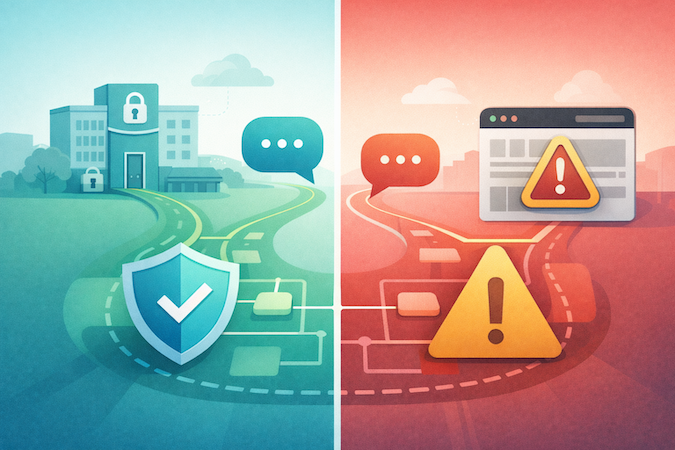
Most teams get this wrong by asking whether “ChatGPT HIPAA compliant” is a yes/no thing. It isn’t. HIPAA eligibility depends on which OpenAI surface you’re using, and whether that surface can be covered by a Business Associate Agreement (BAA) plus the right enterprise controls.
Here’s the practical breakdown for product teams:
1) OpenAI API (backend-to-backend) — the “build it properly” path
This is the cleanest route when your app will handle PHI. You can request a BAA for API usage without needing an enterprise agreement, and you design a controlled boundary (your UI/backend, your logging, your storage). In other words: you own the system, not a chat window.
2) ChatGPT Enterprise / Edu (sales-managed) — potentially eligible, but only in a specific setup
A BAA is only available for ChatGPT Enterprise or Edu if the account is sales-managed. If you’re not in that bucket, you’re not in “PHI-land,” no matter how fancy the plan name sounds.
3) ChatGPT Business / consumer ChatGPT — not for PHI
OpenAI explicitly does not offer a BAA for ChatGPT Business. Consumer ChatGPT plans are also not the place to paste patient context “just for a quick summary.” (That’s how teams end up inventing a new compliance incident category: oops-as-a-service.)
4) Consumer health features (e.g., ChatGPT Health) — don’t confuse “health” with HIPAA
OpenAI’s consumer health experience encourages users to connect medical records and wellness apps, but that’s a consumer product context—not a covered-entity workflow under your HIPAA program. Treat it as out of scope for PHI in your product.
5) “More OpenAI products exist” doesn’t mean “more HIPAA surfaces exist”
OpenAI also launched Prism as a scientific writing/collaboration workspace for personal accounts; it’s useful, but it doesn’t change HIPAA eligibility rules for your app.
If you want the tight, operational version of this distinction (the one that survives a security review), use our ChatGPT HIPAA compliance guide as the internal reference point when aligning Product, Legal, and Engineering.
The BAA Reality: Eligibility, Scope, and “BAA ≠ Compliance”
For product teams, the OpenAI business associate agreement is the line between “interesting prototype” and “this can touch PHI in production (with guardrails).” It’s also where a lot of teams accidentally waste weeks—because they assume the plan name (“Business,” “Enterprise Plan,” etc.) implies legal coverage. It doesn’t.
Who Can Actually Get OpenAI BAA Today
- API usage: An enterprise agreement is not required to sign a BAA for the API platform.
- ChatGPT Enterprise / Edu: Only sales-managed ChatGPT Enterprise or Edu accounts are eligible for a BAA for ChatGPT—and ChatGPT Business is explicitly not eligible.
So when someone says “we have OpenAI BAA,” translate that into two follow-up questions:
- Which surface is covered (API vs ChatGPT Enterprise/Edu)?
- What exact controls are we committing to in our architecture + ops to make that contract meaningful?
What a BAA Does (and Doesn’t) Do
- It defines permitted uses/disclosures of PHI, requires safeguards, and sets reporting / breach notification expectations between you and the vendor.
- It does not implement your HIPAA program for you. You still own: risk analysis, least-privilege access, audit trails, staff training, incident response, and “minimum necessary” data handling.
The practical takeaway: treat the BAA as legal permission + obligations, then design your system so PHI has a clearly controlled boundary (and so you can prove it during a security review). If you can’t point to the boundary, you don’t have compliance—you have optimism.
Zero Data Retention (ZDR): The Configuration That Makes or Breaks You
For product teams, OpenAI HIPAA compliance usually lives or dies on one boring, unglamorous thing: data retention behavior under real production usage. The good news: OpenAI documents this stuff pretty explicitly. The bad news: many “nice-to-have” features quietly change what gets stored (and for how long).
What ZDR Actually Changes
With Zero Data Retention, OpenAI excludes customer content from abuse monitoring logs, and it also forces a key behavior change: the store parameter for /v1/responses and /v1/chat/completions is always treated as false—even if your request tries to set it to true. Translation: don’t design your product assuming the vendor will reliably persist conversation state for you.
The Gotchas That Trip Teams in Security Review
- “ZDR eligible” ≠ “HIPAA eligible.” OpenAI’s Web Search tool is ZDR eligible, but it is not HIPAA eligible and is not covered by a BAA. If your agent can browse the internet, you’ve just created a PHI exfiltration route.
- Images/files can still be retained in rare cases. OpenAI scans image and file inputs for CSAM; if detection flags content, the image may be retained for manual review even if ZDR (or Modified Abuse Monitoring) is enabled. It’s rare—but it matters if your workflow includes uploads that could contain sensitive imagery.
- Some capabilities store application state anyway. Even with ZDR enabled, endpoints/capabilities that are ZDR-ineligible may store “application state.” OpenAI calls out examples like background mode (stores response data briefly for polling) and notes some tools aren’t compatible with ZDR. The practical point: endpoint choice is a compliance decision.
A quick “don’t confuse the headlines with your architecture” note:
If you’ve seen consumer-news coverage about The Verge and “ChatGPT Health” (medical records + wellness app connections), treat that as a separate, consumer context—not a blueprint for HIPAA workflows in your product.
Why This Matters Beyond Settings Pages
Even when there’s noise about data preservation orders in the New York Times lawsuit, OpenAI has stated that business customers using the API under Zero Data Retention agreements aren’t impacted in the same way, because that data isn’t stored in the first place. This is exactly why your default posture should be “don’t store what you don’t absolutely need.”
Your Side of the Shared Responsibility Model
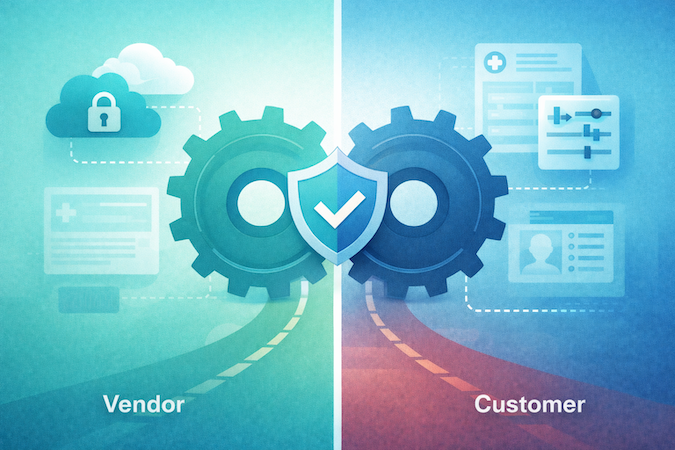
A BAA gives you a permission slip to process protected health information with a vendor. It doesn’t give you a functioning compliance program. That part is still yours—and for digital health product teams, it’s mostly architecture + evidence.
1) Do the Unsexy Work: a Real Risk Assessment
HIPAA expects you to identify where PHI can appear, who can access it, and what could go wrong—then document the mitigations (access control, logging, incident response, etc.). If your “risk assessment” is basically a Slack message that says “we turned on HIPAA mode,” you’re building on hope.
2) Put a De-Identification Boundary in the Design
If you can avoid sending PHI to any model at all, do that. When you can’t, you need crisp PHI protection rules: what gets redacted, what gets tokenized, what never leaves your infrastructure. And if you’re going the “de-identified” route, HHS is very clear: there are two compliant methods—Safe Harbor and Expert Determination—and neither one magically eliminates re-identification risk. It reduces it to an acceptable level when done correctly.
Practical product-team translation: de-identification is a workflow, not a regex.
3) Encrypt by Default, and Prove It
You’ll want data encryption in transit and at rest across your boundary (your backend, your storage, your logs), and you’ll want to be able to show it during security review. OpenAI also documents enterprise controls like data retention options and Enterprise Key Management (EKM) for qualifying customers—but your system shouldn’t depend on those to be safe.
4) Watch the “Not HIPAA, Still Regulated” Trap
Even if you’re not acting as a HIPAA covered entity in a specific workflow, some state laws regulate consumer health medical data broadly. Washington’s My Health My Data Act was designed explicitly to cover health data not covered by HIPAA. Nevada’s SB 370 similarly targets “consumer health data,” with an effective date of March 31, 2024.
Bottom line: vendor posture matters—but your boundary design and governance are what make it real.
Reference Architecture: A HIPAA-Compliant Wrapper Around OpenAI
If you want to build a HIPAA compliant app with LLM features, assume one thing from day one: the model is not your system of record. Your boundary is. That’s how you get PHI protection without turning your app into a compliance-themed escape room.
Here’s a reference pattern that tends to survive security review and production reality:
1) Put the “PHI Boundary” in Your Backend, Not in Prompts
- UI (web/mobile) collects user input, but does not decide what’s PHI.
- Secure backend becomes the gatekeeper: it classifies/redacts, enforces policies, and attaches the right metadata for audit.
Why: prompts are not controls. Controls are controls.
2) Add a PHI Filter / Policy Engine Before Any Model Call
At minimum:
- redact obvious identifiers (names, phone, MRNs) and block “copy/paste a chart” behaviors
- apply “minimum necessary” rules by use case (summarization ≠ clinical decision support)
- maintain an allowlist of what fields can ever be sent out
This is where data security becomes code: deterministic, testable, and logged.
3) Call OpenAI Through the API With Explicit Configuration
- Use the API configuration that matches your legal + retention posture (e.g., ZDR if contracted/approved for your org).
- Treat vendor-side persistence as off-limits by default; store your own state. (ZDR especially makes “server-side memory” assumptions brittle.)
- Avoid tools/features that are not HIPAA-eligible (your agent should not be able to browse the open internet with PHI in context).
4) RAG: Retrieve From Your Datastore, Not From “Whatever the Model Remembers”
A common production shape:
- Vector DB / search index inside your environment (PHI-scoped)
- backend retrieves top-k snippets + citations
- model receives only the minimum relevant context (and you can prove what was sent)
This also keeps your AI integration in EHR story clean: EHR → your integration layer → your controlled retrieval → model.
5) Logging That Helps You During an Incident
Log metadata, not raw PHI:
- request IDs, user IDs/roles, feature flags, model/version, token counts, latency, policy decisions
- store the minimum necessary text only when required—and behind strict access controls, retention limits, and encryption
If you can’t answer “who accessed what, when, and why” you don’t have governance—you have vibes.
Net-net: the safest pattern is boring on purpose—your backend owns the boundary, your storage owns the truth, and the model is a stateless worker you can swap, throttle, and audit.
Failure Modes That Still Cause Breaches (Even With a BAA)
A BAA and the “right settings” can still leave you with the most annoying kind of incident: the one that wasn’t a hack — it was your own workflow.
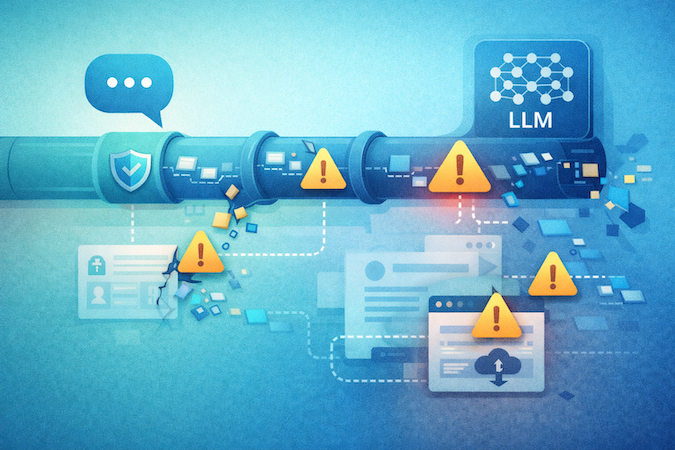
Here are the failure modes product teams actually ship by accident:
Prompt Injection and Tool Leakage
If your app lets user text influence tool calls (retrieval, integrations, “assistant actions”), attackers don’t need admin access — they just need a cleverly phrased note. Mitigation: strict tool allowlists, role-based tool access, and “tool input sanitization” as a first-class feature, not a TODO.
The “Helpful Browsing” Faceplant
Anything that can browse the open internet becomes an exfil route. Even if you think it’s just “looking up guidelines,” it’s a data boundary problem. Build your workflows so PHI never rides along with web-enabled tools.
Hallucinations in Clinical-Shaped UX
The breach isn’t only wrong output — it’s when users treat the output as a chart note, patient instruction, or triage decision because your UI implies authority. Mitigation: constrain outputs (templates), require citations to your retrieved sources, and keep a human-in-the-loop for anything that looks like medical advice.
RAG Poisoning and Cross-Tenant Bleed
Bad documents (or the wrong tenant’s docs) in retrieval can turn “summarize” into “leak.” Mitigation: tenant-scoped indexes, signed ingestion, and explicit “what sources were used” logging.
Logging Becomes Your Quiet PHI Datastore
Teams scrub payloads, then accidentally persist PHI in analytics, traces, or error logs. Mitigation: structured logging with redaction-by-default and tight retention.
If you want a simple internal framing: generative ai in healthcare is safe only when your product treats the model as a stateless worker — and treats your boundary as law.
Audit-Ready Checklist: What to Document Before You’re in Trouble
If you want regulatory compliance that survives more than a demo, treat this like an “evidence pack” you can hand to Security/Legal without triggering an existential crisis. This is also where HIPAA compliant software development stops being a slogan and becomes a repeatable process your team can run every release.
Contract and Scope
- BAA executed (and clearly scoped to the product surface you’re using).
- Documented “PHI allowed?” boundary: where PHI can appear, where it must never appear.
Config and Technical Controls
- Retention posture documented (e.g., ZDR/retention settings) + screenshots/exports of the relevant configuration.
- Tooling allowlist (explicitly note anything you do not allow, like web-browsing tools in PHI flows).
- Encryption posture: in transit + at rest (keys, rotation policy, backups).
Access and Auditing
- Role-based access control (who can access prompts, outputs, logs).
- Audit logs that record metadata (who/when/what feature) without becoming a shadow PHI datastore.
- Incident response runbook: detection → containment → notification.
Operations
- Staff training + acceptable-use policy for LLM features.
- Vendor management packet (what you reviewed, when, what changed — including any available SOC 2 Type 2 reports or equivalent assurance documentation from vendors handling PHI-adjacent workflows).
One underrated gem: the HIPAA “recognized security practices” incentive has a 12-month lookback, so your documentation discipline matters well before an incident. And if your stakeholders keep asking, “Is ChatGPT HIPAA compliant for healthcare?”, this checklist helps you answer with something stronger than “we think so.”
Want a sanity check on your boundary design, retention posture, and evidence pack? Schedule a call with our experts and we’ll walk through it with you.
Frequently Asked Questions
Does OpenAI sign a BAA for healthcare companies?
Yes, OpenAI can sign a BAA for certain eligible customers (commonly via the API platform for PHI use), and the request process is handled case-by-case via their BAA intake.
Is the free version of ChatGPT HIPAA Compliant?
No. Consumer ChatGPT (including the free plan) is not the right surface for PHI because HIPAA use requires a BAA and the appropriate enterprise controls; OpenAI positions HIPAA-supporting use around eligible offerings like its API with a BAA and dedicated healthcare/enterprise options.
What is Zero Data Retention in OpenAI's API?
Zero Data Retention (ZDR) excludes customer content from abuse monitoring logs, and it changes endpoint behavior so the store parameter for /v1/responses and /v1/chat/completions is always treated as false (even if you try to set it to true).
Can I put patient names into ChatGPT Enterprise?
Only if your organization has a BAA that explicitly covers your ChatGPT Enterprise/Edu/Healthcare deployment and you’ve configured the required controls; otherwise, you should treat patient names as PHI and keep them out of ChatGPT.
How do I make my AI application HIPAA compliant?
Start with a documented risk analysis, establish BAAs with any vendors that will handle PHI, define a clear PHI boundary (minimum necessary, de-identification where appropriate), and implement access controls, encryption, audit logging, and workforce policies/training that match the risks you identified.