

In skin cancer detection app development, the hardest part isn’t “pick a model and hit train.” It’s deciding what kind of product you’re building—and accepting the consequences. A consumer self-screening tool, a clinical decision support workflow, and a device-connected primary care system can all look like “AI that scans moles,” but they fail for totally different reasons.
Get the claim wrong and you don’t just rewrite screens—you rewrite your evidence plan, your risk outputs, your liability posture, and the entire “what happens next” loop.
This guide is built for builders who want something that survives reality: messy photos, inconsistent lighting, rushed clinicians, and users who don’t read instructions. We’ll force lane selection upfront, treat capture quality like the real bottleneck it is, and design outputs that drive action—not pretty probabilities.
Then we’ll get unromantic about what actually makes a clinical-grade product: data governance, subgroup performance, calibration, validation strategy, security, and the operational costs you inherit the moment you ship.
Key Takeaways
- Your “claim” is a product architecture decision. If you can’t clearly define the next step after a flag (monitor/refer/consult), you’re building a demo, not a workflow.
- Capture quality and follow-up loops beat model upgrades. Guided capture + quality gates + action-tied outputs usually move outcomes more than chasing headline AUC.
- Clinical-grade equals evidence + operations. Representative data, leakage-proof evaluation, calibration, subgroup checks, and ongoing monitoring are what keep performance trustworthy after launch.
Table of Contents
- What kind of skin cancer detection app are you actually building?
- User journey when building a skin cancer detection app
- Core Features of a Skin Cancer Detection App
- Pulling data for a AI-powered Skin Cancer Detection App
- AI Architecture Choices for Skin Cancer Detection
- “Clinical-Grade Accuracy” for Skin Cancer Detection App
- Evidence and Regulatory Path: Clinical Validation and FDA Strategy
- Privacy and Security for Medical Imaging
- Technical Blueprint and Adoption Killers
- GTM Realities and Cost Considerations
- Build an AI-powered Skin Cancer Detection App with Topflight
What Kind of Skin Cancer Detection App Are You Actually Building?
Before you sketch screens or hire a data scientist, decide what category of product you’re building. Skin cancer detection app development can mean three wildly different things in practice—and each comes with different expectations for evidence, safety, and risk. If you skip this step, your “MVP” turns into an expensive rewrite that nobody budgets for (until it’s too late).
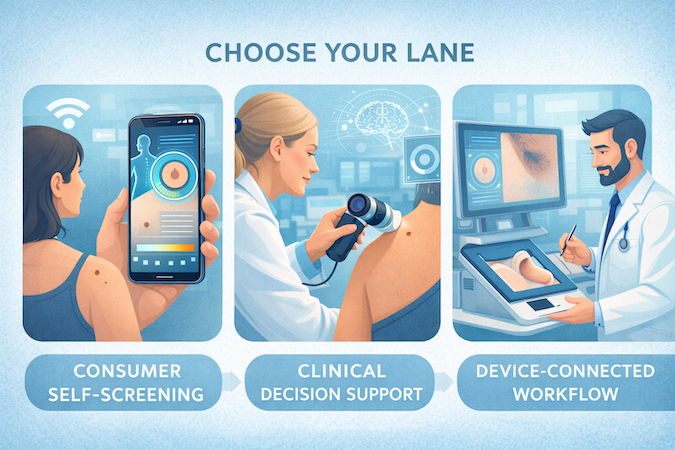
Consumer Self-Screening vs Clinical Decision Support vs Device-Connected Workflows
1) Consumer Self-Screening (B2C)
- What it is: A user takes a photo, gets a risk cue, and receives guidance on next steps.
- Where it wins: Distribution and engagement—if you can keep users returning (hard).
- Where it breaks: Photo quality and user behavior. If your product depends on perfect image capture, your accuracy will be “great in demos, chaotic in real life.”
2) Clinical Decision Support (B2B / Clinical Workflow)
- What it is: A tool used by clinicians to support triage and documentation decisions.
- Where it wins: Clear “job to be done” (speed up triage, standardize follow-ups, reduce missed escalations).
- Where it breaks: If it doesn’t fit the workflow, it won’t be used. Clinicians don’t adopt novelty; they adopt time savings.
This is the lane where clinical decision support systems live—and the lane that forces you to think about audit trails, accountability, and what happens after the risk output.
3) Device-Connected Workflows (Primary Care / Point-of-Care)
- What it is: A controlled capture environment (often with hardware) that standardizes image quality and reduces variability.
- Where it wins: You can control inputs, which makes performance more dependable.
- Where it breaks: Hardware, logistics, and implementation become the product as much as the model.
Practical takeaway: if you’re doing dermatology app development for clinicians or device-connected use, plan less for “viral growth” and more for deployment realities: training, support, uptime, and integration.
The “Claim” You Make Determines Everything
Here’s the uncomfortable truth: the wording of your claim is not marketing fluff—it’s a product architecture decision.
- If you claim you detect cancer, you’re implicitly promising a level of diagnostic performance and evidence that consumer apps rarely meet.
- If you claim you support triage or prioritize follow-up, you’re building something safer and more achievable—without pretending you’ve replaced a dermatologist.
- If you position the tool around early detection, you’re stepping into high-stakes territory where false reassurance is the worst failure mode. Your product must be designed to avoid “everything is fine” vibes when it isn’t.
This is where healthcare AI products get judged harshly (as they should). A fancy model won’t save you from a sloppy claim. Your claim drives:
- what “good enough” accuracy even means,
- what validation you must run,
- what guardrails you need in the UI,
- and how liability flows when something goes wrong.
Opinionated rule: if you can’t clearly describe “what the app will do after it flags risk,” you’re not building a product—you’re building a demo.
Quick Decision Checklist
Use these five questions to lock your lane before you build:
- Who is the primary user—patient, clinician, or clinic staff?
If you answer “all of them,” you’re about to build three products. - What action should happen after the output—monitor, schedule, refer, or consult?
If there’s no action loop, your risk score becomes anxiety-as-a-service. - What are you optimizing for: sensitivity (don’t miss) or specificity (don’t overwhelm)?
Pick one as the priority. Pretending you’ll maximize everything is how teams ship false positives and missed cases. - What inputs can you control: lighting, distance, angle, dermoscopy, device capture?
The less control you have, the more your roadmap should invest in capture guidance and quality checks—not “more model versions.” - What’s the strongest claim you can honestly support in year one?
Write it down in one sentence. If that sentence makes your legal counsel sweat, your roadmap is probably fantasy.
If you answer those five questions up front, the rest of your roadmap becomes a series of sane tradeoffs—not a never-ending argument between product, engineering, and “that one stakeholder who saw a demo on LinkedIn.”
The Non-Negotiable User Journey: Capture → Analyze → Next Step
Every AI skin cancer detection app lives or dies on the same three-step journey: capture → analyze → next step. The mistake most teams make is over-investing in the middle step (the model) and under-investing in the first and last steps (the messy human parts).
A strong AI dermatology app feels less like “run AI” and more like an operational workflow that reliably moves someone to the right action.
Image Capture and Quality Assessment
Your model can be excellent and your app can still be useless if the input photo is trash. In the wild, image capture fails for predictable reasons: bad lighting, motion blur, wrong distance, hair covering the lesion, glare, low resolution, awkward angles, and users photographing the wrong thing entirely.
So treat capture like a product feature, not a camera screen:
- Guided capture, not instructions. “Use good lighting” is advice. A guided overlay, distance cues, and “hold steady” feedback is a system.
- Quality gates before analysis. If the image is blurry or too dark, don’t quietly run inference anyway. Block it, explain why, and tell the user what to fix.
- Multiple photos as a default. One image is rarely enough. Make “take 2–3 shots” feel normal, not like homework.
- Context cues without making users diagnose themselves. Users can’t reliably assess borders or color variation… but they can follow prompts like “fill the frame” or “avoid shadows.”
If you get this step right, you’ll increase usable images and reduce garbage predictions—which is more valuable than squeezing another 1–2 points of model performance in a lab.
Risk Output That Drives Action
Most apps output a number because numbers look scientific. That’s also how you create confusion and false confidence.
A better pattern is a risk assessment that’s:
- action-oriented (what should happen next),
- bounded (what the output does not mean),
- and consistent (same wording, same thresholds, every time).
Instead of “Risk: 0.72,” think in tiers:
- Low concern (monitor): “No urgent signs detected in this photo set. Recheck in X weeks, retake if it changes.”
- Needs follow-up (schedule/consult): “This looks worth a clinician review. Here are the next steps to book.”
- High concern (urgent referral): “Don’t wait. Arrange a professional evaluation soon.”
Under the hood, you can map those tiers to thresholds. In the UI, keep it plain: the user doesn’t need your probability—they need your recommendation.
Also: the output should reflect uncertainty. If image quality is borderline, say so. If the lesion is hard to interpret, say so. Ambiguity is not a bug in healthcare; it’s reality.
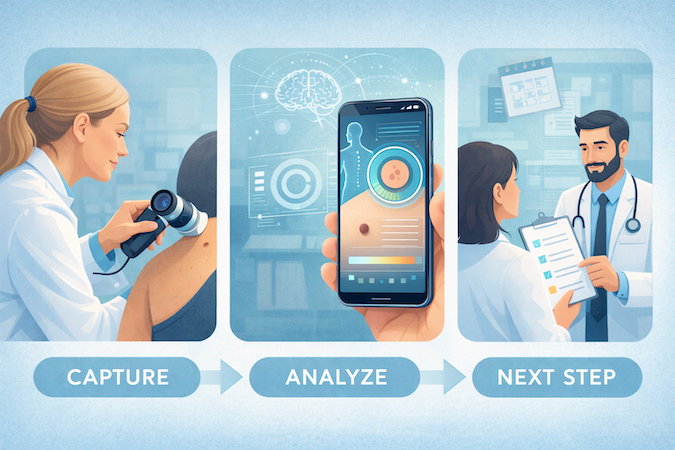
“What Happens Next?” Workflows
This is where the app becomes a workflow instead of a toy. Whatever your lane (consumer or clinical), your skin lesion analysis needs a clean “next step” loop:
1) Monitor
- Simple reminders (“recheck in 2–4 weeks”).
- Change tracking (photo history, date stamping).
- “Escalate if it changes” prompts that don’t require medical knowledge.
2) Educate
- Lightweight, practical guidance—not a medical textbook.
- Use the ABCDE criteria as a teaching scaffold, not a diagnostic checklist:
- explain what it is in simple terms,
- show examples,
- and stress that it’s guidance for when to seek review, not a home diagnosis.
3) Refer
- One-tap scheduling links or clinic finder (depending on your model).
- A “share packet” that includes the image set, timestamps, and brief context so users don’t have to re-explain everything.
4) Consult
- Tele-derm or primary care consult flows (even if you start with asynchronous review).
- Clear expectations: turnaround time, what the clinician will do, and what happens if they recommend an in-person visit.
Opinionated rule: if your app can’t smoothly move a “needs follow-up” user into an actual follow-up, your accuracy doesn’t matter. You’ve built a risk-labeling machine, not a healthcare product.
Core Features That Actually Move Outcomes
This is where you decide what to ship—without accidentally turning your MVP into a five-year dermatology suite.
Version 1 Must-Have Features
A production-ready AI-powered skin cancer app isn’t “camera + model + score.” V1 has to do a few boring things extremely well—because those are the things that keep your outputs usable and defensible.
- Capture QA + re-capture loop (productized): not the camera screen itself, but the gating + recovery flow: “why this photo won’t be analyzed” and “how to fix it” in under 10 seconds.
- Skin analysis app core output: a small number of risk tiers that map to predefined actions. Don’t ship a “probability dashboard.” Ship a decision that fits the workflow you chose.
- Risk classification that supports review: the app must store the exact image set, timestamps, and model version used—so clinicians (or internal QA) can audit decisions later without guesswork.
- Audit trail (non-negotiable in clinical lanes): who captured, who reviewed, what changed, and when. You don’t need a full enterprise EMR logbook, but you do need traceability.
- Minimal “share packet”: one-tap export (secure link or in-app handoff) that includes images + context, so users aren’t copy/pasting screenshots like it’s 2011.
What I’d not do in V1: anything that implies diagnosis. Your V1 earns trust by being consistent, reviewable, and boringly reliable—not “magical.”
Version 2 Differentiators
Once V1 is stable, V2 is where retention and clinical value compound—if it’s tied to behavior and follow-up.
- Mole tracking app timeline: photo history with dates + “what changed?” prompts. This is the stickiness engine, but only if the capture process is repeatable and the UI makes comparisons frictionless.
- Mole mapping: useful when it supports a repeatable routine (e.g., “monthly check” or clinician-guided tracking). It’s not automatically valuable just because it looks advanced.
- Longitudinal insights (careful wording): “changes over time” is the benefit; avoid sliding into pseudo-diagnosis.
- Reminders + nudges: escalation logic that’s tied to prior risk tiers and elapsed time, not random “check your skin” notifications.
- Education that reduces noise: teach users when to seek care, how to retake photos, and what changes matter. Keep it short; nobody opens an app to read a dermatology textbook.
This is also where melanoma detection language becomes tempting. If you use it, treat it as a clinical intent (“prioritize suspicious lesions for review”), not as a consumer-facing promise.

The Trap Features
These are the features that make demos look impressive—and roadmaps explode.
- Body maps before you have repeatable tracking behavior: if users don’t reliably capture consistent photos, a “map” becomes a cluttered UI with low-quality data pinned all over it.
- “AI explanations” before validation: explanations feel reassuring, but they can also create false confidence. If you can’t prove they help users take the right next step, they’re mostly a liability-shaped feature.
- Tele-derm too early: integrating consult is powerful, but it’s a multiplier on top of a solid workflow—not a substitute for one. If you jump straight into telemedicine app development without a stable capture→review package, you’ll just create a new place for bad inputs to land.
Opinionated sequencing: earn trust with consistent capture gating + reviewable outputs first. Then add tracking and mapping to drive follow-through. Only then sprinkle “smart” UX and consult integrations—when you can measure that they improve outcomes instead of just adding scope.
The Model Is the Easy Part. The Data Pipeline Is the Product.
If you’re trying to build a skin cancer detection app, the “AI” is rarely what derails you. The derailment comes from everything around it: where images come from, how they’re labeled, what “ground truth” even means, and whether you can legally and ethically keep using that data as you iterate. For a skin lesion detection app, your dataset isn’t an input — it’s your product’s foundation, and the hardest part of AI app development.
Data Sources
You’ll usually pull from three buckets:
- Clinical photos (semi-controlled capture, more context)
- Dermoscopy (higher-detail signal, specialized domain)
- Consumer photos (phone images in the wild)
The mistake is treating them like one “happy dataset.” These are different domains with different failure modes. Treat domains explicitly:
- Keep separate eval sets per domain (don’t let one averaged benchmark hide bad behavior).
- Decide early whether you’ll do one model with domain-aware training or routing/tuning by domain.
If you don’t make this explicit, you’ll ship something that looks decent in aggregate and feels unpredictable in the product lane you actually care about.
Labeling Strategy
Labeling isn’t a task you outsource and forget. It’s a policy:
- Who labels: plan clinician involvement for anything beyond surface-level tags, at least for adjudication.
- How disagreements resolve: define the pipeline (e.g., 2 independent labels → disagreement bucket → senior adjudication). No process = no “truth,” just opinions.
- Reference standard: record what each label means (histopathology-confirmed vs clinical impression vs patient-reported). Store this as metadata, not tribal knowledge.
That reference-standard metadata becomes part of your defensibility when you later talk about “performance.”
Representation Across Skin Types and Conditions
Treat subgroup performance gaps like production bugs. Operationally, ensure coverage across:
- Skin tones, ages, and body sites
- Lookalikes (benign lesions and common non-cancer conditions that mimic suspicious patterns)
- Hard cases you will see in production (not because cameras are messy — because reality is)
Then measure performance by subgroup and domain, not just one headline metric. If your system behaves differently across skin types or capture contexts, that’s not an ethical footnote — it’s a product defect.
De-identification, Consent, and Retention
This is where hobby datasets turn into real product assets:
- De-identification: define what gets removed (including metadata) and how you verify it.
- Consent + rights: document permissions for training, re-training, and future improvements. “We have the images” is not the same as “we can use them forever.”
- Retention + access controls: enforce least-privilege access and log access to the dataset as a sensitive asset.
- Dataset versioning: keep immutable snapshots tied to each model release so you can explain drift later without guesswork.
Bottom line: you can swap architectures later. But if you build the wrong data pipeline, you’re not refactoring code — you’re rebuilding the product.
AI Architecture Choices That Matter
If you want to develop a skin cancer detection app, the ML choices that matter aren’t the flashy ones. They’re the ones that keep your image recognition pipeline reproducible as data shifts over time. In computer vision in healthcare, “architecture” mostly means: can you measure change, ship change, and explain change without hand-waving?
Choosing a Baseline: CNNs for Image Classification
For most lesion triage workflows, a strong deep learning baseline is still convolutional neural networks built for image classification. The boring truth: a well-trained CNN architecture beats a “cool” model trained on the wrong assumptions.
A pragmatic path:
- Start with a proven CNN baseline (easier to validate, debug, and reproduce).
- Move beyond pure classification only when your product needs it:
- Segmentation when you must isolate the lesion region reliably.
- Multi-image aggregation if your workflow expects 2–3 captures and you want one consolidated decision.
- Uncertainty estimation / calibration if you need safer thresholds in a high-stakes triage lane.
Image Preprocessing and Data Augmentation
This is where teams accidentally ship a moving target.
- Treat image preprocessing as a tested, versioned component (not “a script we ran once”).
- Use data augmentation as a defense strategy: simulate realistic capture variation without inventing non-physical artifacts.
- Version augmentation policies alongside the model: in practice, they are part of the model.
Model Training and Evaluation
Your goal isn’t to score high in a vacuum. It’s to keep your model training story dependable:
- Prevent leakage (patient/near-duplicates crossing splits will inflate results).
- Use splits that mirror your deployment lane (and keep a true held-out set).
- Lock a “never-touch” test set so iterations reflect real progress, not benchmark overfitting.
That’s the difference between a lab demo and a dependable computer vision/image recognition product.
Edge vs Cloud Inference
- Edge (on-device): better latency/privacy posture, offline capable — but harder updates and more device variability.
- Cloud: faster iteration, centralized monitoring/updates, scalable compute — but adds network dependency and ongoing cost/security overhead.
Rule of thumb: if you expect rapid iteration and active monitoring early, cloud is usually the first stop. If offline reliability or strict local processing is a hard requirement, edge becomes the engineering tax you choose on purpose.
“Clinical-Grade Accuracy” Means a Lot More Than a High AUC
In skin cancer app development, “accuracy” can’t be treated like a single trophy metric. Clinical-grade performance is the set of tradeoffs you can measure, explain, and operate across real capture conditions — not just inside a clean test set.
What Metrics to Report
Lead with accuracy metrics that actually support decisions:
- Sensitivity and specificity — reported by use setting (your real lane), not only overall.
- Confusion matrix — forces honesty about what your system gets wrong.
- PPV/NPV in your expected population — because prevalence changes everything (and can make a “great” model feel useless in practice).
- Subgroup performance — skin tone, capture conditions, device families, and any other axis your workflow depends on.
Be careful leaning on:
- AUC alone (easy to hide ugly threshold behavior).
- Overall accuracy (often misleading with imbalance).
- One headline number without a clear test-set definition and reference standard.
If a metric doesn’t help someone decide “what happens next?”, it’s not the right thing to center.
Calibration: Don’t Smuggle Certainty into the UI
Raw model scores aren’t automatically probabilities. If you display risk levels, you’re implying interpretability.
- Calibrate scores, validate calibration on the deployment-like set, and monitor it over time.
- Prefer outputs that are tiered and action-linked, because “here’s 0.72” mostly creates false confidence or confusion — and both are bad product outcomes.
Evidence and Regulatory Path: Clinical Validation and FDA Strategy
If you want to create a skin cancer detection app that anyone in healthcare will actually trust, you need two tracks running in parallel: clinical validation (evidence) and regulatory intent (what you say the product does). The fastest way to blow up skin cancer screening app development is to “ship first” and only then realize you accidentally built Software as a Medical Device (SaMD).
Validation Stack: Retrospective vs Prospective
Retrospective validation (existing images, known outcomes) is your cheapest way to sanity-check diagnostic accuracy and surface failure modes early.
Prospective validation (collect as you go, in the intended workflow) is how you prove the product still behaves when reality gets involved:
- lighting
- phone models
- rushed clinicians
- partial metadata
- messy follow-ups
For SaMD, FDA-aligned thinking treats clinical evaluation as a lifecycle—evidence isn’t a one-and-done PDF. Clinical trials aren’t always required for every product, but if your claim influences clinical management, your evidence often needs to look trial-like: prospective, protocol-driven, and measured in the real workflow.
Study Types That Matter
Reader studies tell you, “Can trained humans interpret your outputs consistently?” Workflow studies answer the scarier question: “Does this medical imaging app change decisions, timing, referrals, or downstream burden?”
If you’re building an AI diagnostic app, workflow evidence is where you find the hidden costs (false positives, over-referrals, staff load) that don’t show up in clean lab testing.
Evidence Quality
A giant dataset can still be weak evidence if it’s skewed (device types, skin tones, lesion types, clinical settings) or if “positives” are overrepresented in ways that won’t match deployment.
You want a case mix that mirrors the target population and the exact use scenario (consumer self-screening vs primary care triage vs derm referral). Otherwise, you’re optimizing for a world that doesn’t exist.
Regulatory Trigger Points
Your “claim” is the tripwire. In practice, the key question becomes: will this claim push you toward FDA approval (or more commonly, FDA clearance/authorization), and are you building your documentation and validation plan to match?
If your app is intended to diagnose, treat, or drive clinical management, you’re drifting into SaMD territory by definition.
You’ll hear “FDA approved medical app” used as shorthand, but your product story should match the actual pathway you’re pursuing. Small wording choices here can have big downstream implications for evidence, labeling, and liability.
Build Under Control
This is the unsexy part of medical device software development:
- traceability
- risk management
- requirements
- verification/validation evidence
- change control
ISO 13485 is the global QMS backbone, and the FDA’s QMSR final rule incorporates ISO 13485:2016 by reference, with an effective date of February 2, 2026—so “we’ll bolt on quality later” is officially a bad plan.
After Launch
Once you ship, performance can drift (camera tech changes, population shifts, new edge cases). SaMD guidance explicitly encourages leveraging real-world performance data as part of ongoing clinical evaluation.
If you plan to update models, plan that governance up front. FDA has been formalizing how AI-enabled devices can change over time via Predetermined Change Control Plans (PCCPs)—which is basically “updates, but with receipts.”
Privacy and Security for Medical Imaging
In melanoma detection app development, “security” isn’t a checkbox—it’s the difference between a useful clinical tool and a PHI liability magnet. Treat HIPAA compliant app development as a set of build decisions you can point to, test, and audit.
HIPAA Compliance for Medical Images
Start with the HIPAA Security Rule’s technical safeguards: access control, audit controls, integrity, authentication, and transmission security.
Concrete implications for imaging:
- Role-based access + least privilege (clinician vs reviewer vs admin) and strong authentication.
- Audit logs that record who accessed which image, when, and what they did (view/download/share/delete).
- Encryption in transit and a defensible encryption posture at rest (document decisions either way).
If you’re using cloud storage, assume your cloud provider may be a HIPAA Business Associate and plan accordingly (BAA + shared responsibility).
Consent and Patient Rights
Make consent and rights operational:
- Patient access/export workflows (images + metadata).
- Deletion that actually propagates (primary store + thumbnails + caches + backups policy).
- Retention rules that match the use case and contracts (don’t “keep forever” because it’s convenient).
Securing AI Systems
If your app exposes a model endpoint, protect it like any other sensitive API:
- Rate limits, auth, and anomaly monitoring to reduce scraping/abuse.
- Pipeline controls to prevent untrusted uploads from silently becoming “training data.”
- Separate environments and strict access paths so inference logs don’t become a PHI leak.
Launch Checklist
Minimum “ship it” checklist:
- MFA for admin/clinical portals where feasible, strong session management.
- Centralized logs + alerting (auth failures, unusual downloads, privilege changes).
- Incident response plan that can meet breach notification obligations (HIPAA generally requires notification without unreasonable delay and no later than 60 days for affected individuals).
For a practical control map, NIST’s HIPAA Security Rule implementation guide (SP 800-66 Rev. 2) is a solid baseline.
Build That Survives Reality: Technical Blueprint and Adoption Killers
Most skin cancer detection app development failures aren’t “the model was bad.” It’s: the capture flow breaks, inference is slow at peak hours, images get mishandled, or the app can’t plug into how care actually happens. This is the blueprint for healthcare app development that survives first contact with clinics.
Mobile Architecture: Native vs Cross-Platform
For imaging-heavy skin cancer app development, the decision is mostly about control.
- Native (iOS/Android) buys you tighter camera APIs, better on-device performance, and fewer surprises with focus/exposure/RAW-ish capture.
- Cross-platform can ship faster, but you must prove you can enforce capture quality consistently across devices—otherwise your “AI” becomes a lighting detector.
If your product depends on capture quality (it does), pick the stack that lets you own the camera experience.
Backend for AI Processing
Even if you train in Tensorflow or PyTorch, production inference is an ops problem:
- Put inference behind a queue so spikes don’t nuke latency.
- Use timeouts + retries with idempotency so a dropped connection doesn’t create duplicate jobs.
- Separate “upload accepted” from “result ready” so the UI stays responsive while GPU work happens.
Design for failure: slow GPU, overloaded node, bad upload, partial metadata. The app should degrade gracefully, not silently guess.
Image Storage and Lifecycle
Medical images are not “just files.”
- Store originals + derived assets (cropped, resized) with clear lineage.
- Apply lifecycle policies (hot → cold storage, retention windows) so storage cost doesn’t grow forever.
- Keep PHI separation intentional: metadata and identity live behind stricter controls than de-identified training sets.
- Maintain audit trails for access and critical actions (view/export/delete), because trust is operational.
APIs and Integrations
Your app’s “next step” is usually outside your app:
- Referral creation, routing, and documentation handoff.
- EHR touchpoints (even if it’s just pushing a note + attached image link).
- Telemedicine integration so escalation can happen now, not “call this number.”
If you can’t fit the clinic’s loop (triage → document → refer → follow up), adoption dies even with great accuracy.
Offline mode and Edge Cases
Offline is worth it when capture happens in low-connectivity settings or when latency kills usability. But edge inference is a trap if it creates:
- inconsistent performance across devices,
- a painful model update process,
- or un-debuggable failures.
Do it only if the workflow truly demands it.
Adoption Breakers
Communicate uncertainty like a triage tool: “needs review” beats fake precision. Pair disclaimers with action (“book consult,” “monitor,” “refer”), not legalese. And watch unit economics: GPU inference, storage, and clinician review time will dictate whether you can sustain the product—and whether it actually improves patient outcomes.
GTM Realities and What Actually Drives Cost
You can develop a skin cancer detection app two ways: as a consumer product that lives or dies on distribution, or as a clinical workflow tool that lives or dies on integration. The tech is the same sport. The business is not.
B2C Reality
B2C is a treadmill. You’ll pay for attention, then pay again to keep it. If you don’t have a repeatable reason for users to come back (tracking, follow-ups, referrals, education that doesn’t feel like homework), retention collapses—and so does your unit economics. This is where “cool demo” turns into “expensive app icon.”
B2B Reality
B2B is slower, but it can be real. Your pitch isn’t “AI in healthcare,” it’s reduced uncertainty and cleaner routing: fewer unnecessary referrals, faster escalation of truly suspicious cases, and documentation that doesn’t create extra work. The buyer is paying for workflow relief, not novelty.
Partnerships
If your app’s “next step” is “see a dermatologist,” you need to own that handoff. A dermatologist consultation partner (or network) turns a scary output into an actionable path: review, book, document, and close the loop. Without it, you’re basically shipping anxiety with a camera button.
Reimbursement
Explore reimbursement only if you’re already inside a clinical workflow and can show measurable impact. Otherwise it becomes a distraction project: months of policy rabbit holes while your product still doesn’t fit how clinics operate.
The Real Cost Drivers
Healthcare app development cost isn’t driven by “how fancy the model is.” It’s driven by:
- access to representative labeled data
- how regulated your claims make you
- how deeply you embed into care delivery
- how you prove performance stays stable after launch
Ongoing Costs
The bill doesn’t stop at release. Imaging storage, GPU inference, security logging, drift monitoring, and compliance upkeep are recurring. Budget for the product you’re operating, not just the one you’re building—especially in skin cancer screening app development.
Build an AI-Powered Skin Cancer Detection App With Topflight
If your goal is to create a skin cancer detection app that’s actually usable in primary care (not just a model demo), you need healthcare app developers who can own the whole chain: capture workflow, evidence planning, regulated delivery discipline, and the “what happens next” clinical loop—especially for common realities like basal cell carcinoma and squamous cell carcinoma, where triage decisions and follow-up speed matter.
What we can safely say is this: Topflight has built and supported AI-powered cancer detection workflows designed for real-world primary-care constraints—where image quality gating, secure medical imaging handling, scalable inference infrastructure, and validation readiness determine whether the product is trusted and adopted.
We help teams avoid the classic trap of optimizing a model in isolation while the workflow, security, and evidence plan lag behind.
When to Bring Us In
- Product strategy: pick the claim + workflow so you don’t build yourself into a regulatory corner
- Data science: dataset plan, labeling/QA, validation design
- Regulated delivery: quality-minded documentation practices, security posture, launch monitoring
Typical Engagement Models
Prototype → MVP → clinical-grade build → validation support.
If you share your target lane (consumer vs clinical vs device-connected), we’ll outline a practical path to clinical trust without inflating scope—and help you create an AI skin cancer detection app.
Frequently Asked Questions
How accurate are AI skin cancer detection apps?
Accuracy varies by data, skin types, capture conditions, and intended use. Look for sensitivity/specificity, calibration, and prospective workflow evidence—not just AUC from a clean test set.
Do skin cancer detection apps need FDA approval?
If the app makes diagnostic/triage claims that influence clinical decisions, it likely falls under medical device rules and may require FDA clearance/authorization. Pure “wellness” claims are different.
What types of AI model works best for skin cancer detection?
Strong baselines are CNN image classifiers; many teams add segmentation or multi-task setups for robustness. Model choice matters less than data quality, leakage control, and validation design.
How much does it cost to develop a skin cancer detection app?
MVP costs depend on workflow and integrations; clinical-grade costs jump due to validation, quality systems, security, and ongoing monitoring. Budget is usually driven more by evidence than UI.
What are the main regulatory challenges?
Defining intended use, generating sufficient clinical evidence, maintaining documentation/traceability, managing model updates, and setting up post-market monitoring without breaking your regulatory commitments.
How do you ensure AI works for all skin types?
Build representative datasets across skin tones and conditions, measure performance by subgroup, address gaps via targeted data collection, and validate prospectively in real capture environments.
Can the app replace dermatologists visits?
Usually no. The safest role is triage and referral support—helping users or clinicians decide the next step. Diagnosis and treatment decisions should remain clinician-led.
What's the typical development timeline for a clinical-grade app?
Expect months for MVP, then additional months for clinical validation and regulated delivery readiness. Timelines depend on data access, study design, and regulatory pathway.
How do you protect patient privacy in AI diagnostic apps?
Use strong access controls, encryption in transit, audit logs, least-privilege roles, retention/deletion workflows, and clear consent handling. Treat images as PHI and design for breach readiness.