

Imagine the very next morning (“They said just two months? Uh-uh!”) after you’ve just rolled out a brand-new EHR system. The sense of accomplishment starts drifting off as you turn on the phone to see a flurry of missed calls, emails, and texts from the boss.
Your heart sinks as you realize that the new EMR implementation you worked so hard on isn’t operating as smoothly as you’d hoped. Perhaps, even worse, it’s causing unforeseen issues impacting your clinic’s operations.
A nightmare scenario anyone would give anything to avoid. Luckily, you’re in the right place. This comprehensive EHR implementation guide is your blueprint for a successful EHR implementation, ensuring you wake up to compliments on a job well done, not a crisis in the making.
Top Takeaways:
- EHR Implementation Requires Strategic Planning: A successful EHR implementation plan outline requires clear goals, a dedicated team, a well-defined budget and timeline, and careful selection of the right EHR system.
- Data Migration is Critical: The transfer of existing patient records, clinical data, billing information, and other pertinent documents from your previous system to your new EHR platform is a crucial step that requires meticulous planning and execution.
- Continuous Evaluation is Key: Post-implementation, it’s crucial to provide continuous support and training, optimize the system based on user feedback, and regularly monitor system performance and user satisfaction to ensure the effectiveness of your EHR.
Table of Contents:
Understanding EHR Implementation in 2025
EHR Implementation Readiness Assessment
Complete EHR Implementation Process: From Planning to Success
- Phase 1: Strategy and Governance
- Phase 2: Requirements and Vendor Selection
- Phase 3: Data, Configuration, and Quality
- Phase 4: People, Training, and Rollout Strategy
- Phase 5: Optimization and Continuous Improvement
EHR System Selection: Comprehensive Evaluation Guide
EHR Implementation by Healthcare Setting
Regulatory Compliance in EHR Implementation
EHR Data Migration: Complete Strategy and Execution Guide
EHR Testing Framework: Ensuring Implementation Success
EHR Training and Change Management Strategy
EHR Rollout Strategies: Choosing the Right Approach
Post-Implementation Optimization and Success Management
EHR Implementation Risk Management
Topflight’s Expertise in EHR Implementation
Understanding EHR Implementation in 2025
Before you decide whether to rip and replace your current system or survive one more upgrade cycle, it helps to zoom out: in 2025, EHRs are effectively universal, but successful EHR implementation still isn’t.
Current State of EHR Adoption
Certified EHR systems are now table stakes in mainstream U.S. healthcare. Recent industry summaries estimate that:
- More than 95% of non-federal acute care hospitals run certified EHRs.
- Roughly 85% of office-based physicians use an EHR in daily practice.
At the same time, adoption is uneven once you leave the hospital/large practice bubble:
- About 60% of long-term care facilities report EHR use.
- Interoperability is improving but not solved: by 2023, 70% of hospitals were engaged in all four core interoperability domains (send, receive, find, integrate), up from 46% in 2018.
The stack sitting behind that EHR is also changing fast. By 2024, around 71% of surveyed non-federal acute-care hospitals reported using predictive AI applications integrated with their EHRs—readmission risk scores, deterioration prediction, no-show prediction, and similar workflows.
So in 2025, “EHR implementation” is rarely about going from paper to digital. It’s about:
- Swapping out a legacy system that never delivered.
- Consolidating multiple niche systems into a single source of truth.
- Bolting on integrations and AI-driven workflows without breaking what already works.
Key Drivers for EHR Implementation
The business case has shifted from “we need Meaningful Use money” to “we can’t run the operation without this.”
Regulatory and Program Pressure
Federal programs (CMS quality reporting, value-based care contracts, information-blocking rules under the Cures Act) assume you have certified EHR tech, proper data export, and API access.
For many organizations, staying eligible for Medicare/Medicaid dollars and major payer contracts requires an EHR that can actually exchange data and surface the right measures.
Clinical and Operational Performance
Real-world studies have started to show the upside when EHRs are implemented with workflow in mind. For example, a 2024 cohort study found that physicians using team-based EHR documentation increased visit volume and reduced documentation time after the learning period—essentially monetizing the EHR instead of just suffering through it.
Typical drivers behind a 2025 implementation or replacement:
- Reduce documentation burden and burnout (team-based documentation, better templates, ambient or AI-assisted capture).
- Improve revenue capture (cleaner charge data, fewer missed billable events, tighter pre-auth/eligibility workflows).
- Make care models like telehealth, RPM, and virtual clinics actually work by wiring them into the core record instead of living in disconnected apps.
Patient and Partner Expectations
Patients now expect:
- Same-day access to visit notes and labs via portals and mobile apps.
- Cross-site continuity: “my records follow me,” not three different PDF printouts.
Payers, labs, and referral partners expect electronic exchange by default. That’s pushing organizations toward EHR platforms and integration patterns that can actually share data—not just store it.
Success Rates and Common Pitfalls
The uncomfortable truth: plenty of EHR projects still go sideways in 2025.
Recent implementation guides put failure or “under-delivery” rates for EHR adoption in the 50–70% range across settings—“failure” meaning blown budgets, missed timelines, poor adoption, or negligible clinical benefit, not just outright cancellations. Broader healthcare IT analyses see 70–80% of digital projects failing to meet expectations.
When you unpack post-mortems, the patterns are boringly consistent:
- Rushed or incomplete planning – critical workflows, departments, or hidden dependencies never make it into the requirements, so they come back as change orders and delays.
- Change management either underfunded or ignored – technology goes in, but communication, super-user programs, and at-elbow support don’t, so adoption stalls.
- Data migration treated as “just IT work” – no upfront effort to clean, map, and reconcile data leads to unsafe charts and user mistrust.
- Training done as a checkbox event – one-off classroom sessions with no follow-up, no workflow-specific practice, and no refreshers tank real-world performance.
A recurring theme in 2025 commentary: EHR implementation doesn’t usually fail because of the software; it fails because the organization tried to change how everyone works without giving them a realistic runway, safety net, and feedback loop.
Timeline and Budget Expectations
Timelines and budgets are where optimism goes to die, so it’s worth grounding expectations up front.
Typical Implementation Timelines
Multiple recent guides converge on the same rough ranges:
- Most full EHR implementations run 6–24 months from planning to “reasonably optimized” live usage.
- Smaller practices with simpler workflows can complete a vendor switch in 6–12 months.
- Larger hospitals or multi-facility systems commonly need 12–18+ months, sometimes stretching past 24 when heavily customized.
If your Gantt chart shows a full hospital replacement in 4–5 months, you’re not aggressive—you’re underestimating scope.
Budget Envelopes and Cost Structure
Direct research and market summaries give us some hard anchors:
- A widely cited Health Affairs study pegs a five-physician practice at about $162,000 in implementation costs plus $85,500 in first-year maintenance.
- ONC-referenced analyses put average purchase + implementation at ~$48,000 per physician, with ongoing costs ~$10,000 per physician per year.
- Recent vendor-side breakdowns suggest a “typical provider” might expect around $1,200 per year per user for software alone, with larger groups paying under $700 per user; this excludes training, lost productivity, and integration work.
Those numbers usually roll up into:
- Direct costs – licenses/subscription, implementation and integration fees, hardware/network upgrades, data migration, and formal training.
- Indirect costs – productivity dips during go-live, overtime, temporary staff, and parallel system run-time.
Taken together, small and mid-sized practices should mentally prepare for a low- to mid-six-figure total outlay in year one (software + services + disruption), even with cloud EHRs and “all-inclusive” vendor quotes.
Hospitals and multi-site systems should assume seven-figure project envelopes once you factor in integrations, training programs, and post-go-live optimization—even when the headline license pricing looks friendly.
The point isn’t to scare you; it’s to align expectations. In 2025, an EHR implementation is less “buying software” and more “re-platforming how care, documentation, and revenue cycles work.” Once you treat it that way, the rest of this 11-step plan starts to make a lot more sense.
EHR Implementation Readiness Assessment
Before you commit to timelines, vendor contracts, or a big-bang go-live date, you need a sober look at whether the organization is actually ready. A quick readiness assessment will either de-risk the next 12–18 months—or tell you this is the wrong quarter to rip out your core system.
Organizational Readiness Evaluation
Start with the people, not the software.
You’re looking for three things: ownership, bandwidth, and alignment. Is there a clear executive sponsor who will still be here in 12 months? Do you have clinical champions in each major service line, not just one “IT-friendly” doctor? And can you realistically free up time for them to work on the project without burning them out?
A simple self-check:
- You can name a decision-maker for scope, budget, and timeline.
- Each department can point to a go-to “super user in training.”
- Leadership agrees on the top 3 outcomes this implementation must deliver.
If any of those are fuzzy, your first task isn’t picking an EHR; it’s fixing your internal org chart for the project.
Technical Infrastructure Assessment
Next, validate whether your technical foundation can actually carry a modern EHR without constant firefighting.
Look at the basics:
- Network reliability and bandwidth across all locations (including satellites and telehealth hubs).
- Endpoint reality: age and mix of desktops, laptops, tablets, scanners, label printers, and exam-room hardware.
- Identity and access: are you on a sane SSO/ MFA model or juggling shared passwords and local logins?
- Integration landscape: what other systems must talk to the EHR—PMS, LIS, RIS, pharmacy, telehealth, revenue cycle, population health?
If IT can’t produce a current map of systems, interfaces, and data flows, build that before you touch an implementation plan. Otherwise every “small” integration will show up later as a surprise delay.
Financial Readiness Analysis
A modern EHR is a multi-year financial commitment, not a line item in this year’s capital budget.
You’re not just checking whether you can afford licenses; you’re checking whether you can afford disruption. That means modeling:
- One-time costs (implementation fees, integrations, hardware refresh, training).
- Ongoing costs (subscriptions, support, managed services, interface maintenance).
- Productivity dips (fewer visits per day for a period, overtime, locums coverage).
At minimum, build scenarios for “on-budget,” “+20%,” and “+40% with delay.” If any of those break your margin or covenants, you either need a different scope, a different vendor, or a different start date.
Change Management Preparedness
Most EHRs don’t fail on functionality; they fail on change management.
Check whether you have:
- A named owner for communication and training (not just “we’ll figure it out”).
- A plan for how policies, SOPs, and order sets will be updated and governed.
- Time carved out for staff to attend training and practice in a sandbox—without doing it all after hours.
- A simple feedback loop (surveys, huddles, tickets) that leadership will actually act on.
If the current culture treats every change as an imposition from “IT,” you’ll need to fix that posture now. The implementation will amplify your culture—good or bad.
Compliance and Regulatory Review
Finally, make sure your compliance posture can survive the upgrade.
That means confirming:
- HIPAA basics are in place today (risk assessment, policies, incident response, BAAs with key vendors).
- Any additional regimes you’re under—42 CFR Part 2, state privacy laws, specialty registries, payer program rules—are clearly documented.
- You understand what your future EHR vendor will and won’t cover in their BAAs, logs, and audit tools.
- Data retention, export, and patient-access expectations are aligned with current information-blocking and patient-access rules.
If compliance is already playing catch-up on your current stack, an EHR implementation will not magically fix it. Bring compliance into the readiness assessment early so they help shape requirements instead of blocking go-live at the last minute.
Once you’ve walked through these five lenses and closed the obvious gaps, the 11-step implementation plan stops being theoretical and starts matching how your organization actually operates.
Complete EHR Implementation Process: From Planning to Success
The first step when embarking on an EHR implementation journey is creating a strategic roadmap, and we’re here to guide you through it. So, where do we start?

Here are the main phases of implementing an EHR:
- Phase 1: Strategy and Governance
- Phase 2: Requirements and Vendor Selection
- Phase 3: Data, Configuration, and Quality
- Phase 4: People, Training, and Rollout Strategy
- Phase 5: Optimization and Continuous Improvement
Now let’s briefly go through each step of EHR implementation—grouped into five practical phases that mirror how real projects actually run.
Phase 1: Strategy and Governance
Phase 1 is about answering three questions: why are we doing this, who owns it, and what guardrails (time and money) are we working within. Get this wrong and no amount of configuration later will save the project.
Set Clear Goals and Objectives
Before you dive headfirst into the process, it’s vital to establish clear, measurable goals for your EHR implementation. Ask yourself: what exactly do we hope to achieve with this new system? What are the key metrics we’ll use to evaluate its success?
Some common goals for successful EHR implementation strategies include:
- cost optimization through task automation and delegation of provider tasks to other personnel
- increased revenue by being able to see more patients
- maintain Medicaid and Medicare reimbursements by using a certified EHR
By clearly defining these goals, you can better understand what features and functionalities you’ll need from your EHR system.
Assemble the Right Team
Identifying the resources needed for successful EHR implementation is a critical step. First of all, because EHR implementation is not a one-person job. It requires a cross-functional team to ensure success. Consider including:
- A representative from healthcare providers or nurses who are familiar with the existing workflow and can provide valuable insight into what they need from an EHR system
- Major stakeholders from other departments, such as billing, who will also use the EHR
- A project manager with experience in electronic health record implementation to execute overall high-level project management and keep everything on track
Read more on EHR in medical billing in our blog
Additionally, don’t forget to hire a dedicated team of experts, including developers, integration specialists, and testers. This team will be responsible for setting up and customizing your chosen EHR system.
In light of the complexities involved in EHR implementation, it’s crucial to heed expert recommendations and best practices, ensuring a streamlined and efficient process. A well-defined ehr implementation plan example often includes assigning clear roles for onboarding leads, identifying external consultancy partners, and ensuring internal stakeholders collaborate effectively across departments within health organizations.
Establish a Budget and Timeline
Next up is setting the boundaries for your budget and timeline. At this point, it’s clear that we can only come up with a rough budget since we haven’t done any research yet.
Now, this isn’t set in stone, but it provides a guideline—“we have X amount to spend, and our deadline is Y.” This top-down approach helps manage expectations when choosing an EHR and getting quotes from EHR vendors.
Phase 2: Requirements and Vendor Selection
Phase 2 translates strategy into concrete requirements and a vendor decision. This is where you decide what “good” looks like in workflows, integrations, and AI capabilities—and who you trust to help deliver it.
Gather and Define EHR Requirements
Then, it’s time for some brainstorming. Gather your team and start defining the EHR implementation requirements. Consider the workflows, user roles, hardware inventory, and network requirements, and keep HIPAA compliance at the top of your priority list.
These requirements play a critical role in assessing the effort needed for electronic medical records implementation. They contribute significantly to the overall evaluation of our efforts.
To ensure the system supports clinician workflow and delivers value, consider referring to EHR implementation best practices gathered from other providers, hospitals, and digital health consultancies.
Select and Demo EHRs
After you’ve gathered your requirements, let your team pick out a few EHRs that fit the bill and demo them. It’s vital to have hands-on experience to understand if all necessary scenarios are supported and meet providers’ needs or if there are possible adjustments to make to your existing workflow without causing too much disruption.
Also, consider how AI in EHR features might influence your team’s decision-making during vendor demos.
Narrow Down to One EHR and Start Implementing
When the preliminary planning phase is over, your dedicated team starts setting up the chosen EHR while your project manager coordinates and monitors the process. Stakeholders may intervene occasionally for brief testing and feedback.
At this point, many organizations benefit from having a clear EHR implementation project plan that includes assessment checkpoints and change management guidance to stay on track through the deployment phase.
Also, before implementing a new EHR, there is one small aspect that should be taken into consideration:
At this juncture, you have the opportunity to refine your project budget and timeline. With the insights gleaned from the research conducted by your implementation team, you can now make more accurate estimations. Given the complexities of EMR software implementation, it’s very likely that your initial estimates may need some tweaking. Whether it’s:
- the labor cost for your dedicated team
- the price of the chosen EHR system
- the time required for customization and testing
All these factors should be taken into account to prepare a more realistic budget and timeline. Creating a realistic timeline for hospitals is essential in EHR implementation. This timeline should account for all stages, from planning and data migration to testing and post-implementation evaluation.
Phase 3: Data, Configuration, and Quality
Phase 3 is where things get real: you’re touching live data, configuring workflows, and proving the system works. This phase quietly decides whether clinicians will trust the new EHR on day one.
Migrate Data
Data migration, though technically part of the entire EMR/EHR implementation process, is often singled out due to its paramount significance. This stage involves the transfer of existing patient records, clinical data, billing information, and other pertinent documents from your previous system to your new EHR platform.
It’s important to note that this process requires meticulous planning and execution, as any errors or omissions can lead to significant clinical and administrative complications down the line. In fact, having a data migration expert on your team is recommended to ensure this process is handled with the necessary care and attention. The goal is to make the transition as seamless as possible, minimizing downtime and maintaining the integrity and accessibility of your data.
A well-documented electronic health records implementation process is critical here, especially for physicians handling sensitive clinical data. It can also serve as a manual reference during audits or troubleshooting.
Test EHR
The testing phase of the EMR implementation plan is absolutely critical and is typically performed in two steps. Initially, the development team plays a crucial role in debugging the system, ensuring it meets all the specified requirements, and operates as intended. This is where any technical glitches are identified and remedied.
But the evaluation doesn’t stop there. The next crucial players in the testing phase are your actual providers, often referred to as super users. These are the individuals who will be using the EHR system on a daily basis, and they bring a unique, practical perspective to the testing process. Their hands-on experience with patient care processes allows them to thoroughly assess the system’s usability and efficiency.
These users are known as super users because they have access to all features, giving them the power to verify the implemented EHR thoroughly. With their expertise and comprehensive understanding, they play a crucial role in ensuring the effectiveness and functionality of the system.
Remember, implementing an EHR system isn’t just about compliance—it’s about aligning with your clinicians’ real-world workflows, medicine-specific data needs, and daily usability milestones.
Phase 4: People, Training, and Rollout Strategy
Phase 4 is the human side of implementation: preparing people, choosing how you flip the switch, and making sure the rollout doesn’t torch morale or revenue.
Conduct Comprehensive Staff Training
You’ve come this far in your EMR implementation project, and now it’s time to ensure that your personnel are fully equipped to use the new system. Here’s where your super users come in. Given their comprehensive knowledge and firsthand experience with the EHR, they can act as peer trainers, making the learning process smoother and more efficient.
Roll Out Your EHR
When it comes to finally releasing your EHR into the wild, different clinics and hospitals have different preferences. Some prefer a gradual rollout, while others opt for an all-at-once approach. Each method has its unique benefits and potential drawbacks and should be accounted for when working on the business plan for the implementation of EHR.
Phase 5: Optimization and Continuous Improvement
Phase 5 is where you decide whether this was just an expensive install—or a platform you’ll keep compounding value on. It’s about measuring outcomes, closing gaps, and feeding lessons back into configuration and training.
Evaluate Success Metrics and User Satisfaction
Now that your EHR is live, it’s crucial to keep a close eye on its performance metrics. These metrics could include:
- system uptime
- speed
- ease of use
- error rates, etc.
Remember, the ultimate goal is to enhance productivity, so the system should be making tasks faster and easier, not creating new hurdles. Regularly checking these metrics will let you know if any adjustments need to be made.
But technical performance is just one side of the coin. You also need to gauge provider/patient satisfaction. Are the providers comfortable using the system? Do patients find it easy to access their health records? Is the administration able to carry out their tasks more efficiently? Gathering feedback can provide valuable insights into how well the system is meeting its users’ needs. You can collect this information through surveys, feedback forms, or even one-on-one interviews.
Anything else on the list?
The EHR implementation steps outlined above provide a broad overview of an EMR implementation project. However, they don’t address the specifics of your unique situation or particular use case.
The reality is that every healthcare institution has its own unique set of challenges, needs, and goals. There is no one-size-fits-all approach when implementing an EHR. This realization underscores the importance of customizing the implementation process to your specific circumstances, thereby avoiding the pitfalls of a generic, overly simplified plan. Your project plan might have slightly different stages of EHR implementation.
So, let’s delve deeper into certain sections, examining them through a more specific lens to help you fully grasp the intricacies involved.
EHR System Selection: Comprehensive Evaluation Guide
Selecting the right EHR system is perhaps one of the most critical decisions you’ll make as you move along the EMR implementation steps. This choice not only shapes the scope of your project but can also significantly influence its budget and timeline. So, this is not a decision to be taken lightly. Instead, it requires thorough research, thoughtful deliberation, and careful planning.

When choosing your EHR platform, consider not only its features and capabilities but also its overall usability, scalability, and compatibility with your existing systems. It’s paramount to find a solution that aligns with your current workflows and processes, yet is flexible enough to adapt to future technological advancements and regulatory changes.
If you’re working on hybrid care delivery, don’t miss our guide to telehealth EHR integration, which can make or break remote care workflows.
Criteria for Choosing an EHR Software
Here are a few key points to consider when evaluating potential EHR systems:
- Usability: A user-friendly interface and intuitive navigation are key to ensuring that your staff can quickly get up to speed with the new system.
- Functionality: The selected EHR system should be able to perform the necessary clinical operations effectively, such as maintaining patient records, tracking patient progress over time, and generating health reports. It may need to support electronic prescriptions, patient education, billing, CDSS, drug interaction checks, and various other functions.
- Customizability: The ability to tailor the system to your specific needs can greatly enhance its effectiveness and efficiency. Super relevant for the implementation of electronic medical records in hospitals.
- Interoperability: The ability of the EHR to communicate with other healthcare systems, such as labs or pharmacies, is crucial for seamless data exchange and coordinated care. The system should be able to seamlessly integrate with your existing IT infrastructure, minimizing the disruption to your operations during the transition period.
- Security: Protecting patient health information is of the utmost importance, so be sure to choose an EHR system that adheres to all relevant security standards and regulations, like HIPAA.
- Scalability: While your current needs may be met by a basic EHR system, it’s essential to consider how your institution will grow in the future and whether the chosen system can accommodate that growth.
- Integration: The system should be able to seamlessly integrate with your existing IT infrastructure, minimizing the disruption to your operations during the transition period.
- Support and training: To implement an electronic health record system seamlessly, look for a provider that offers comprehensive training and ongoing support to help your staff make the most of the new system.
- Certification: Clinics have the option to choose between certified or non-certified EHR systems. Certified EHRs comply with specific standards and criteria set by the Office of the National Coordinator for Health Information Technology.
- Cost-effectiveness: While the initial cost of the system is a significant factor, also consider the total cost of ownership, including ongoing maintenance and upgrade costs.
Choosing the right EHR system is a strategic decision that can significantly impact your organization’s performance and patient care. Therefore, it requires careful consideration and due diligence. Remember, the goal is not just to find a system that meets your current medical office’s needs but one that will continue to serve you effectively as your organization grows and evolves.
To explore the various factors that influence the cost of implementing EHR, head over to our detailed article on the topic.
Market Analysis of Leading EHR Vendors
Before you fall in love with a demo, zoom out and look at the actual market. Recent analyses put the global electronic health records market at roughly $28–38 billion in 2024, with forecasts in the $43–57 billion range by 2034—steady 4–5% annual growth, driven largely by North America.
In U.S. acute care, the landscape is even more concentrated. KLAS-based summaries show:
- Epic at about 42% of hospitals and 55% of beds
- Oracle Health (Cerner) around 23% of hospitals and 22% of beds
- Meditech at ~15% of hospitals and 13% of beds
Together, Epic and Oracle Cerner control well over half of inpatient EHR market share.
Use those numbers as a sanity check when you segment the field: Epic and Oracle for large IDNs and health systems, Meditech and CPSI/Evident for community hospitals, and players like athenahealth, NextGen, and others for ambulatory and smaller-group settings. The goal isn’t to crown a universal “winner,” but to shortlist vendors whose core customer base, roadmap, and incentives actually match where your organization is headed.
Feature Comparison Matrix
A feature comparison matrix keeps you from making a multi-year decision off a slick demo. Start with real workflows—intake, documentation, ordering, messaging, billing, analytics, telehealth/RPM/CCM—and turn them into specific line items (“close chart in X minutes,” “trigger prior auth,” “capture billable time”).
Score each vendor on native support, configuration effort, required add-ons, and known workarounds. Weight by impact (safety, revenue, staff time), not marketing. The matrix’s real job is to reveal where a vendor forces you into costly customization or awkward workflows.
Total Cost of Ownership Analysis
List price is the loudest number; total cost of ownership is the one that actually hits your P&L. A basic TCO pass should break costs into at least five buckets: licenses/subscriptions, implementation and integration services, hardware and infrastructure, training and change management, and ongoing support/optimization. For each vendor, model these over a 3–5 year horizon rather than just year one.
Don’t forget the “soft” but very real costs: productivity dips during go-live, parallel system run periods, temporary staffing, and the internal time your team spends on configuration, testing, and governance. If one vendor is cheaper on licenses but more expensive on integration and change management, that should be explicit in your model. The point of TCO analysis isn’t to pick the cheapest line item—it’s to avoid being surprised later by predictable expenses that should have been part of the initial EHR implementation roadmap.
Vendor Stability and Support Evaluation
An EHR is a long-term relationship, not a one-off purchase. Check the basics: how long the vendor’s been in market, churn in your segment, whether they’re growing or quietly exiting, and any recent M&A that might disrupt roadmap or pricing.
On support, ignore “24/7” slogans and ask: how many customers per CSM, real response/resolution times, and whether frontline support understands clinical workflows. Active user groups and customer councils are a good sign. In practice, a slightly less feature-rich system with responsive, clinically literate support usually beats a “best of breed” platform that leaves you fighting alone.
Scalability and Future-Proofing Considerations
You’re not buying an EHR for a year; you’re picking the platform your care model has to grow on. Stress-test each option for volume (patients, providers, sites), complexity (new specialties, telehealth, RPM, value-based programs), and innovation.
Look for a credible roadmap around APIs, FHIR-based integration, analytics, and AI-assisted workflows—not bolted-on gimmicks. A future-proof EHR needs a stable data model, sane integration story, and a track record of meaningful updates; otherwise you’re just pre-booking your next replacement project.
Ready-Made vs. Custom Solutions
In today’s economic climate, the question isn’t whether you should build an entire EHR from scratch. The reality is very few organizations can afford to expend millions of dollars and dedicate one to two years to developing a custom solution. Building an EHR from the ground up and then setting it up is akin to working on an acquisition plan and looking to own an EHR company.
Curious how much Epic actually costs to implement and scale? Here’s our full breakdown on Epic EHR cost.
A custom EHR system, although designed to meet specific needs, comes with high development costs, time-consuming implementation, and risk of failure due to possible oversight of essential features or regulatory requirements. It also places the responsibility of security, EHR upgrades, and maintenance squarely on your shoulders.
We discuss how to build an electronic health records system in another blog if you’d like a peek.
No Custom-Built EHR, Huh?
On the other hand, there’s a scenario under which some custom EHR development might be beneficial: when you can get by with a headless EHR platform. A headless EHR provides back-end services—data storage, security, and compliance—while giving you the freedom to design the front-end user interface suited to your specific needs.
This approach of utilizing a headless EHR platform can be especially advantageous if you’re contemplating the introduction of a completely new workflow that necessitates a dedicated front end – a desire that could find itself at odds with the rigid UI of traditional EHRs.In that scenario, implementing a headless EHR can act as a stepping stone towards seamlessly transitioning to a highly customized EHR system.
Even if that seems to align with your needs, starting from scratch can be excessive. Instead, you have the option to implement an EHR system by using:
- proprietary solutions such as GetHealthie
- open-source systems like MedPlum
These alternatives offer the flexibility and functionality you’re seeking without the need for a complete overhaul.
This headless approach allows the healthcare facility to maintain compliance and security without sacrificing usability, efficiency, and unique workflow requirements. It is like having the best of both worlds—the power and reliability of established back-end systems with the flexibility of a custom front-end tailored to your specific needs.
But remember, even with a headless EHR, it’s crucial to have a skilled programming team on hand to ensure the smooth integration of these custom features. This way, you can strike a balance between customization of deliverables and affordability without compromising on necessary features or regulatory compliance. That’s a must on your EHR implementation roadmap.
Top Ready-Made Solutions
Let’s explore some of the leading ready-made solutions in the market that can cater to your EHR needs effectively and efficiently.
- Epic Systems: Epic is one of the most well-known EHR systems in the healthcare industry. Its comprehensive suite of applications, modules, and interoperability features make it a highly sought-after choice for large hospitals and integrated healthcare organizations.This EHR is known for its robust functionality and high degree of Epic customization.
- AthenaHealth: AthenaHealth is a cloud-based EHR system, preferred for its streamlined, user-friendly design and efficiency. It stands out with its robust billing features, making it a good fit for smaller practices, outpatient care centers, and multi-specialty clinics.
- Allscripts: Allscripts offers solutions tailored to the needs of various healthcare entities, including hospitals, small practices, and specialty clinics. It is recognized for its strong clinical decision support, prescription management, and interoperability capabilities.Read also Allscripts EHR integration on our blog.
- Cerner: A powerful, flexible, and customizable EHR system, Cerner is widely adopted by healthcare organizations of all sizes. Its robust offering includes patient engagement tools, revenue cycle management, and advanced data analytics.
- Meditech: Meditech is an affordable, fully integrated EHR system with a strong reputation in the industry. It’s trendy among midsize to large healthcare organizations for its user-friendly interface, seamless interoperability, and efficient clinical workflow design.
Related: a dedicated blog on how to integrate a health app with Epic EHR
Choosing the right ready-made solution can make electronic health records implementation a smoother, more efficient process, ensuring your healthcare organization is equipped with the tools it needs to deliver top-tier patient care.
If you’re looking to build a SMART on FHIR app, our blog provides an essential roadmap, highlighting key considerations, tools, and strategies to bring your vision to life effectively.
We also offer EHR integration services tailored to your preferred vendor, whether it’s Epic, Cerner, or Meditech.
Legal and Regulatory Considerations
When choosing an EHR, understanding the legal and regulatory landscape is crucial. In the U.S., EHRs aren’t just beneficial; they’re mandated by law. The Health Information Technology for Economic and Clinical Health (HITECH) Act outlines stages of ‘Meaningful Use’ that healthcare providers must comply with. Federal agencies like CMS monitor compliance and can impose penalties for non-compliance.
Navigate these waters carefully – your choice of EHR impacts more than just your IT infrastructure, especially if you accept Medicare/Medicaid patients.
EHR Implementation by Healthcare Setting
The EHR implementation process is never truly “generic.” The risk profile, politics, and constraints change dramatically between a 500-bed hospital, a 3-doc practice, and a specialty rehab facility. Your plan should match the battlefield you’re actually on.
Hospital and Health System Implementation
Hospitals and health systems run on complexity: multiple service lines, shared on-call workflows, tight regulatory scrutiny, and dozens of downstream systems. Here, EHR implementation is fundamentally program governance + integration management.
You need:
-
A centralized steering committee with real decision rights.
-
A ruthless integration map (PACS, LIS, RIS, ERP, pharmacy, bed management, OR systems).
-
Aggressive change management in nursing, ED, periop, and revenue cycle.
Success looks less like “everyone loves the UI” and more like “we survived cutover with stable operations and can now iterate without chaos.”
Small Practice Implementation Guide
In small practices, the constraint isn’t governance—it’s time and cash. The EHR implementation roadmap should be brutally focused:
-
Minimize downtime and dual documentation.
-
Standardize 5–10 core visit types and templates.
-
Nail scheduling, charting, eRx, and billing first; everything else can wait.
Pick a system with strong out-of-the-box workflows for your specialty and responsive support; avoid platforms that assume you have an internal IT department. If implementation requires a 60-page RACI, it’s probably the wrong product.
Multi-Specialty Clinic Considerations
Multi-specialty groups live in the pain zone between “hospital complexity” and “small practice constraints.” The biggest risk is governance by committee—everyone wants their own flavor of templates, orders, and reports.
Your EHR implementation plan should:
-
Define a shared core (demographics, scheduling, orders, documentation structure).
-
Allow limited, clearly governed specialization by service line.
-
Align compensation/quality metrics with what the EHR can reliably capture.
If every specialty gets its own one-off configuration, upgrades and reporting will cripple you later.
Ambulatory Care Implementation
Ambulatory care (urgent care, same-day clinics, outpatient centers) is all about throughput and handoffs. Implementation must prioritize:
-
Fast registration and triage flows.
-
Tight links to labs, imaging, and referral partners.
-
Clean, automated routing of results and tasks.
Testing should simulate peak days and walk-in surges, not just polite 9–5 volume. If your EHR bogs down when the waiting room fills, it’s a clinical and financial problem, not just an IT annoyance.
Specialized Care Facility Requirements
Specialized facilities—rehab, behavioral health, LTACH, SNF—often have the worst of both worlds: complex documentation and thin margins. EHR implementation here must respect program-specific workflows (care plans, group sessions, long stays, family involvement) and extra regulatory layers.
Focus on:
-
Longitudinal views of progress, not just visit notes.
-
Interdisciplinary documentation and signatures.
-
Interfaces to state registries, long-term care systems, or behavioral health reporting where needed.
A generic “hospital-lite” setup usually fails these teams; they need configurations that match how care is actually delivered over weeks and months, not a single encounter.
Regulatory Compliance in EHR Implementation
EHR implementation isn’t just a tech project; it’s a moving target of federal, state, and sometimes international rules. Build compliance into the plan, not as a “Phase 2.”
HIPAA Compliance Requirements
For U.S. providers, HIPAA is the non-negotiable baseline. Implementation work should explicitly cover:
- Security Rule: risk analysis, access controls, encryption strategy, logging, and audit trails in the new EHR and integrated systems.
- Privacy Rule: role-based access, minimum necessary access to PHI, and clear policies for use/disclosure in new workflows (telehealth, messaging, patient portal).
- BAAs: executed with the EHR vendor and any hosting, integration, or analytics partners that touch PHI.
Every major configuration decision (templates, views, exports, APIs) should be checked against this stack.
Meaningful Use / Promoting Interoperability
Even though “Meaningful Use” morphed into Promoting Interoperability, the core idea remains: you’re expected to use certified EHR tech in ways that support e-prescribing, health information exchange, patient access, and quality reporting.
During implementation, validate that:
-
Your chosen EHR is ONC-certified for the measures you rely on.
-
Required data elements are captured discretely, not trapped in free text.
-
Interfaces and APIs needed for HIE and reporting are actually configured and tested.
State-Specific Regulations
States pile on their own rules: consent models, retention periods, reporting to registries (immunization, cancer, newborn screening), and sometimes extra privacy protection (HIV, reproductive, mental health).
Map which state programs and registries you participate in, then bake those requirements into workflow, consent screens, and integration scope.
International Compliance (GDPR, etc.)
If you serve patients in the EU/EEA or host data there, GDPR principles apply: data minimization, lawful basis for processing, explicit consent where needed, data subject rights (access, rectification, erasure), and cross-border transfer rules.
Your EHR implementation plan should clarify where data is stored, which entities are controllers vs processors, and how you’ll honor access/erasure requests without breaking clinical or legal record-keeping.
Audit Preparation and Documentation
Treat implementation artifacts as audit ammo:
- Risk analyses, vendor due-diligence notes, BAAs
- Configuration decisions affecting privacy/security
- Test plans/results for security, access, and logging
If an incident or audit happens, you want a clear story: what you implemented, why it was reasonable at the time, and how you keep it current.
EHR Data Migration: Complete Strategy and Execution Guide
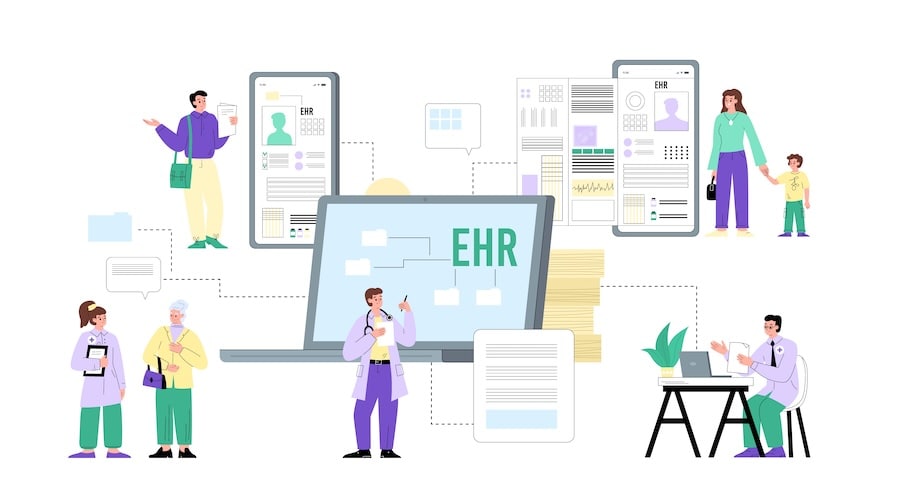
Migrating PHI and other documents to a new EHR is another critical step that can’t be overlooked. It isn’t enough to ensure a new EHR meets your current needs—you must also consider how it will handle importing and exporting data from your legacy system.
If you’re migrating from a senior care solution, see our notes on EHR PointClickCare Integration, which includes data mapping and sync strategies.
Data Assessment and Inventory
Data migration, as the name suggests, is the process of transferring data from one location or format to another. In the context of EHR system implementation, this could mean transitioning from paper records to electronic ones, which is a mammoth task involving the digitization of vast amounts of data.
At this stage, you’re essentially taking inventory: what data exists, where it lives (paper charts, legacy EHR, scanned documents, imaging systems), what formats it uses, and which of it is actually needed in the new system.
Migration Planning and Timeline
It could also mean upgrading from a legacy EHR system to a more current one, requiring meticulous planning to ensure data integrity and minimize operational disruptions. Similarly, there may be a need to migrate from a locally hosted EHR system to a cloud-based solution, providing valuable benefits such as remote data access, scalability, and cost efficiency. Regardless of the specific scenario, data migration is a critical step in the EHR implementation process and requires a comprehensive strategy to ensure success.
A realistic migration plan will define which data moves in which waves, cutover vs. phased transition, downtime windows, and how long you’ll keep the legacy system available for lookups.
Data Cleansing and Standardization
Before you move anything, you need to decide what “clean” data looks like in the target EHR—naming conventions, coding standards, required fields, and how you’ll handle duplicates and partial records across systems.
The best practices for a EHR data migration strategy should account for factors like:
-
Cleanse and verify data: Ensure the accuracy and integrity of the data by removing any inconsistencies or errors, improving its quality for reliable analysis and decision-making.
Migration Tools and Technologies
The technologies needed for successful EHR implementation go beyond the EHR software itself. They encompass data security measures, integration tools, and advanced analytics capabilities, to name a few.
Under the hood, your migration will likely rely on ETL tooling, interface engines, vendor-specific APIs, and secure file-transfer mechanisms. You’ll also need a clear target data model and database structure in the new EHR.
-
Set up EHR database: Establish a robust electronic health record (EHR) database system to store and manage patient information securely, facilitating efficient access and retrieval.
-
Map legacy data to new EHR database fields: Develop a mapping strategy to transfer existing data from legacy systems to the new EHR database, ensuring seamless integration and preserving data continuity.
-
Transfer data to the new system: Migrate the data from the legacy systems to the new EHR database, ensuring a smooth transition without any loss or corruption of critical information.
-
Set up data sync with other healthcare systems: Enable seamless data synchronization between the EHR system and other healthcare systems, such as practice management systems, to facilitate efficient data exchange and interoperability.
Validation and Quality Assurance
Once data is moved, you need to prove it’s both complete and clinically usable. That includes technical checks and hands-on validation by clinicians who know what a “normal” chart should look like.
-
Verify migrated data: Thoroughly validate the migrated data by eliminating duplicate entries, correcting structural errors, handling outliers, tracking missing data points, and executing quality checks to ensure data accuracy and reliability.
-
Test new data inputs: Conduct comprehensive testing to validate the functionality and effectiveness of newly inputted data, ensuring its compatibility and proper integration within the EHR system.
Rollback and Contingency Planning
Even with a solid plan, you need escape hatches. If something goes wrong during cutover, how do you roll back, recover, or operate in read-only/limited modes without compromising care?
-
Back up data that’s ready for migration: As a precaution, always back up your data before initiating the migration process. This ensures that even in case of any unexpected issues or errors during the data transfer, you have a secure copy to fall back on.
-
Set up a data recovery strategy with local/cloud hosting: Establish a robust data recovery strategy, whether through local backups or cloud hosting, to ensure data availability and protection against potential system failures or data loss.
End-to-End Data Migration Checklist
For teams that prefer a concrete checklist, here’s the full set of best-practice actions collected in one place:
- Cleanse and verify data: Ensure the accuracy and integrity of the data by removing any inconsistencies or errors, improving its quality for reliable analysis and decision-making.
- Back up data that’s ready for migration: As a precaution, always back up your data before initiating the migration process. This ensures that even in case of any unexpected issues or errors during the data transfer, you have a secure copy to fall back on.
- Set up EHR database: Establish a robust electronic health record (EHR) database system to store and manage patient information securely, facilitating efficient access and retrieval.
- Map legacy data to new EHR database fields: Develop a mapping strategy to transfer existing data from legacy systems to the new EHR database, ensuring seamless integration and preserving data continuity.
- Transfer data to the new system: Migrate the data from the legacy systems to the new EHR database, ensuring a smooth transition without any loss or corruption of critical information.
- Verify migrated data: Thoroughly validate the migrated data by eliminating duplicate entries, correcting structural errors, handling outliers, tracking missing data points, and executing quality checks to ensure data accuracy and reliability.
- Test new data inputs: Conduct comprehensive testing to validate the functionality and effectiveness of newly inputted data, ensuring its compatibility and proper integration within the EHR system.
- Set up a data recovery strategy with local/cloud hosting: Establish a robust data recovery strategy, whether through local backups or cloud hosting, to ensure data availability and protection against potential system failures or data loss.
- Set up data sync with other healthcare systems: Enable seamless data synchronization between the EHR system and other healthcare systems, such as practice management systems, to facilitate efficient data exchange and interoperability.
EHR Testing Framework: Ensuring Implementation Success
Testing is a vital stage in the EHR implementation process that ensures the system functions as intended and meets all necessary standards before full deployment. A successful EHR deployment hinges not only on software readiness but also on thoughtful change management, a clear checklist of testing phases, and feedback loops with frontline staff.
The testing should be conducted in a separate environment, using actual patient data but not in the production database. This approach safeguards against potential disruptions in the live setting.
Test Planning and Strategy Development
Preparing for testing involves defining the scope of the test, establishing a robust testing strategy, and creating a comprehensive test schedule. That means agreeing which modules, workflows, interfaces, and user roles are in scope for each round of testing, and sequencing them so defects don’t pile up at the end.
The testing phase should also cover infrastructural readiness, application configuration readiness, and training readiness. These aspects ensure that your organization is fully prepared to transition to the new EHR system and that issues discovered in testing can be fixed, re-tested, and communicated before go-live.
Functional Testing Protocols
There are several types of testing to consider:
-
Unit Testing: This is the first level of testing where individual modules of the EHR system are tested separately to ensure each part functions correctly in isolation.
-
Integration Testing: Once unit testing is completed, integration testing is performed. This involves checking how well the individual components of your EHR system work together. The goal is to identify any issues with data flow or communication between modules.
-
System Testing: This is a high-level testing phase that aims to validate the system’s performance as a whole during the implementation of EMR. It’s a comprehensive examination of every function and feature to ensure the system works seamlessly when all parts are integrated.
First, it’s necessary to test the individual units and functionality of the system, ensuring each component works as intended. Next, workflows and data exchange between systems need to be tested, guaranteeing smooth interoperability across the implementation of EMR.
Performance and Load Testing
It’s also vital to test the integrated system for overall performance and stress handling. That includes simulating realistic and peak loads—concurrent logins, documentation, ordering, messaging, and reporting—to see where response times or error rates become unacceptable.
Performance testing should validate that the infrastructure can scale, that background jobs (interfaces, batch reporting) don’t starve interactive users, and that routine maintenance windows won’t disrupt clinical operations during critical hours.
Security and Compliance Testing
Security and compliance testing focuses on verifying access controls, audit trails, and data protection measures before real PHI flows through production. This should include validating user permissions and role-based access, checking that sensitive data is encrypted in transit and at rest, and confirming that logging and alerting are sufficient for incident detection.
From a regulatory standpoint, you want to ensure the configuration supports HIPAA requirements and any additional policies tied to your organization, payers, or state regulations—before you finalize your go-live readiness checklist.
User Acceptance Testing Best Practices
User Acceptance Testing (UAT) is the final stage of testing while implementing electronic health records in hospitals, where end users test the system to ensure it meets their needs and expectations. UAT helps identify any real-world usability issues that might not have been picked up in earlier stages of testing.
Best practice is to recruit a cross-section of clinicians, front-desk staff, and billers, give them realistic test scenarios, and insist they complete them in the test environment exactly as they would in clinic. Capture their feedback on missing workflows, confusing screens, and workarounds so you can refine configuration and training materials before production.
Testing Documentation and Sign-off Process
Every phase of testing should leave a paper trail: test plans, test cases, defect logs, retest results, and formal approvals. This documentation supports internal governance, future audits, and post-implementation reviews of what worked and what didn’t.
Lastly, remember Murphy’s Law: “Anything that can go wrong will go wrong.” That’s why it’s essential to account for a recovery plan during the analysis phase. This plan should include redundant processors, data backup plans, and disaster recovery plans to ensure continuity of service, even in the face of unexpected system failures.
Formal sign-off on testing and recovery readiness is what turns a “tested” EHR implementation process into a defensible go-live decision.
EHR Training and Change Management Strategy
Even the best EHR implementation plan fails if people don’t understand why change is happening or how their day-to-day work will improve. This strategy section is about turning the project from “IT thing” into “our new normal.”
Stakeholder Analysis and Engagement
Start by mapping who is impacted and who has power: executives, clinical leaders, front-desk staff, billers, IT, and external partners. Clarify what each group cares about (throughput, quality metrics, burnout, revenue, risk) and design specific messages and forums for them—steering committees, department meetings, huddles, and 1:1s with skeptics. Keep a simple RACI so everyone knows their role in the EHR implementation process.
Training Needs Assessment
Don’t buy generic training and hope for the best. Break users into roles and sub-roles (e.g., inpatient vs. outpatient nurses, surgeons vs. primary care) and document what tasks they must complete in the system: charting, ordering, messaging, scheduling, billing. Use workflow shadowing, quick interviews, and existing SOPs to build a role-based training matrix. This becomes your source of truth for who needs what, in what depth, and by when.
Training Program Development
Design training around real workflows, not menu tours. Combine short instructor-led sessions, self-paced modules, and hands-on labs in the test environment. Tie each module to specific job tasks and metrics (e.g., “close visit note in X minutes” rather than “learn progress notes screen”). Plan refreshers for 2–4 weeks after go-live when real questions surface. Make sure training materials (tip sheets, videos, quick guides) live in one obvious place.
Super User Program Implementation
Super users are your internal first line of support. Select respected clinicians and staff from each department, give them early access to the system, and involve them in configuration and testing. Provide extra, deeper training plus a direct line to IT and the vendor. During go-live, schedule them onto shifts where they can round, answer questions, and de-escalate frustration before it turns into system-wide resistance.
Ongoing Support and Reinforcement
Training doesn’t end at go-live. Stand up multiple support channels: at-elbow support in the first weeks, a clear helpdesk path, office hours, and short “micro-learning” refreshers. Use real tickets and feedback to update templates, order sets, and quick guides. Regularly share small wins—faster documentation, fewer billing rejections, better inbox handling—to reinforce that the EHR implementation process is improving, not just disrupting, daily work.
Change Resistance Management
Assume resistance is normal, not a sign of failure. Identify likely pockets of pushback early (high-change specialties, burned-out teams, “power users” of the legacy system) and give them extra listening time and influence in decisions that affect them. Make it safe to surface issues without blame, respond visibly to reasonable feedback, and draw a firm line on non-negotiables (regulatory, safety, and core workflow changes).
Effective change management turns critics into co-designers instead of saboteurs.
EHR Rollout Strategies: Choosing the Right Approach
One crucial aspect to ensure a successful EHR implementation is the thoughtful choice of rollout method. The way you introduce electronic health records has a direct impact on disruption, risk, and how quickly people actually adopt the new system.
Big Bang vs. Phased Implementation Analysis
For smaller practices, an immediate (“big bang”) rollout—turning on all components of the EHR system at once—can be attractive. It eliminates dual workflows, accelerates time-to-value, and ensures immediate system adoption and consistency across the organization.
Larger practices and health systems usually lean toward a phased implementation, especially during the implementation of EHR in hospitals. Different modules, specialties, or locations are brought live in stages, which allows tighter control, focused support, and easier course correction between waves.
Size of practice, project scope, end-user readiness, timing, and budget should drive which of these patterns is even on the table.
Pilot Program Strategies
Pilot programs give you a controlled proving ground before committing to a full rollout. A common pattern is to start with:
-
A single department or clinic with engaged leadership
-
A small, interdisciplinary group of clinicians and admin staff
-
Clear success criteria (throughput, documentation time, error rates, satisfaction)
Insights from the pilot feed changes to configuration, training, and go-live playbooks. In practice, a well-run pilot often surfaces workflow issues that would otherwise show up in the first weeks of broad implementation of electronic health records.
Hybrid Rollout Approaches
In reality, many organizations don’t choose purely “big bang” or purely phased—they run a hybrid rollout. Examples:
-
Big bang by location, phased by module
-
Phased by specialty, but big bang inside each department
-
Parallel adoption for a short period (old EMR + new EHR active) to reduce perceived risk
Some organizations also use parallel adoption selectively: critical workflows cut over hard on go-live day; low-volume or low-risk workflows get a longer overlap while implementing an EMR system in edge areas.
Risk Assessment by Rollout Method
Each rollout method carries a distinct risk profile:
-
Incremental rollout
-
Benefits: allows time for adjustment, keeps issues contained to a smaller area, and minimizes disruption as you are implementing an EMR system bit by bit.
-
Drawbacks: takes longer overall and can cause temporary inconsistencies as different departments use different systems during the transition.
-
-
Immediate rollout
-
Benefits: faster implementation and consistent use of the new EHR across the organization.
-
Drawbacks: can feel overwhelming for staff and, if issues arise, the impact is organization-wide.
-
Your risk tolerance, regulatory pressure, and operational resilience should determine how aggressive you can be.
Success Factors for Each Approach
Regardless of approach, a few success factors repeat:
-
For big bang: heavy up-front training, extra at-elbow support, clear downtime and contingency plans, and readiness drills that simulate the actual go-live day.
-
For phased and pilot-first approaches: tight feedback loops, the discipline to apply lessons learned before the next wave, and strong coordination so temporary inconsistencies don’t become permanent workarounds.
-
For any hybrid: clear rules about which workflows live where, for how long, and a hard stop date for legacy systems.
Choosing the proper rollout method during the implementation of electronic health records depends on understanding your organization’s needs, capabilities, and risk tolerance. The key is making the choice that best supports your staff and the quality of care provided to your patients.
Also Read: A Complete Guide to Healthcare App Development
EHR Implementation Risk Management
EHR implementation isn’t just a project plan; it’s a stack of risks you either manage deliberately or discover the hard way.
Common Implementation Risks
Typical failure modes:
- Scope creep and unclear ownership
- Underestimated data migration and integrations
- Weak training/change management
- Vendor instability or poor support
- Revenue disruption (coding, billing, denials)
- Compliance gaps (access, logging, privacy)
If these aren’t explicitly named, they still exist—just off the spreadsheet.
Risk Assessment Framework
Keep it simple but explicit:
- Identify risks by domain: clinical, operational, financial, technical, regulatory.
- Score impact (patient safety, revenue, reputation) and likelihood (low/med/high).
- Map owners: who watches each risk and reports status?
A one-page risk register, reviewed monthly, beats a 40-page PDF nobody reads.
Mitigation Strategies
Mitigation is mostly about earlier, smaller experiments:
- Pilots and phased rollout to limit blast radius
- Extra testing for high-risk workflows (ED, OR, oncology, revenue cycle)
- Parallel run for billing and critical reports
- Super-user coverage and at-elbow support during go-live
Tie each high-impact risk to 1–3 specific mitigations and a trigger for escalation.
Crisis Management Planning
Assume at least one thing will go sideways. Decide in advance:
-
- Who is incident commander during EHR issues
- What constitutes “stop, go to downtime procedures”
- How you communicate with clinicians, leadership, and patients
- Where downtime orders, notes, and meds are recorded and later reconciled
Run a tabletop drill before go-live; chaos is cheaper in a conference room.
Implementation Insurance Considerations
For larger projects, it’s worth a conversation with legal and finance about:
- Cyber liability and privacy breach coverage
- Business interruption coverage tied to IT outages
- Vendor contractual obligations (SLAs, penalties, credits)
Insurance won’t fix bad implementation, but it can keep one incident from turning into an existential event.
Post-Implementation Optimization and Success Management
Post-implementation is not so much a “step” in your EMR/EHR implementation journey as it is a set of essential procedures you execute once you’ve migrated to the new system. It’s about refining processes, addressing unexpected issues, and optimizing the system for your particular practice so your new EHR becomes an asset, not just a sunk cost.

Performance Monitoring and KPIs
Start by defining a small, visible set of KPIs:
-
Technical: uptime, response times, error rates.
-
Operational: chart closure time, inbox backlog, time-to-bill, registration errors.
-
Safety/quality: order entry errors, duplicate charts, documentation completeness.
Regularly monitoring system performance against these KPIs helps you spot hidden issues early and assess whether implementing an electronic health record system is delivering the intended benefits.
Continuous Improvement Framework
Optimization shouldn’t be ad hoc. Stand up a simple governance loop: a cross-functional group (clinical, admin, IT) that meets regularly, reviews metrics and user feedback, prioritizes fixes or enhancements, and tracks decisions. This turns “complaints” into a continuous improvement backlog instead of one-off escalations that go nowhere.
User Satisfaction Measurement
User adoption is not a one-time event. Measure satisfaction with short, frequent surveys, quick pulse checks in staff meetings, and targeted interviews with high-volume users. Ask whether the new EHR helps or hinders daily work, which screens feel slow or confusing, and where people use workarounds. This qualitative data belongs next to your KPIs, not in a separate universe.
ROI Tracking and Reporting
Post-implementation, you should be able to answer: is this system paying off? Define a basic ROI view that tracks revenue (visit volume, clean claim rate, denials), cost (time spent per task, overtime, support burden), and risk (compliance issues avoided). Report these trends back to leadership and frontline teams so people can see that optimization work is tied to real financial and clinical outcomes.
System Optimization Strategies
After some time with the new system, you’ll have a better idea of what works and what doesn’t. This is the perfect opportunity to make adjustments—tweaking workflows, updating templates, refining order sets, simplifying documentation screens, or adding new functionalities. Regular, small configuration changes usually outperform rare, giant redesigns in keeping an EHR aligned with how care is actually delivered.
Long-term Support Planning
Support and training don’t end at go-live. Plan for a durable model: a dedicated helpdesk or ticketing path, refresher training sessions, updated guidelines and tips, and a super-user network that can handle most day-to-day issues. Include release management (how you communicate and train on new features) so upgrades feel like progress, not surprise attacks.
Remember, the journey doesn’t end with implementing an electronic health record system. It’s an ongoing process of improvement and adaptation to ensure your EMR/EHR system truly becomes a long-term, high-value asset to your practice.
Post-implementation is not so much a “step” in your EMR/EHR implementation journey as it is a set of essential procedures that you need to execute once you’ve migrated to the new system.
Topflight’s Expertise in EHR Implementation
At Topflight, we pride ourselves on our extensive experience and proven success in EMR/EHR implementation. Our breadth of knowledge spans multiple EHR platforms, including but not limited to Cerner, Epic, Allscripts, Athena, and GetHealthie.
We’ve had the privilege of working on numerous healthcare products, each one requiring a unique approach to connect to an EHR or necessitating the setup of a comprehensive EHR platform. We don’t offer one-size-fits-all solutions; we craft strategies tailored to the specific needs and goals of each healthcare organization.
For instance, if the organization’s needs can be effectively met by developing an FHIR app that seamlessly integrates within an existing EHR, then that’s precisely what we propose. We understand that sometimes, it’s about enhancing what’s already there rather than replacing it altogether. We could also consider a headless EHR path, which is proving to be highly effective for many healthcare providers.
Our extensive portfolio of successful EMR implementation and integration projects stands as a testament to our expertise in this domain. Interested in learning more? Reach out to us to get a presentation deck showcasing our ventures in EHR implementation and integration.
Check out our EHR integration services
[This blog was originally published on 12/5/2023 but has been updated with more recent data]
Frequently Asked Questions
How to implement a new EHR system?
Start by setting clear goals, assembling a cross-functional team, defining requirements, and choosing the right vendor. Then move through planning, data migration, testing, staff training, and phased rollout.
What is EHR implementation?
EHR implementation is the process of selecting, setting up, testing, and adopting an electronic health records system across a healthcare organization.
How long does it take to implement an EHR system?
On average, implementing an EHR system takes 6 to 12 months depending on the size of the organization, system complexity, and whether it’s a phased or full rollout.
What are the key steps in EHR Implementation?
The key steps in EHR implementation include setting clear goals and objectives, assembling the right team, establishing a budget and timeline, defining EHR requirements, selecting and demoing EHRs, migrating data, testing the EHR, conducting comprehensive staff training, rolling out the EHR, and evaluating success metrics and user satisfaction.
How do I choose the right EHR system for my healthcare institution?
When choosing an EHR system, consider factors such as functionality, customizability, interoperability, security, scalability, integration, support and training, certification, and cost-effectiveness. Also, consider whether ready-made or custom solutions would be more suitable for your specific needs.
What should I consider when planning data migration while implementing an EMR system?
When planning for data migration, ensure the accuracy and integrity of the data, back up data that’s ready for migration, set up an EHR database, map legacy data to new EHR database fields, transfer data to the new system, verify migrated data, test new data inputs, set up a data recovery strategy with local/cloud hosting, and set up data sync with other healthcare systems.