

Modern medicine could use some help from remote patient monitoring apps (aka RPM apps). Hospital stays keep getting pricier, and chronic conditions eat a growing share of every care budget, so an app that allows doctors to monitor patients remotely and keep track of their vitals is an easy sell.
So it’s no surprise that both incumbents and startups are quite active in this space. Keep reading to learn how to develop a remote patient monitoring app, what Medicare pays for it in 2026, and what it costs to build.
How do you develop a remote patient monitoring app in 2026?
To develop a remote patient monitoring app, you build two integrated surfaces, a patient app that captures vitals from connected devices and a clinician dashboard that logs review time and alerts, then harden both for HIPAA and deploy; expect 2 to 8 months and $70,000 to $220,000 depending on how custom the build is. Medicare reimburses the result through CPT codes 99453, 99454, 99457, and 99458, plus 2026’s new 99445 and 99470, at roughly $100 to $180+ per patient per month. Keep your algorithms on the display side of the FDA line: software that interprets vitals rather than showing them becomes a regulated medical device.
Key takeaways
- RPM is a permanent Medicare category. CMS kept remote patient monitoring reimbursement after the public health emergency ended and widened it in the 2026 fee schedule with codes for shorter monitoring windows (99445) and shorter management time (99470).
- The market backs it up. The global RPM market sits at $67.3 billion in 2026, heading toward $117.9 billion by 2033, while value-based care keeps pushing providers toward remote-first delivery.
- Budget by band. A lean two-surface MVP starts around $70K on pre-built HIPAA modules, custom builds run $120K–$220K, and EHR write-back, AI features, or an FDA pathway push past $220K. Timelines run 2 to 8 months.
- The display-vs-interpret line decides your regulatory fate. Apps that show vitals stay unregulated; algorithms that interpret them, alert without clinician review, or make diagnostic claims become medical devices with a 510(k) price tag attached.
- Proof it pencils out: our Dedica Health build monitors 1,100+ patients daily with over 80% hitting their CPT code targets, and grew into a $300,000 ARR SaaS deal.
2. RPM reimbursement: CPT codes and CMS rules in 2026
3. Is your RPM app a medical device?
4. Types of remote patient monitoring apps
5. Remote patient app development best practices
6. Key features for your RPM app
7. Top 4 RPM applications on the market
8. RPM app development process
- Step 1: Start with rapid prototyping
- Step 2: Create a web app for medical personnel
- Step 3: Build a mobile app for patients
- Step 4: Follow security guidelines
- Step 5: Test everything and deploy to production
10. How much does it cost to build an RPM app?
The RPM market in 2026
The pandemic-era question was whether remote care would stick. It did. Persistence Market Research values the global remote patient monitoring market at $67.3 billion in 2026, on its way to $117.9 billion by 2033.
The stronger signal for anyone planning remote patient monitoring app development comes from the payer. CMS kept RPM as a permanent Medicare benefit after the public health emergency ended, then widened it: the 2026 Physician Fee Schedule added codes that reimburse monitoring periods as short as two days and management time as short as ten minutes. We unpack the exact CPT codes and CMS reimbursement rules below.
Layer on value-based care, where providers earn by keeping patients out of the hospital, and RPM shifts from a telehealth accessory to a revenue line. That’s the backdrop if you plan to build a remote patient monitoring system in 2026:
- demand proven,
- reimbursement codified,
- competition now decided at the product level.
RPM reimbursement: CPT codes and CMS rules in 2026
Medicare pays for remote patient monitoring through a small family of RPM CPT codes covering three things: one-time setup, the device supply with data transmission, and the clinical time spent acting on what the data shows. Here’s the full 2026 set:
| CPT code | What it covers | 2026 national average* |
|---|---|---|
| 99453 | Initial device setup and patient education | ~$22, once per episode of care |
| 99454 | Device supply with daily recordings or programmed alerts, 16 to 30 days of data in a 30-day period | ~$52 per 30 days |
| 99445 (new in 2026) | Device supply, 2 to 15 days of data in a 30-day period | ~$52 per 30 days, priced the same as 99454 |
| 99457 | First 20 minutes of treatment management per month, with at least one interactive communication with the patient | ~$52 per month |
| 99470 (new in 2026) | First 10 minutes of treatment management per month, with at least one real-time interaction | ~$26 per month |
| 99458 | Each additional 20 minutes of management time after 99457 | ~$41 per unit |
*National non-facility averages, rounded. CMS reimbursement rates vary by locality and reset every year, so check the current CMS fee schedule before you model revenue.
For years, RPM billing had two hard floors that the industry kept pushing back on:
- 99454 required at least 16 days of transmitted data in a 30-day period,
- and 99457 required 20 minutes of management time.
A post-surgical patient who transmitted vitals for ten days generated zero billable RPM, even though staff did the work. The CY 2026 Physician Fee Schedule final rule settled that debate with 99445 and 99470. Two pairing rules to remember:
- 99445 and 99454 never bill together in the same 30 days,
- and 99470 never bills with 99457 in the same month.
One boundary matters before you design anything: RPM codes apply to physiologic data a device records on its own, such as blood pressure, glucose, SpO2, or weight. If your app tracks therapy adherence, exercise performance, or medication response instead, billing runs through the remote therapeutic monitoring codes (98975-98978), which picked up their own shorter-duration additions in 2026 and, unlike RPM, can be billed by physical therapists and other non-physician practitioners. We cover that family in our guide to remote therapeutic monitoring app development. RPM also stacks with chronic care management (99490) for eligible patients, as long as the same minutes are never counted twice.
The build implication: the counting logic lives in your software. The platform has to track transmission days per rolling 30-day window so billers know whether a month is 99445 or 99454, log staff review time, and record that an interactive communication actually happened. Miss any of those and the reimbursement above stays theoretical.
Is your RPM app a medical device?
The reimbursement rules above create a wrinkle worth naming: to bill the RPM codes, patient data must come from a device that meets the FDA definition of a medical device. That requirement points at the sensor. Whether the software itself becomes a regulated device is a separate question, and it turns on one distinction: does your app display vitals, or does it interpret them?
Software that collects readings, stores them, and shows them to a clinician is a data conduit, and the FDA generally leaves it alone. The moment your algorithms start telling people what the numbers mean, you drift into software as a medical device (SaMD) territory. Three tripwires catch most teams:
- interpreting data instead of displaying it,
- pushing alerts or recommendations without letting the clinician review the underlying basis,
- and trending a cleared algorithm’s outputs into new conclusions.
Intended use is judged by your claims as much as your code, so marketing copy and the App Store description count as labeling. The goalposts also move: the FDA updated its Clinical Decision Support guidance in January 2026, tightening the rules around AI transparency and patient-facing recommendations.
Crossing the line has a price tag. A Class II pathway brings design controls, documented verification and validation, a quality management system, and a 510(k) review, which typically adds months to the schedule and a six-figure sum that can rival the software budget itself. The cheap version of compliance is settling your FDA device classification before you architect the product; the expensive version is retrofitting audit logs and design history files after a partner or regulator asks for them.
We map the decision tree in our guides on whether your RPM app needs FDA clearance and, for AI-driven features, whether your health AI is a medical device.
Types of remote patient monitoring apps
An RPM app’s primary function is to bring together a doctor and a patient so that the doctor can provide medical advice based on the health data the same app collects. What are some of the most common types of remote patient monitoring solutions out there?
IoT medical applications
IoT patient monitoring applications gather patient vitals from wearables, smart sensors, and health trackers, then ship them off to clinic personnel. The catalog of health monitoring gadgets keeps growing, so favor hardware that makes wearable integration painless: you’ll want detailed developer documentation and off-the-shelf HIPAA compliant video conferencing SDK/API kits.
Check out our article How to Develop a Healthcare IoT App.
Questionnaires
Remote patient monitoring apps that gather patient data through a series of questions remain popular because they take less effort than most IoT medical solutions: no integration with sensors or other medical devices required. Symptom trackers and post-visit check-ins usually start here.
Telehealth software
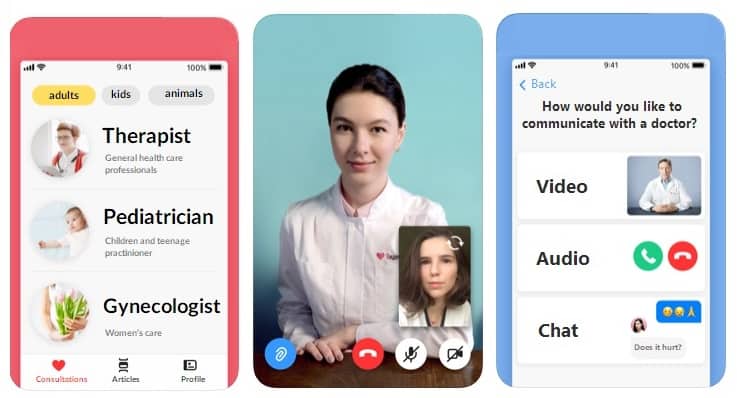
Telehealth remote monitoring apps give users an option for video calls, so a medical examination can happen in the comfort of your home. Don’t let the visual simplicity fool you: a regular telehealth solution doesn’t look much different from FaceTime, yet the functionality behind it involves some serious backend development.
Precision medicine solution
This type of RPM program includes medical apps that collect massive amounts of anonymized patient data for research purposes. Apple’s Research app is the reference example: it has run large-scale heart, hearing, and women’s health studies since 2019, and the company doubled down in 2025 with the Apple Health Study, a long-term project spanning mental, metabolic, and cardiovascular health. With such applications, there’s no interaction between doctors and patients.
Condition-specific RPM apps
The categories above describe how data gets collected. In practice, most RPM products are built around a condition, and the condition dictates the devices, the alert logic, and the billing codes:
Cardiac RPM
Blood pressure cuffs, ECG patches, and pulse oximeters feed arrhythmia detection and post-discharge heart failure monitoring, where a two-pound overnight weight gain is the alert that matters.
Diabetes RPM
Continuous glucose monitoring streams from sensors like Dexcom or FreeStyle Libre, paired with medication titration support and nutrition context.
Post-surgical RPM
Short monitoring windows for wound photos, pain scores, and vitals to catch complications early. This is exactly the use case the new 99445 code was created for.
Behavioral health RPM
Sleep, activity, and mood check-ins that flag deterioration between appointments. When the data tracks therapy adherence rather than physiology, billing tips into RTM territory (see the reimbursement section above).
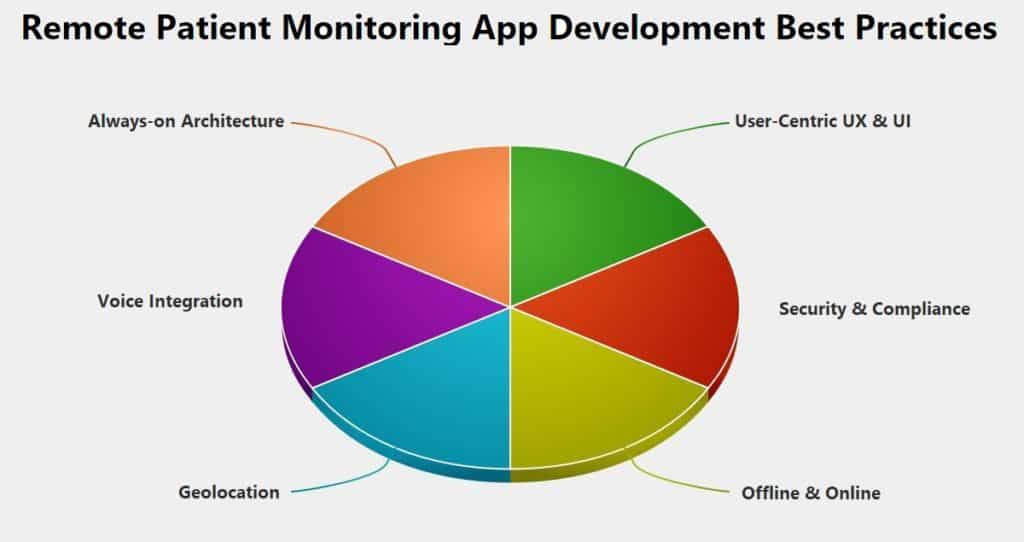
Remote patient monitoring app development best practices
Apply patient-centric UX & UI
The first challenge you’ll face when developing a healthcare app, and a remote patient monitoring app in particular, is the user. Are there limitations to how they can use the program? Do you need the accessibility SDK to make it comprehensible to all groups of patients? Questions like these will invariably pop up as you move through the UX & UI design phase of RPM app development.
We recommend:
- Use a clean UI with few interactive elements
- Make the touch areas big enough for comfortable use from any position
- Include a lock screen widget to ease data entry
Learn more about online doctor app options to find the best platforms for virtual healthcare delivery.
Go easy on battery and memory consumption
Your RPM software must keep running without draining the smartphone’s battery. The patient data stream should never be interrupted, so anything that trims battery and memory consumption pays off.
Use BLE technology to connect to wearables or other health trackers, and make sure the app tells the user the moment that connection drops. A dark mode helps too: less energy burned while the app runs in the foreground.
Provision against connectivity issues
Another pitfall to avoid is the loss of internet connection. How do you notify the user? How do you keep from losing the data gathered while there’s no connectivity?
Two mechanisms cover it:
- Build in a caching mechanism, so all health data stays in the remote patient monitoring app until connectivity comes back and the solution syncs it to the cloud. Use the platform caches (URLCache on iOS, OkHttp’s cache on Android) or pick a backend like Firebase that supports offline persistence out of the box.
- Implement local notifications that fire at specified intervals so your RPM app does not depend on a server. The software raises a notification on a timer, without any server interaction, even if it’s not currently running.
Make the app location-aware
Sometimes geolocation earns its place in an RPM product. In one of our projects, we integrated a geo-fencing capability into the iFaint app that (among other things) determines user location and prompts the user to complete a survey if they are near a hospital. Apple Maps, Google Maps, or Mapbox all handle this well.
Strategize for security and compliance
The only reason security and compliance don’t sit first in this list is that they come with any healthcare app by default if it wants to reach patients and doctors at all. HIPAA compliance and HL7/FHIR adherence belong on your checklist from day one, and whether you need FDA clearance depends on where your app lands in the device question we covered above.
And don’t forget the IEC 62304 standard if you plan to hook the app to a sensor or other monitoring medical device.
Experiment with alternative interfaces
Another viable option for this group of apps is a voice interface: Siri, Alexa, or Gemini on Android devices. Many patients will appreciate adding data to their remote patient monitoring software with a simple voice command. Consider playing the health data back to the patient and asking for confirmation before writing it to the app’s database.
Key features for your RPM app
To develop an RPM app that offers improved outcomes and drives down the cost of healthcare services, you really need to ponder these key elements:
- how it will collect patient data
- how it will present the data to doctors and patients
- how it will allow for doctor-patient interactions
- how it will keep patients engaged day to day
Patient data sources
As we’ve mentioned, RPM apps focus on collecting patients’ health data. iOS apps rely on HealthKit (plus ResearchKit & CareKit) to read heart rate, blood pressure, body temperature, weight, activity data, and clinical records. On Android, the answer in 2026 is Health Connect: the Google Fit APIs are deprecated and supported only until the end of the year, so new builds should skip them entirely. Both platforms get most of the real-time vitals from wearables and smart sensors.
Another alternative is to source patient data from dedicated aggregators like Validic or LexisNexis Human API (the standalone Human API was acquired in 2023), which pull records and device data from everywhere via secure APIs.
Yet another approach is direct medical device connectivity: use Bluetooth or Wi-Fi to pull vital signals into the monitoring app straight from wearables (like Fitbit), sensors (like Walker Tracker), or accessories and medical devices (like a smart pillbox).
When the app pairs directly with a regulated device like that, it starts to behave like a companion app, and medical device app development layers on extra constraints around classification and clearance.
Integration with hospitals
The next logical step for a remote patient monitoring product is to transfer patient data to doctors, so they can assess the progress or deterioration of the patient’s condition and provide guidance. A remote patient tracking app needs a secure API to connect to a clinic’s EHR/EMR system, adhering to healthcare standards like HL7 and FHIR.
FHIR keeps gaining ground with healthcare app developers because it lets them work with EHRs using a modern tech stack. And if you opt to work with Epic’s health record system, the Epic on FHIR open sandbox is available for development and testing purposes.
Related: How to Create an EMR/EHR Software
Also Read: SMART on FHIR Guide to Healthcare App Development
Presenting data to patients
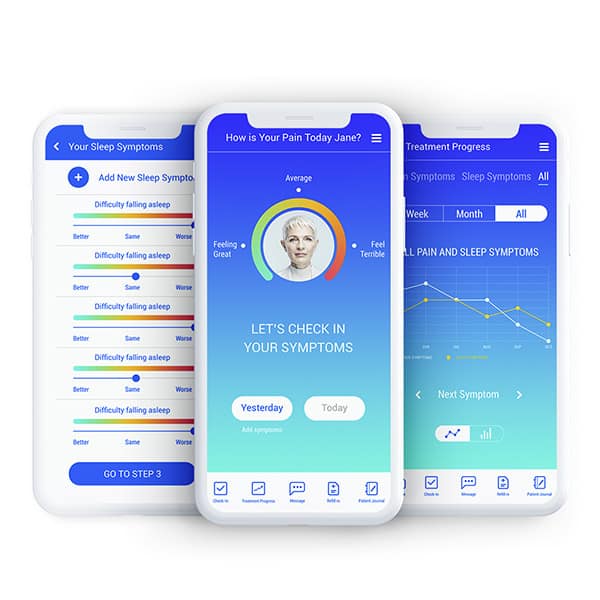
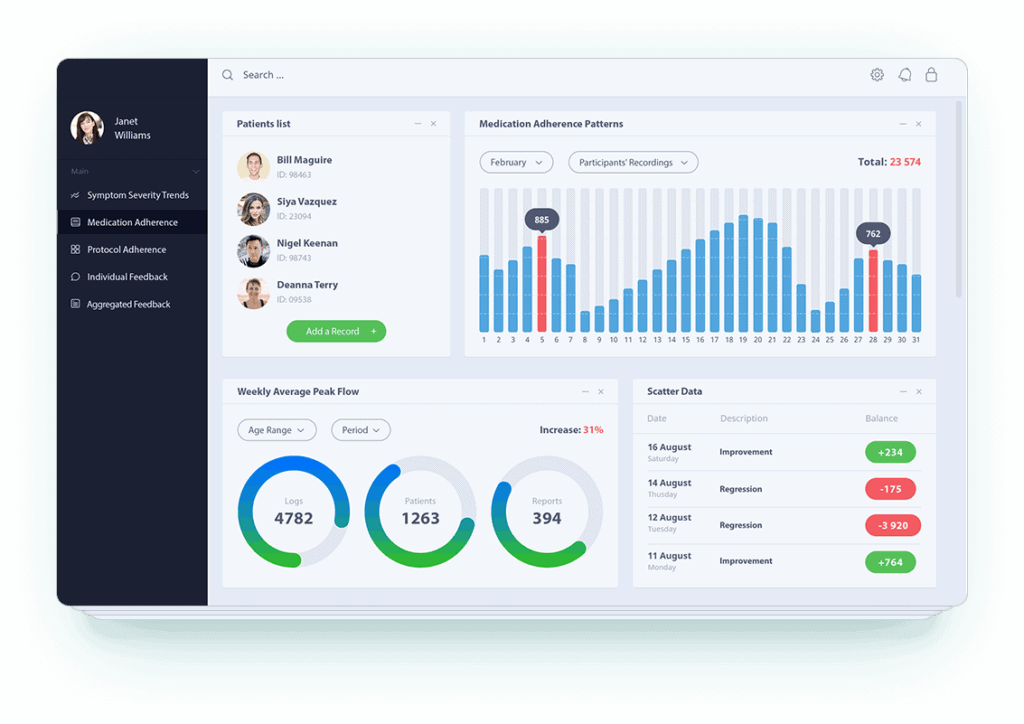
Besides serving patient health data to a hospital, a monitoring app should motivate patients to keep using it by visualizing the data they submit. For instance, we added a health graph in a smart symptom tracker we developed. The chart lets patients toggle displays based on time or symptom granularity (e.g., the severity of all pain symptoms vs. severity of headaches).
Doctor-patient interactivity
Video conference calls are a welcome feature in many remote patient monitoring apps. Building video from scratch is costly, so most teams integrate a proven cross-platform SDK. We discuss the cost to build a healthcare app in detail in a dedicated blog.
The SDK market shuffled in recent years. Twilio announced the end of its Programmable Video product, pointed customers to the Zoom Video SDK, then reversed the shutdown in 2024, by which point plenty of health teams had already migrated. Virgil Security’s E2EE toolkit, which we recommended in earlier versions of this guide, has gone quiet. The 2026 shortlist for a HIPAA-ready telehealth stack: Sendbird for chat and calls, Zoom Video SDK, Daily, Vonage Video API, or Agora (our Agora partnership gets qualifying startups a steep discount on HIPAA-compliant video infrastructure). Whichever you pick, remember that HIPAA compliance comes from a signed BAA and correct configuration. A vendor logo has never passed an audit.
AI in RPM
Machine learning and AI capabilities in a remote patient monitoring app may look like yet another layer between doctors and patients. In practice, the technology makes their interactions count for more. The 2026 baseline for AI-powered RPM includes:
Anomaly detection
Models watch the vitals stream and flag readings that deviate from a patient’s own baseline, cutting the false alarms that fixed thresholds generate.
Predictive deterioration alerts
AI with round-the-clock access to patient vitals can forecast decompensation days before a crisis and prompt the care team to intervene early.
Ambient documentation
During video check-ins, an AI scribe turns the conversation into structured notes. In RPM this pays twice, because documented management minutes feed the billing codes we covered above.
LLM-based patient summaries
Instead of a clinician scrolling through 30 days of readings, a language model drafts a plain-language digest of trends, flagged events, and adherence, ready for review.
Not everything needs a neural network, though. One of the remote patient monitoring apps we developed got real clinical mileage out of a plain regression formula. Start from the outcome and work back to the simplest model that delivers it. For implementation patterns and use cases, see our guide to AI in remote patient monitoring.
Notifications
Timely notifications about a patient’s health carry a big share of the app’s clinical value, and they should stay in sync for both parties (doctors and patients) on their respective platforms.
Patients get notified in the mobile app, while doctors may get emails and text messages along with updates in their cloud application. Note that to comply with HIPAA, user notifications must not include patient data.
Remote patient monitoring apps benefit from customized mobile app design and development to ensure compliance with health regulations.
Top 4 RPM applications on the market
Before you build, dissect what’s already live. One cautionary tale first: Qardio, a former fixture of this list, went bankrupt in 2025, its servers went dark, and thousands of its blood pressure cuffs and scales turned into paperweights. Connected care products live and die by the company running the backend, so vet the vendor as carefully as the feature list. Here are four platforms that are very much alive in 2026.
Hale Health
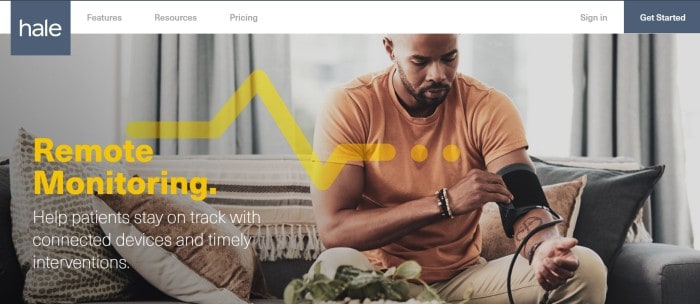
Description: Hale is a remote care platform that connects clinical teams and patients between office visits: live video visits, secure messaging, structured questionnaires, and device-based remote monitoring feed one clinical workflow. The platform carries HIPAA, HITRUST, and SOC 2 credentials and integrates with EHR and practice management systems.
Notable features: triage automation, video calling, messaging, connected device data.
Platforms support: web access for providers, iOS and Android apps for patients.
Withings Health Solutions
Description: The B2B arm of the French connected-device maker supplies clinically validated blood pressure monitors, scales, sleep mats, and hybrid smartwatches, plus a data platform that streams readings into RPM programs. Where most vendors on this list start from software, Withings starts from hardware patients actually keep using.
Notable features: FDA-cleared devices, cellular options that work without a smartphone, an API layer for RPM vendors and providers.
Platforms support: patient app on iOS and Android; provider access through partner RPM platforms and APIs.
ChronicWatch
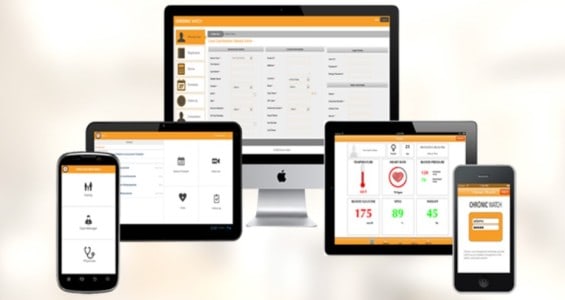
Description: ChronicWatch is a chronic care management system offered both as a software-only package and as a turn-key solution with 24/7 staffing. The software meets the requirements to bill CPT 99490, the chronic care management cousin of the RPM codes we covered above, for each enrolled patient.
Notable features: exception-based telemonitoring, automated reminders for surveys and medications, time logging for every patient interaction.
Platforms support: cloud-based software available on desktop, Android, and iOS devices.
HealthArc
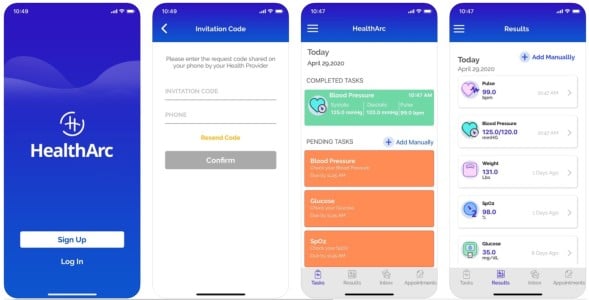
Description: HealthArc has grown into an established connected-care player covering remote patient monitoring, chronic care management, and telehealth for health systems, ACOs, and independent practices. The platform pairs with FDA-cleared cellular and Bluetooth devices, from blood pressure cuffs to spirometers.
Notable features: on-demand EHR integrations, built-in video and voice, billing support across the RPM and CCM code set.
Platforms support: smartphone apps and a cloud platform.
RPM app development process
Like any other custom applications we develop, when we’re developing an RPM telehealth app, we follow a set sequence of steps that gives the product its best shot. Here’s a quick overview of the major development steps, each with the compliance and reimbursement checkpoint that keeps it billable:
| Step | Description | Compliance & reimbursement checkpoint |
|---|---|---|
| 1. Rapid Prototyping | Create clickable mock-ups for patient mobile apps and clinician web apps. Test and adjust based on user feedback to save development costs. | Settle FDA intended use and the target CPT codes before the design hardens. |
| 2. Web App for Medical Personnel | Develop a web app to store health data, notify clinicians of abnormal readings, and provide easy-to-navigate analytics for medical personnel. | Log clinician review time and interactive communications: the evidence behind 99457 and 99470. |
| 3. Mobile App for Patients | Build a mobile app for patients in parallel with the web app, ensuring tight integration and a user-friendly experience tailored to different devices. | Count transmission days per 30-day window to support 99454 vs. 99445; onboarding doubles as the 99453 setup event. |
| 4. Security Guidelines | Ensure compliance with standards like IEC 62304, ISO27001, SOC2 Type 2, and HIPAA best practices, including encryption, secure connections, and two-factor authentication. | Build audit-ready trails: timestamped readings, time logs, and communication records that survive a payer audit. |
| 5. Testing and Deployment | Test both web and mobile components for bugs and deploy them to production environments, including live web servers and app stores. | Document verification and validation if you’re on an FDA pathway; verify billing exports before go-live. |
Step 1: Start with rapid prototyping
Coding is expensive. You don’t want to code your way to a winning app, trying all sorts of interfaces and features with new iterations. Instead, we help you create a prototype that can be tested with your users and adjusted accordingly.
Since the prototype is a clickable mock-up of your product and can be easily updated, it ensures that you will be developing the app your customers need and understand, while saving you app development costs.
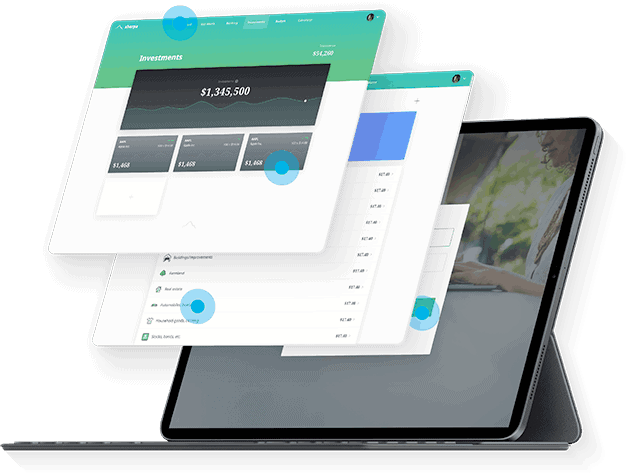
In the case of an RPM app, you’ll need to create a prototype for the mobile program that will be used by patients and another prototype for a web application that will be used by care teams. This is also the moment to lock your intended use and target CPT codes: both decide which screens exist at all, from clinician review views to consent flows.
Step 2: Create a web app for medical personnel
A web application is necessary to store all the health data from tracking devices and serve as a care team dashboard: the virtual analytical center for clinicians. They get notified if patients’ readings are out of the norm and have access to charts with logs of all readings to track each user’s dynamics.
Note that doctors and nurses already have lots on their plates, so the web application has to be easy to navigate at the end of a long shift. And since management time is what Medicare pays for, tracking review minutes and interactive communications belongs in the dashboard from the first sprint.
Step 3: Build a mobile app for patients
In real life, custom development of a mobile app goes in parallel with creating a web application. That’s important because these two should be integrated tightly together. With the RPM solution for users, you should also focus on crafting a smooth experience that requires as few steps as possible.
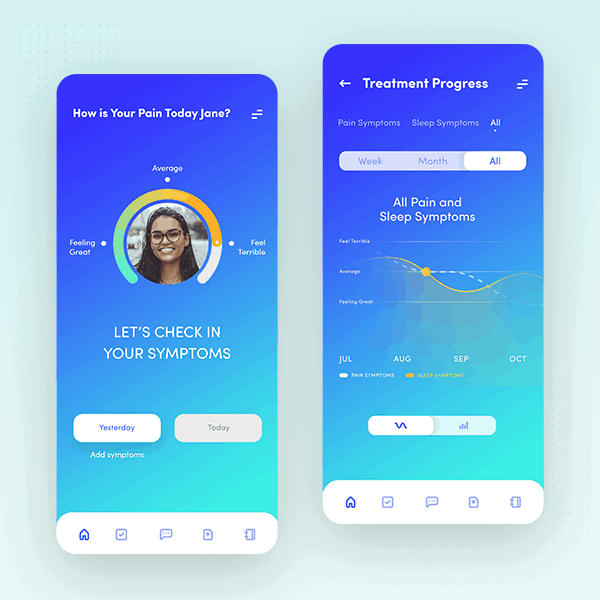
You should know the devices that people are going to use because a UX/UI for a tablet app must differ from one for smartphones. On the billing side, the patient app is where transmission days get counted, so device pairing and background sync need to be reliable enough that a missed reading can be trusted as a clinical signal.
Step 4: Follow security guidelines
Make sure that your remote patient monitoring solution adheres to these standards:
- IEC 62304
- ISO27001
- SOC2 Type 2
The full set of HIPAA best practices applies here as well, since RPM apps deal with protected health information (PHI). Some of these best practices include:
- data encryption during sync and at rest
- secure (https) connections
- two-factor authentication
One more layer belongs in this step: the data capture your billing depends on. CPT codes 99454 and 99445 hinge on documented transmission days, and 99457/99470 on logged management time with an interactive communication on record. Store those trails with the same rigor as PHI, because a payer audit will ask for them.
Step 5: Test everything and deploy to production
After both web and mobile components of your product have been developed, you need to test them for bugs and deploy the product to a production environment: a live web-hosting server and the app stores. If your product sits on an FDA pathway, this is where documented verification and validation earn their keep, and either way, run a claims dry run to confirm the billing exports match what your RCM team expects.
RPM apps we built
At Topflight, we firmly believe that RPM solutions can liberate our healthcare system and offer greater comfort to patients. Walking our talk, we have built and continue working on several RPM products.
Tula Health RPM app
Tula Health is a noninvasive monitoring platform built around the company’s patented sensor that tracks blood glucose, blood pressure, oxygen, and other health metrics. We built the web app Tula’s staff uses to process patient data and run predictive analytics, and continue working on mobile apps for patients.
Dedica Health
Dedica Health is a remote patient monitoring platform we built for The Heart Medical Group, a cardiology practice that wanted to replace spreadsheets and phone marathons with structured remote care. The platform pulls readings from clinically certified sensors patients use at home, while the physician dashboard covers vitals review, smart patient prioritization, messaging, and billing reports aligned with Medicare RPM requirements. One product decision worth stealing: we dropped the patient mobile app in favor of plain texting, because the practice’s mostly senior patients measure their blood pressure and answer an SMS far more reliably than they navigate another app. Our guide to senior care app development walks through that zero-app pattern.
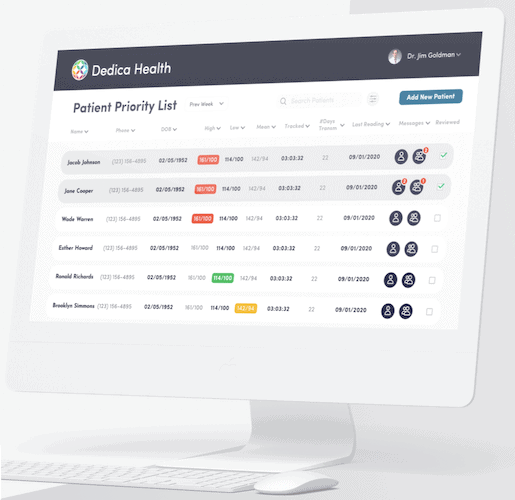 The numbers so far: 1,100+ patients monitored daily, over 80% of patients hitting their CPT code targets, and a $300,000 ARR SaaS deal growing out of what began as an internal tool.
Allheartz
With Allheartz, we built a computer-vision platform for remote therapeutic monitoring in physiotherapy and sports care. Patients record a short exam video at home, the pose estimation engine (TensorFlow with MoveNet under the hood) extracts joint angles and range of motion in real time, and clinicians review annotated results instead of running in-person checkups. It’s also a working example of the RPM/RTM boundary from the reimbursement section: exercise performance is non-physiologic data, so a platform like this bills under the RTM codes.
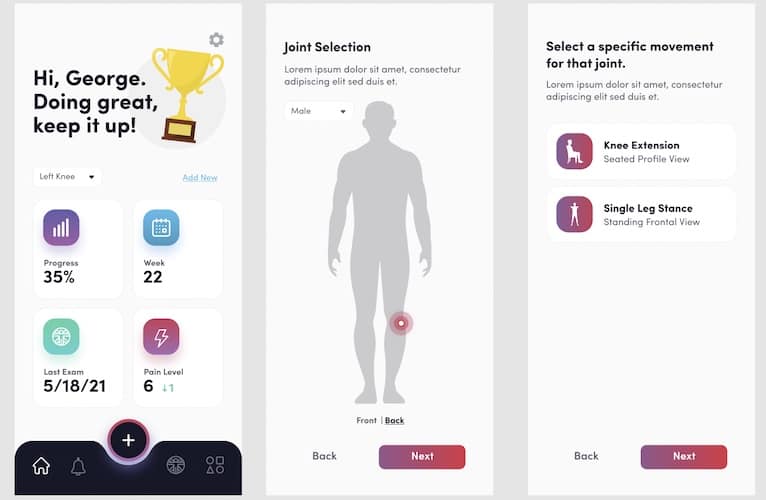
The outcomes: up to 50% fewer in-person visits, up to 80% less clerical work for doctors, and up to 70% fewer injuries among athletes doing AI-guided exams. For the underlying tech, see our guides to computer vision in medicine and RTM app development.
How much does it cost to build an RPM app?
The honest answer to RPM app development cost questions is a set of ranges, because the price swings on integrations and compliance depth far more than on screen count. Here’s how the budgets break down in 2026:
| What you’re building | Typical range | Timeline |
|---|---|---|
| Patient app only (device pairing, vitals capture, reminders; no EHR write-back) | $60K–$120K | 2–4 months |
| Patient app + clinician dashboard (the standard RPM MVP: alerts, review-time logging, billing exports) | $120K–$220K (from ~$70K on pre-built HIPAA modules) | 3–6 months |
| Full custom RPM platform (EHR integration, multi-device support, AI features) | $220K–$450K+ | 5–8+ months |
If you remember this article quoting $70,000 to $120,000, that corridor still holds for a lean two-surface MVP that leans on pre-built HIPAA-compliant modules and AI-assisted development instead of building every component from scratch. Fully custom remote patient monitoring software development lands in the middle band, and custom RPM platform development with EHR write-back pushes into the top one. The full math lives in our healthcare app development cost guide, with platform-agnostic benchmarks in the general app development costs breakdown.
What actually moves an RPM budget between those bands:
Device integrations
Every device cloud or EHR adds mapping and test cycles: read-only FHIR adds roughly $8K–$20K, while limited write-back (orders, notes) adds $25K–$60K.
Video visits
An SDK saves you from building video from scratch, but consent capture, session audit, and per-minute fees still land in the budget.
AI features
Anomaly detection and LLM summaries add model integration plus the validation and monitoring work that clinical AI demands.
The FDA pathway
If your algorithms cross the device line we covered earlier, SaMD work adds $25K–$80K and 3–8 weeks; the HIPAA baseline itself adds $10K–$25K.
Two more numbers to plan around. First, maintenance: reserve 15–25% of the initial build per year to keep the platform current with OS updates, device firmware, and CMS rule changes. Second, the revenue side: scroll back to the CPT table and you’ll see a fully engaged Medicare patient generates roughly $100 to $180+ per month, which is why RPM programs pencil out at surprisingly modest patient counts.
Let’s build your RPM app
Hopefully, our advice helps you build a better remote patient monitoring app: one that attacks the gargantuan economic waste in modern medicine by cutting operational costs and bringing doctors, patients, and researchers closer together.
And unlike in 2020, the incentive structure now works in your favor. Here’s the math that makes RPM development so tempting in 2026:
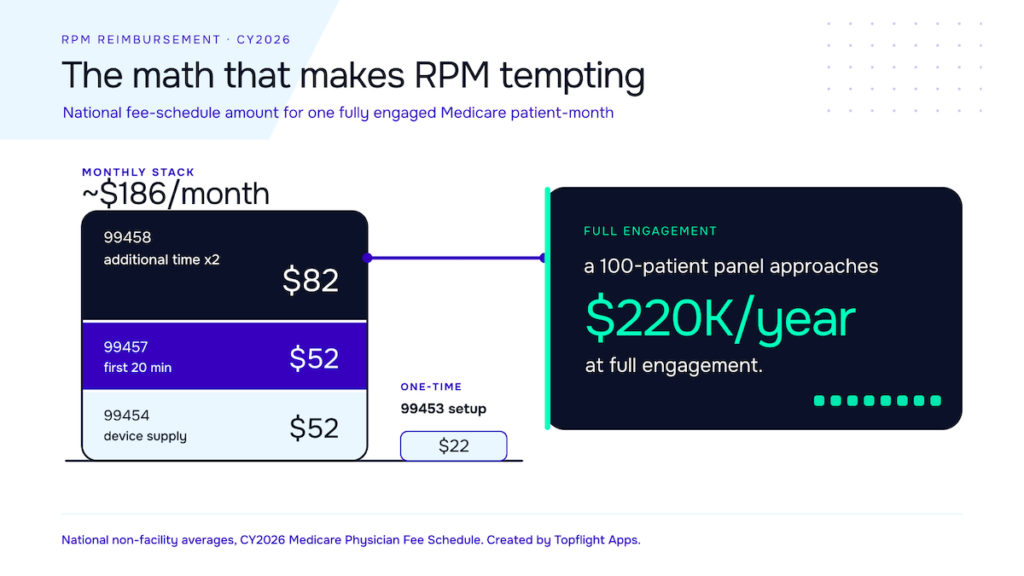 [Source: CY2026 Medicare Physician Fee Schedule, national non-facility averages]
Let’s go through your remote patient monitoring app concept together and pressure-test it against the practices above and the CPT math before you commit a budget.
Related Articles:
- Guide to Healthcare App Design
- Build a HIPAA Compliant Application
- Guide to Collecting Healthcare Data
- Healthcare App Development Guide
- IoT Application Development Guide
- Use Cases of Machine Learning in Healthcare
[This blog was originally published on 9/30/2020. Last reviewed and updated in August 2026.]
Frequently Asked Questions
How long does it take to build a patient-ready RPM app?
From two to three months for a first beta version to six to eight months for a full patient app plus clinician dashboard, depending on device integrations and whether an FDA pathway is involved.
How much does it cost to build a remote patient monitoring app?
A lean patient app plus clinician dashboard built on pre-built HIPAA-compliant modules starts around $70,000-$120,000. A fully custom two-surface build typically lands between $120,000 and $220,000, and platforms with EHR write-back, AI features, or an FDA pathway run $220,000 and up. The cost section above breaks down the drivers.
What CPT codes can I bill for remote patient monitoring?
The core RPM family: 99453 for setup and patient education, 99454 for device supply with 16-30 days of data (or the new 99445 for 2-15 days), 99457 for the first 20 minutes of monthly management (or the new 99470 for 10 minutes), and 99458 for each additional 20 minutes. National averages and pairing rules are in the reimbursement section above.
What is the difference between RPM and RTM?
RPM covers physiologic data a device records on its own, such as blood pressure, glucose, SpO2, and weight, billed under CPT 99453-99458 plus the 2026 additions 99445 and 99470. RTM covers non-physiologic data like therapy adherence, exercise performance, and musculoskeletal or respiratory response, billed under the 98975-98981 family, and unlike RPM it can be billed by physical therapists and other non-physician practitioners.
Does an RPM app need FDA clearance?
Not if it only collects, stores, and displays vitals for a clinician to review. It likely does once its algorithms interpret readings, push alerts or recommendations without letting the clinician review the underlying data, or make diagnostic claims. Crossing that line typically means a Class II 510(k) pathway, added months, and a six-figure regulatory budget. The medical device section above walks through the tripwires.
Do you provide any medical sensors for integrating with our app?
We can provide recommendations based on your requirements, but we do not sell medical devices as part of our service.
How do I make sure that PHI is secure in the web app for doctors?
We implement HIPAA safeguards and give your authorized personnel control over user access to the app based on group or individual rules.
How do I know which platform to target: iOS or Android, smartphones or tablets?
The surefire way is to survey your patients. We also develop the apps in a way that scales perfectly between different screen sizes.
Is it time for an Apple TV remote health monitoring app?
Absolutely, if your patients have Apple TV and you want to stream exercises they need to follow.