

I recently caught an exciting episode on the Healthcare Entrepreneur Academy podcast. Its host, Jason Duprat, a healthcare practitioner with zero software development experience, did his best to explain how to create a medical website and web or mobile apps.
By his own admission, it took Jason months to make sense of mobile and web development for healthcare. Yet, if we sum up that 30-min show, we’ll end up with:
-
- software is hard
- there are too many programming languages
- React and React Native are promising technologies
I sincerely appreciate people stepping out of their comfort zone and sharing their experiences. So I thought, why don’t we save you months’ worth of research and dive a little deeper to see what medical web development means, how it works, and what you can do with it to improve your healthcare services?
What exactly is healthcare web development?
Healthcare web development is the work of building browser-based patient/provider experiences and the backend services behind them—from portals and dashboards to secure APIs and integrations—while meeting healthcare-specific needs like privacy, compliance, and interoperability. In practice, it’s less “a brochure website” and more “a web app that handles real workflows and real data.”
Top Takeaways:
- Web development is at the front of the digital healthcare revolution. It underlies most modern medical software accessible via browsers and mobile apps.
- When you develop a medical website, your top concerns should be HIPAA compliance, scalability, customer-centered design, and interoperability.
- Prioritizing HIPAA compliance in digital healthcare web development ensures patient data security, while interoperability amplifies seamless communication across various medical services for enhanced care delivery.
Table of Contents:
Why Does Your Company Need Healthcare Web Development?
Types of Solutions for Healthcare Web Development
Healthcare Web Development Trends
Healthcare Web Development Guidelines
User Experience and Design Best Practices for Healthcare Web Applications
What Are the Core Components of a Healthcare Web Application?
Navigating the Maze: Compliance and Security Standards
What Functionality Do Most Medical Web Apps Need?
Integration with Healthcare Systems: The Power of Unity
What Does the Medical Web Development Process Look Like End-to-End?
Troubleshooting Common Healthcare Web Development Errors
How to Determine the Cost of Medical Web Development?
Topflight Experience in Web Development for Healthcare
Why Does Your Company Need Healthcare Web Development?
You’re asking: Why do healthcare organizations invest in web development in the first place?
In one line: Because the web is now the default “digital front door” for care—and the fastest way to scale access and operations without scaling headcount.
In practice: It’s how organizations in the health sector reach patients at scale, streamline workflows, and deliver better experiences across every touchpoint of a medical clinic.

Patient expectations have moved faster than most provider operations. If a healthcare business can’t deliver basic online experiences—finding services, booking, paying, messaging, accessing info—it loses patients to the next provider that can. That’s why today, medical web development is less a “should we?” question and more a “what do we build first, and why?”
Most organizations start medical web development with a specific outcome in mind, such as:
- reaching target audiences at scale
- optimizing internal workflows and cutting costs
- improving patient outcomes
- offering more affordable healthcare/insurance services
- reinforcing the brand and patient trust
- supporting large-scale clinical trials
And here’s the key point: in the digital care era, medical website design and app development isn’t just marketing—it’s infrastructure. A modern health web app strategy can raise patient engagement, reduce operational friction, and improve how a medical clinic runs day-to-day.
If you’re already considering building, you probably have goals that go beyond this list—it’s just a starting map.
Types of Healthcare Web Development
You’re asking: What are the different types of medical web development?
In one line: Most web development for healthcare falls into four buckets: healthcare website development, healthcare web application development (browser-based), cloud-connected mobile/desktop apps, and API-based services/integrations.
In practice: If it touches patient or staff workflows and talks to a server (data sync, auth, scheduling, records, payments, devices), it’s part of web development for healthcare—even when the UI lives on mobile.

It’s funny—I recently wrote a blog about cloud computing in healthcare, so I’ll spare you the “cloud is important” sermon and get straight to what people actually mean by web development for healthcare.
Most people hear “web development” and picture a website. Fair. You can absolutely do healthcare website development:
- list services,
- add payments,
- publish content,
- the usual.
But a plain site is table stakes now—it’s basically the 2020s version of a business card (just with more cookie banners).
Where things get interesting is healthcare web application development: browser-based software (think Zoom or Gmail, but for healthcare workflows) that processes data, supports roles, and actually runs operations—not just “About Us” pages.

If you strip a typical mobile healthcare app, you’ll discover it has web stuff. These medical apps still need to connect to cloud servers to sync data. And when you have cloud connectivity, boom! Web development is required.
Another type of web development in healthcare that’s neither websites nor browser-based apps nor part of mobile apps is API-based services. Think of them as a tech layer applied in-between your mobile or web app to enable some functionality out of the box.
The Plaid API is a good example. You need that thing to securely connect to clients’ bank accounts, yet Plaid itself does not have a default front end — some app that everybody has to use. They just have the API healthcare web developers use when building a medical website.
There are all sorts of APIs for healthcare. Usually, they have to do with providing specific health data and tools for managing it.
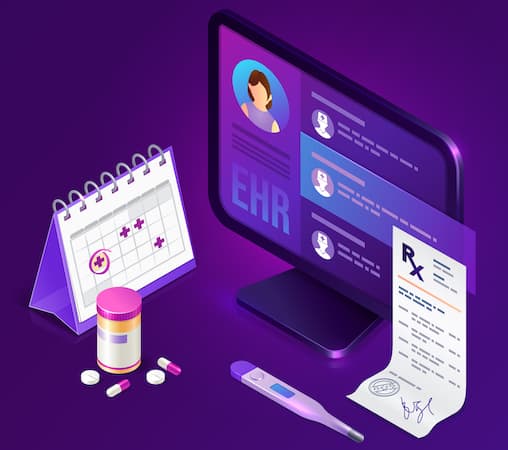
To recap, healthcare web development includes:
- sites (no computations, primarily a digital marketing channel)
- browser-based apps (EHRs, etc.)
- all other apps (mobile or desktop) with cloud connectivity
- APIs (including integrations with third-party APIs)
Also Read: EHR Integration Guide
For all intents and purposes, in this blog, I’ll focus on everything from this list except medical sites, simply because we love to work on apps. I mean, we do have sites in our portfolio too, but frankly, sites not accompanied by apps are not what gets us up in the morning. So even when I mention websites below (to please the mighty Google), I mean web apps (sites that process data and generally do more than provide info).
While the focus is majorly on app development, it’s essential not to overlook the significance of health care web site development and business website applications for healthcare. These platforms often serve as a primary point of interaction for patients, making a healthcare website application a crucial part of a comprehensive digital healthcare strategy.
Also Read: Healthcare App Development Guide
Healthcare Web Development Trends
You’re asking: What are the latest healthcare web development trends in 2026?
In one line: “2026 trends” mostly means what teams are shipping repeatedly: remote monitoring, patient portals, clinical trial tooling, EHR/EMR integrations, and AI/ML automation—often enabled by cloud + IoMT.
In practice: If it improves access, reduces staff load, or turns messy clinical data into something usable, it’s on the shortlist—and yes, a strong online presence still matters because patients judge you in-browser before they ever meet you.

What’s trending in web development for healthcare? Two things at once: the “digital front door” is becoming non-negotiable, and the apps behind it are getting more operational. A top-rated hospital website development strategy isn’t just about looking good—it’s often the first step toward a strong online presence that funnels patients into portals, scheduling, triage, payments, and follow-ups without friction.
Based on our healthcare experience, here’s what organizations are actively building (or buying) right now:
- remote patient management system platforms and monitoring workflows
- ML-driven data processing (claims automation, pre-triage, documentation support, risk scoring)
- self-service patient portals and intake flows
- clinical trial management tooling (recruitment, eConsent, data capture, coordination)
- on-demand staffing and workforce coordination
- healthcare e-commerce (supplies, DTC services, subscriptions)
- symptom trackers and longitudinal patient reporting
- medical sensor integrations (IoMT device connectivity)
- EHR/EMR integrations/custom-built workflows (because reality refuses to be “out of the box”)
- mental health chatbots and conversational experiences
Delivering these products takes more than “web dev.” You typically need depth in AI/ML, medical IoT, NLP (and sometimes voice). And while blockchain still shows up in strategy decks, we’re treating it cautiously until it proves real-world value beyond novelty.
Based on What’s Been Happing in Healthcare in 2025 and Beyond
One of the most exciting advancements is the integration of Artificial Intelligence into web applications. AI’s ability to analyze vast amounts of data and learn from it allows for more rate predictions and decision-making. This is particularly beneficial in healthcare, where AI can help with everything from predicting disease outbreaks to personalizing patient care.
Furthermore, adapting the front-end interface for simpler user interactivity has also gained traction. The use of AI bots or assistants that guide users through their journey not only enhances the user experience but also reduces the workload for healthcare professionals.
Here are some other notable trends in healthcare web application development:
- Virtual Care: With the rise of remote work and social distancing measures, telemedicine has become more important than ever. Virtual consultations and remote patient monitoring systems allow healthcare providers to reach patients no matter where they are.
- Cloud Computing: The cloud offers a flexible, scalable, and secure environment for storing and accessing patient data. It also supports real-time collaboration between healthcare professionals.
- Big Data: The use of big data in healthcare can improve patient outcomes, enhance research, and reduce costs. It can identify trends, track disease spread, and help in predictive analysis.
- AR/VR: Augmented reality (AR) and virtual reality (VR) are being used for training medical professionals, aiding in diagnosis, and providing new ways to treat patients.
- Internet of Medical Things (IoMT): IoT devices like wearable health monitors and smart medical equipment can collect valuable data, provide real-time feedback, and improve patient care.
As we look ahead, it’s clear that the future of healthcare web application development is ripe with potential. Yet, amidst all the buzz and excitement around new technologies, it’s crucial to discern between hype and practicality. The true value lies not in adopting technology for technology’s sake, but in leveraging these advancements to create tangible improvements in patient care.
At our core, we are committed to building healthcare solutions that do just that—transforming the way care is delivered and setting a new standard for what’s possible in healthcare. Because ultimately, it’s not just about staying ahead of the curve—it’s about making a real difference in people’s lives.
Also Read:
Healthcare Web Development Guidelines
You’re asking: What guidelines keep healthcare web development from turning into a compliance or adoption mess?
In one line: Build around five non-negotiables—security/compliance, accessibility, user-centered design, interoperability, and responsiveness—then add data visualization when the product lives or dies by insights.
In practice: If you create a healthcare website (or web app) and skip even one of these, you don’t just risk bugs—you risk low adoption, broken workflows for healthcare providers, and compliance headaches your development team will be stuck paying for later.
When you build a healthcare website, you’re not shipping a “normal” web product. You’re shipping a system people rely on when they’re stressed, busy, and often making time-sensitive decisions. That’s why the real goal isn’t just “launch”—it’s to hit ROI targets and keep the product usable, safe, and compliant as it scales.
These best practices are the guardrails that keep good ideas from turning into expensive rework. They help you protect PHI, reduce friction in the user experience, and make sure the app can actually connect to the ecosystem it lives in (EHRs, APIs, devices). Below, I’ll break the guidelines into practical checkpoints you can use with your development team—the same ones we apply across real healthcare projects.
Compliance and Security
-
What security controls are “table stakes” for PHI in web apps?
Start with encryption, access control, secure sessions, and a HIPAA-ready cloud posture.
Healthcare app solutions deal with protected health information (PHI) and therefore have to double down on security. The HIPAA and HITECH Act regulations will be your two significant areas of concern if you want to keep PHI data protected and safe.
Related: HIPAA Compliant App Development: Everything You Need to Know
Start by choosing a HIPAA-compliant cloud service provider like AWS, Google, or Microsoft and discuss all possible security safeguards with your development team, including:
- encryption of data at rest and in sync
- use of secure connection
- access rights management
- active session expiration
Accessibility
Website development for doctors is a specialized area that requires understanding the unique needs and workflows of medical professionals and patients. Successful projects in this field not only improve the efficiency of medical practice but also enhance patient care and satisfaction.
Today, any site should have built-in features to support people with special needs. And when it comes to healthcare web apps, compliance with accessibility guidelines becomes critical.

W3C Accessibility Standards include methods for presenting web content and technical specifications. So you want to look at those standards before web development starts.
Customer-Focused Design
In healthcare website design and app development, best practices dictate a focus on user-centric design, data security, and interoperability, all of which are vital to delivering a seamless, secure, and efficient patient experience.
Your customers (patients or healthcare providers) and their needs are the cornerstones of the online application you plan to build. Software’s UX and UI must adapt to their routines. That way, you can achieve a frictionless user experience and expect adoption.
Also Read: Top UI/UX tips to designing a winning application
Interoperability
Digital platforms of today don’t exist in a vacuum. They must be able to exchange data with other services, e.g., EHR systems or healthcare APIs. Your web app’s architecture should account for mechanisms to pull data from external sources and provide its own information to other systems via APIs.
Responsiveness
Scaling a web interface for it to remain fully functional regardless of the screen size and medical devices it’s being used on is also critical for a successful healthcare web app.
We can shop from Amazon on notebooks, smartphones, and tablets. The same goes for your web solution.
Data visualization
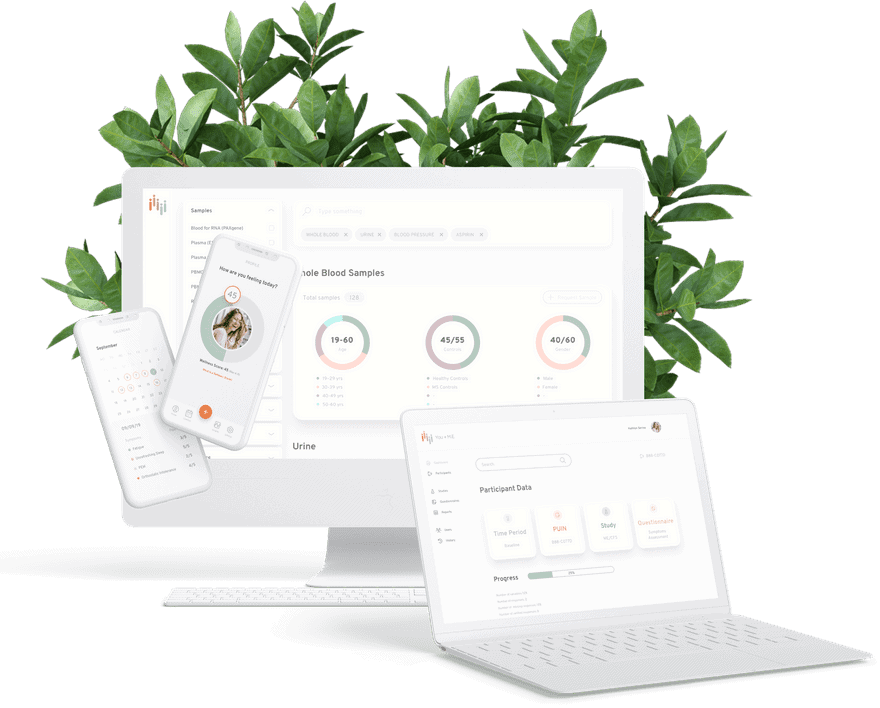
Finally, as you know, healthcare software is all about working with data. Therefore, data visualization often becomes crucial for web healthcare development.
Common Healthcare Web Development Challenges (and How to Solve Them)
|
Challenge (Problem) |
What it looks like in real life |
What to do (Solution) |
|---|---|---|
|
Patient data breaches |
Overly broad access rights, weak sessions, missing audit trails, unpatched dependencies |
Implement end-to-end encryption where appropriate, encrypt data at rest/in transit, enforce least privilege + MFA, and run regular security audits and patch cycles |
|
Slow page load times |
Patients drop off, staff complain, dashboards feel “sticky” |
Use a CDN, optimize and compress images, implement lazy loading, minimize/segment JS bundles, and cache smartly (especially for static assets) |
|
Poor mobile experience |
Tiny tap targets, broken layouts, “works on desktop only” flows |
Mobile-first responsive design, test across devices early, and consider PWA patterns when offline/low-connectivity use matters |
|
Low adoption by clinicians or staff |
Workarounds reappear (spreadsheets, texting, phone calls), training doesn’t stick |
Design around real workflows, reduce clicks, use role-based UI, and validate prototypes with actual users before scaling features |
|
EHR integration pain |
Data doesn’t map cleanly, workflows break, “it works in staging” syndrome |
Start with a narrow integration scope, define data contracts, use standards (FHIR/HL7) thoughtfully, add monitoring for interfaces, and build for retries/error handling from day one |
|
Security regressions after release |
A new feature accidentally exposes data or bypasses permissions |
Treat security as part of the development process: automated tests for access control, secure defaults, code reviews, dependency scanning, and audit log verification in every release cycle |
User Experience and Design Best Practices for Healthcare Web Applications
You’re asking: What UX and design best practices matter most for healthcare web apps?
In one line: Lead with clarity and accessibility, then reduce friction with intuitive navigation, readable content, and role-safe UI so the right people see the right data—on any device.
In practice: In clinic web development, UX isn’t “make it pretty.” It’s how you prevent drop-offs, reduce staff annoyance, and make the app feel user-friendly even when the user is tired, stressed, or multitasking.
User experience (UX) and design are make-or-break in clinic web development. A well-designed application doesn’t just look polished—it removes friction from tasks patients and staff repeat constantly, which directly impacts engagement and satisfaction.
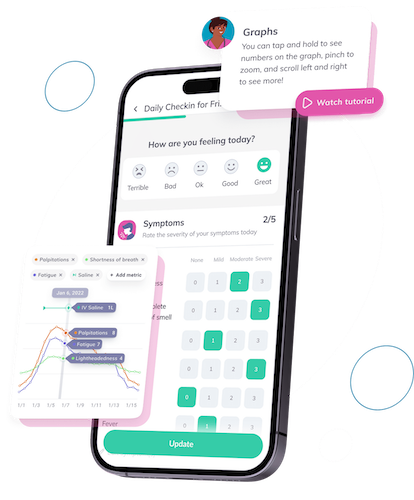
The catch is that healthcare web apps don’t live on a single screen anymore. Your product will show up on phones, tablets, desktops, and sometimes wearables—used with touch, mouse/keyboard, and everything in between. That reality should shape healthcare app UI design from day one.
Best Practices for Health UX/UI
When designing a healthcare web application, here are some best practices to consider:
- Accessibility: Ensure your application is accessible to all users, including those with disabilities. This could involve providing alternate text for images or ensuring the text is readable for colorblind users.
- Clear Navigation: Make it easy for users to find what they’re looking for. This might entail a well-organized menu, clear labels, or a robust search feature.
- Readability: Use clear, simple language that your audience can easily understand. Avoid jargon whenever possible.
- Intuitive Design: Your application should be easy to use. Users shouldn’t have to guess what to do next.
- Security in UI: Implement safeguards to ensure user roles never expose PHI to unauthorized individuals.
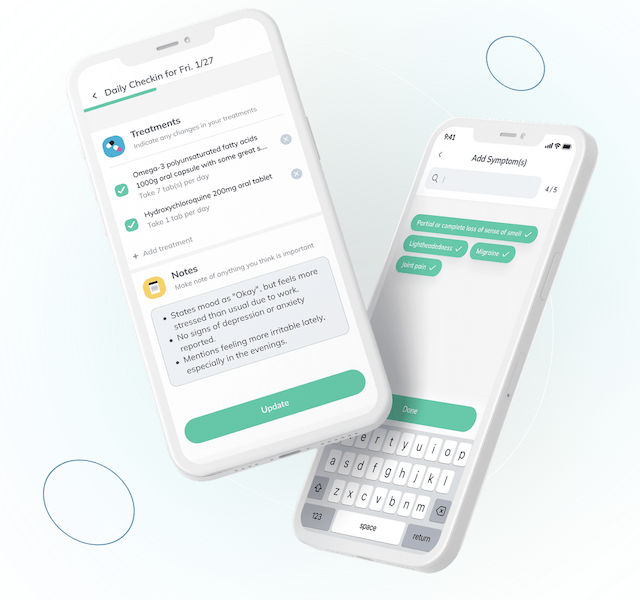 Designing a healthcare solution presents a unique challenge: balancing between the consumer design that patients and doctors are accustomed to (think Amazon or Gmail) and the more traditional design paradigm of legacy hospital software. Here are a few insights to consider:
- Familiarity: Users tend to gravitate towards interfaces that feel familiar. Leaning into consumer design can help users adapt quickly to your application.
- Simplicity: Consumer designs are typically straightforward and intuitive. Emulating this simplicity in your healthcare web application can enhance user satisfaction.
- Efficiency: Well-designed consumer applications often streamline tasks, reducing clicks and loading times. Incorporating such efficiencies can improve the user experience of your healthcare web application.
Given these considerations, I suggest leaning towards consumer design due to its ubiquity and the user-friendly experience it offers during website development for physicians. As we transition to discussing the components of healthcare website development, remember that good design is not just about aesthetics—it’s about creating a seamless, intuitive journey for every user, regardless of their device or role.
Whether you’re embarking on digital health website development or mobile medical website design and development, these principles remain the same, underpinning a successful, user-friendly application.
Mobile-First Optimization: Ahead of the Curve
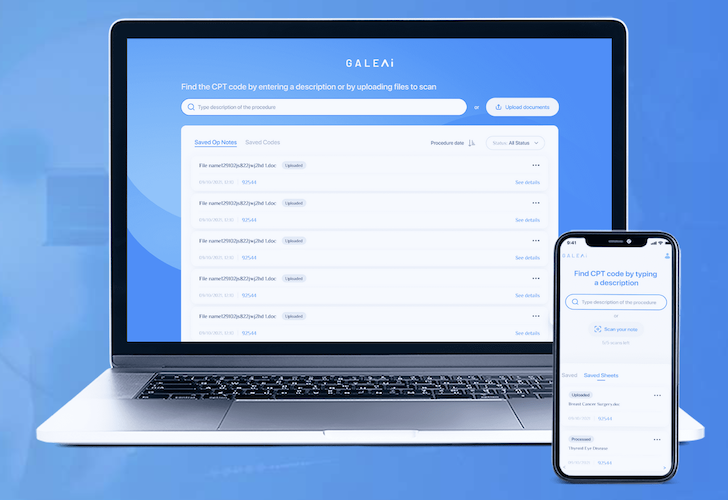
Do you remember when mobile phones were just for making calls? Those days are long gone. Today, smartphones are like mini-computers, capable of doing almost anything a PC can do—and sometimes more. That’s why when we know our web app will be used on mobile devices more often than not, mobile-first optimization becomes a priority.
Mobile-first design isn’t about reducing desktop functionality to fit a smaller screen—it’s about reimagining the user experience from the ground up. It’s about understanding that the constraints of mobile are actually opportunities for innovation. This approach enables designers to create a seamless experience across all devices, ensuring that patients and doctors can access the same information and perform the same tasks, no matter how they choose to interact with your application.
Let’s look at some of the key principles of mobile-first design that can help set your healthcare web application apart:
- Content Prioritization: On a mobile screen, space is at a premium. That’s why it’s crucial to focus on what’s most important. Prioritize content based on user needs, and make sure the most critical information is easily accessible.
- Touch-friendly Design: With mobile, the finger replaces the mouse. Design elements (e.g., social media icons or contact details) should be large enough to be easily tapped, and there should be enough space between elements to prevent accidental clicks.
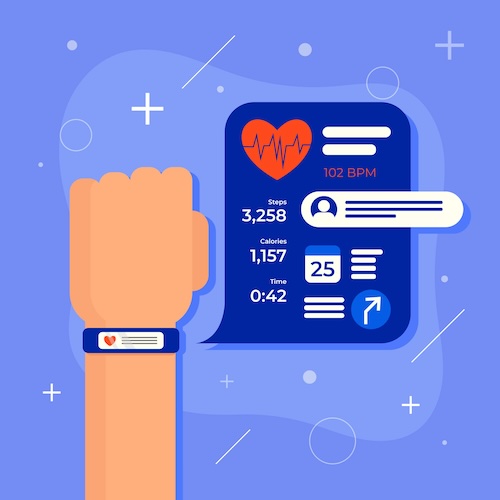
- Speed Optimization: Mobile users expect quick load times—every second counts. Compress images, minify code, and leverage browser caching to improve your site’s speed.
- Offline Functionality: Mobile users aren’t always online. Can your app provide value even when there’s no internet connection? Consider incorporating offline capabilities into your design.
- Device Orientation: Mobile devices can be used in portrait or landscape orientation. Ensure your design works well in both orientations for a truly mobile-first experience.
Remember, in the world of healthcare web applications, staying ahead of the curve is key. Whether it’s compliance, integration, or mobile optimization, getting these elements right can set your application apart from the rest.
What Are the Core Components of a Healthcare Web Application?
You’re asking: What components do I need for a healthcare website?
In one line: At minimum, you’re building a front end (what users interact with), a back end (data + logic), and data standards support so healthcare info can move safely between systems.
In practice: If you want to build a healthcare website that behaves like a real medical web app, your team isn’t just “writing code”—they’re assembling a few core layers that decide whether the product is usable, scalable, and interoperable in the healthcare industry.
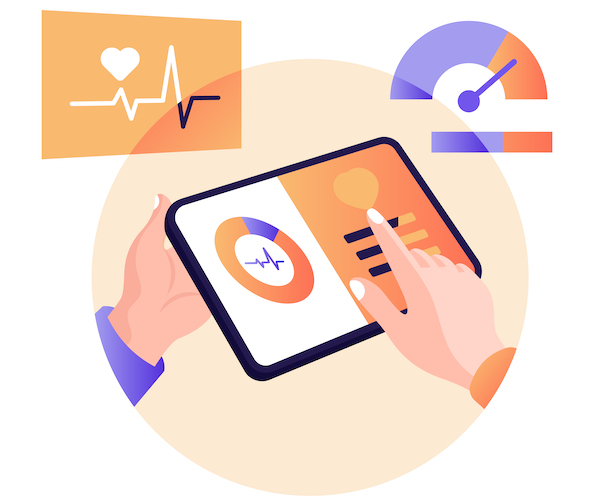
Now let’s get specific about what your developers actually build when you ask them to make a healthcare website (the kind that does more than publish information). Most people are fine knowing “code is being written,” but in med tech web development, the type of code matters because different layers carry different risks—UX friction on the front end, data security and performance in the back end, and interoperability headaches in the standards layer.
So when you scope a medical web app, you’ll usually see the work split into front end, back end, and the healthcare data standards that help your app exchange information correctly.
Front and Back of Your Application
To refresh your memory, software agencies always talk about front-end and back-end development:
- the front end is everything your customers interact with on a screen
- the back end is everything processing, transmitting, and storing data
Technology Stack Comparison Tables
When people ask “what stack should we use?” they usually mean: what gives us the best odds of shipping safely, hiring easily, and not rebuilding in 18 months? Below are the common choices we see in healthcare, and what they’re actually good for.
Frontend technologies for healthcare web apps:
|
Frontend option |
Where it shines |
Watch-outs |
Typical healthcare fit |
|---|---|---|---|
|
React.js (often with Next.js) |
Complex, component-heavy UIs; fast iteration; strong ecosystem |
Too many ways to do the same thing unless you enforce standards |
Patient portals, clinician dashboards, admin consoles |
|
Angular |
Opinionated structure; strong enterprise patterns; consistent architecture at scale |
Heavier learning curve; can feel “ceremonial” for small teams |
Enterprise medical systems, large internal platforms |
|
Vue.js |
Lightweight, quick to build; great for dashboards and incremental upgrades |
Ecosystem is smaller vs React; architecture discipline varies |
Lightweight medical dashboards, portals with modest complexity |
|
Progressive Web App (PWA) (approach, not a framework) |
App-like experience in the browser; offline support; easier distribution |
Not all native capabilities; careful testing across devices |
Field workflows, patient follow-ups, “works anywhere” tools |
Backend technologies for healthcare web apps:
|
Backend option |
Where it shines |
Watch-outs |
Typical healthcare fit |
|---|---|---|---|
|
Node.js (often NestJS) |
Real-time features; fast API development; same language across stack |
Requires discipline for large codebases and data-heavy workloads |
Scheduling, chat, notifications, real-time dashboards |
|
Python (Django / FastAPI) |
Data-heavy services; analytics; AI/ML-adjacent pipelines |
Performance tuning matters at scale; consistency depends on framework choice |
ML-assisted workflows, data processing, clinical analytics |
|
.NET (ASP.NET Core) |
Enterprise-grade architecture; strong tooling; great fit with Microsoft-heavy orgs |
Can be overkill for smaller MVPs if team isn’t already fluent |
Hospital enterprise systems, admin-heavy platforms |
|
Java (Spring Boot) |
Mature enterprise ecosystem; reliability; scalable services |
Heavier stack; slower iteration if team isn’t set up for it |
Large integration-heavy platforms, complex back-office systems |
|
Go |
High performance; simple deployment; great for services under load |
Smaller hiring pool vs Node/Python/.NET; less “batteries included” |
High-throughput APIs, integration gateways, backend services at scale |
How to pick quickly (without a religious war):
-
If you’re building a complex portal/dashboard with many screens and roles → React or Angular.
-
If you need enterprise governance and long-lived internal systems → Angular or .NET/Java stacks.
-
If your roadmap includes AI/ML or heavy data processing → Python is usually the most pragmatic backend lane.
-
If you need real-time behavior (live status, chat, streaming updates) → Node.js is often the shortest path.
Healthcare-Specific Layers That Matter More Than the Framework
|
Layer |
Why it matters in healthcare |
What “good” looks like |
|---|---|---|
|
Identity & access control (AuthN/AuthZ) |
Healthcare is inherently multi-role (patient, clinician, admin, billing). One sloppy permission model can expose PHI. |
MFA where appropriate, least-privilege roles, RBAC/ABAC, break-glass access, secure session management |
|
Audit logs (PHI access trails) |
You need to know who accessed what and when—for compliance, investigations, and internal governance. |
Immutable logs for PHI events, searchable by user/patient/object, retention policy, alerting on anomalous access |
|
Encryption & key management |
Data must be protected in transit and at rest, and keys shouldn’t be “somewhere in a config file.” |
TLS everywhere, encryption at rest, secrets manager, rotated keys, hardened backups |
|
Interoperability layer (FHIR/HL7/DICOM + mapping) |
Integration is where projects get expensive: mismatched data models, edge cases, workflow assumptions. |
Clear data contracts, mapping strategy, versioning, test harnesses, error handling, monitoring of interface health |
|
Observability (monitoring + incident response) |
If you can’t see failures, clinicians will be the first to tell you—by failing to use the product. |
Centralized logs/metrics/traces, uptime and latency SLAs, actionable alerts, dashboards for key workflows |
|
Data governance & PHI boundaries |
“Where is PHI allowed to live?” needs an explicit answer—or it ends up everywhere. |
Defined PHI zones, environment separation, access reviews, data minimization, retention/deletion rules |
|
Security posture management |
Healthcare apps run on fast-moving dependencies; risk isn’t static. |
Regular patching, SAST/DAST, dependency scanning (SBOM if possible), periodic risk assessments, secure SDLC |
Pick frameworks for team productivity; pick these layers for risk control.
So building front ends involves designing and coding user-friendly interfaces, primarily for browsers. However, you can also choose to create a progressive web app — a mobile app that works on phones (offline, too) and is made using web technologies.
As for the back end, developers will set up servers and databases, build APIs, connect to external APIs, create data lake pools (sometimes), and code the rest of the logic for processing app data.
In the realm of med tech web development, creating a seamless and intuitive medical web app is not just about coding, but understanding and addressing the unique needs and challenges of the healthcare industry, such as data standards.
Data Standards
-
Which healthcare data standards should your app plan for?
Expect HL7/FHIR/USCDI/DICOM depending on your workflows and integrations.
Again, because health apps deal with massive data sets that must be interchangeable, you need to build a healthcare website bearing in mind the data standards specific to the healthcare industry, for example, HL7, FHIR, USCDI, and DICOM, among others.
Read Also: SMART on FHIR, HL7 Guide

Navigating the Maze: Compliance and Security Standards
You’re asking: What compliance and security standards should a healthcare web app meet?
In one line: Treat security like architecture, not a feature: align with HIPAA (U.S.) and often GDPR (EU), then implement practical controls like encryption, MFA, logging, session timeouts, and patching.
In practice: The goal isn’t “pass a checklist.” It’s to protect patient data in real workflows—where humans click the wrong link, devices get lost, and attackers don’t care that your UI is gorgeous.
You can build a slick healthcare web app with intuitive flows and flawless integrations—and still ship a liability if security is bolted on at the end. The moment your product touches patient data, compliance and security stop being “nice to have” and become the core of the system.
Think of it this way: your app is a vault, but the real weakness usually isn’t the steel door—it’s the everyday stuff around it. Weak authentication, sloppy session handling, missing audit trails, unpatched dependencies, or overly broad access rights. Those are the cracked windows attackers look for.
That’s why HIPAA (U.S.) and GDPR (Europe) matter. They’re not just acronyms; they’re frameworks that force you to design for privacy and security from day one. Miss the mark and you risk fines and reputational damage—but more importantly, you risk exposing patient data when people trust you most.
HIPAA Compliance
Think of the Health Insurance Portability and Accountability Act as the baseline rulebook for protecting patient data in the U.S. It expects administrative, physical, and technical safeguards—not just “secure coding,” but the operational controls that keep PHI safe day-to-day.
GDPR Compliance
The General Data Protection Regulation is Europe’s privacy framework. It pushes you to be explicit about data handling (collection, purpose, retention), user rights, and breach readiness—especially when personal health information is involved.
HIPAA Best Practices
Now, let’s get actionable. Here are the security best practices most healthcare web apps should treat as default:
- Encryption (in transit + at rest): TLS for traffic, encryption for storage, and sane key management.
- Access control: Role-based permissions, least privilege, and periodic access reviews—especially for admin accounts.
- Auditability: Detailed logs for sensitive actions, so you can answer “who accessed what and when?”
- Session safety: Inactivity timeouts, secure cookies, and protection against session hijacking.
- Vulnerability hygiene: Regular updates, patching, dependency scanning, and security testing in CI/CD.
- Incident readiness: Monitoring + alerting, and a plan for containment, notification, and recovery.
HIPAA Compliance Checklist for Web Apps
☐ SSL/TLS encryption implemented
☐ Data encrypted at rest (AES-256)
☐ Audit logs capture all PHI access
☐ Automatic session timeout (15 minutes)
☐ Business Associate Agreement (BAA) with hosting provider
☐ Regular security risk assessments
☐ Employee training documentation
A key point: HIPAA compliance is a development process decision, not a QA checkbox. If you “add compliance later,” you’ll end up rewiring core architecture—identity, permissions, logging, encryption, and hosting—when it’s most expensive. The clean approach is to build your compliance foundations early, then ship features on top.
On the practical side, teams often try to reduce exposure by limiting PHI in dev and test environments. Can you abstract it away during the development process? Sometimes—but you still need realistic test cases. The safe middle ground is typically mock or de-identified data plus strict access controls and audit logs for any environment that might contain real PHI.
Finally, don’t underestimate integration points. Every interface—EHR connectivity, third-party APIs, device feeds—is a door between systems. Those doors need authentication, authorization, logging, and monitoring just like your app does. If your product lives on interoperability, your security posture has to extend across those junction points—because attackers love “the part you assumed was someone else’s problem.”
Remember: in healthcare, security isn’t a feature. It’s the foundation that lets everything else exist.
What Functionality Do Most Medical Web Apps Need?
You’re asking: What features should my medical website have?
In one line: It depends on the product, but the usual repeat offenders are dashboards, scheduling, telehealth, payments, notifications, chat—and in more advanced builds, AI/ML + IoT integrations.
In practice: Your feature list should map to one thing: the workflow you’re improving (patient, provider, admin). If a feature doesn’t reduce friction or improve outcomes, it’s probably a shiny distraction.
There’s no universal “correct” feature set—every web app exists to solve a specific operational or clinical problem. But patterns repeat. Across healthcare products, the same blocks show up because they support the most common workflows: monitoring, coordination, communication, and revenue capture.
So instead of pretending there’s a one-size-fits-all checklist, let’s review the features we see most often in healthcare web apps we build at Topflight—and what each one is actually good for.
Dashboards
Since most healthcare applications involve patient data, I often see a dashboard concisely presenting this data as a focal feature. In the realm of medical web application development, a well-designed dashboard is crucial not only for data presentation but also for enhancing user interaction and experience.
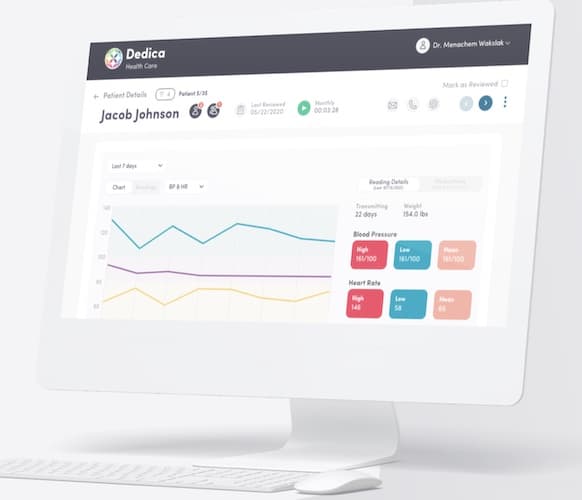 Many open-source libraries simplify the process of adding this functionality. However, it’s not exactly a simple copy-paste of code; some customization is always needed.
Location-Awareness
Mapping and, to a lesser degree, navigation are handy when we need to locate patients and providers or track medicine and other medical inventory delivery.
Geofencing is one of the exciting location features we’ve been adding to apps. The app recognizes certain areas on a map and sends notifications or starts tracking activities when the user is nearby.
Augmented Reality
AR is perfect for teaching surgeons and other healthcare professionals to perform dangerous operations with careful guidance overlaying virtual objects in an actual medical setting.

Another use case is having patients repeat exercises after a virtual avatar. Then, navigation in clinics; the limit to this technology’s applications is only your imagination.
AI/ML/IoT Integrations
As already mentioned, we see more and more solutions focusing on automatic data processing for diagnosing, preliminary consultations, financial optimizations, etc. And it’s often backed by medical IoT integrations — real-time health data from medical sensors.
Also Read: AI in Healthcare Guide
Ecommerce
E-commerce brings the convenience of couch shopping for patients and desk shopping for providers. Sometimes this functionality can manifest as a marketplace where patients and providers search for on-demand services.
Appointment Scheduling
Chances are you’d need this feature if you want to remove any friction from the patient onboarding process. When considering how to make a healthcare website, it’s essential to incorporate features like appointment scheduling and chatbots that streamline communication and improve the patient onboarding process.
Instead of constant back and forth with phone calls, have a smart calendar with notifications that dynamically adjusts to doctors’ schedules.
Related: Doctor’s Appointment Scheduling App Development
Chatbot
A chatbot can be a complete app, like the one we built to help veterans recover. However, you can always enhance practically any application with a chat feature.
Also Read: How to Build a Chatbot
The chatbot will help answer typical questions, navigate patients through your catalog of services, and do a lot of other stuff 24/7.

Telehealth
After the pandemic, it’s hard to find a health care business that hasn’t considered adding some form of telemedicine to their existing solutions. Website design and development for healthcare is a complex process that often involves a redesign of existing systems to integrate emerging technologies like AI/ML/IoT and telehealth. The right development services can ensure a seamless transition and effective mobile app development.
When working on a solution like that, it’s best to pick a telehealth website design and development company that covers everything from design to delivery.
Payments and Notifications
These two features seem pretty straightforward. On the other hand, if you think about a complex scheduling platform where patients and doctors can make changes and a payment solution that’s integrated with insurance providers and patients — this functionality can become pretty intimidating during implementation.
Integration with Healthcare Systems: The Power of Unity
You’re asking: How do healthcare web apps integrate with EHRs and other systems?
In one line: Integration usually means APIs + interoperability standards (HL7/FHIR/DICOM) plus careful mapping, authentication, and monitoring—because the moment data crosses systems is where projects usually bleed.
In practice: The hard part isn’t “connecting.” It’s making sure the right data shows up for the right people at the right time—without breaking workflows for healthcare providers or creating security gaps.
If your health web application doesn’t play nicely with existing systems, the experience feels like forcing a square peg into a round hole: slow workflows, duplicated data entry, and avoidable errors. That’s why integration isn’t a “nice-to-have”—for many healthcare products, it is the product.
When integrating with EHR and other platforms is done well, it’s not magic—it’s disciplined plumbing. You define what data moves, how it’s mapped, who can access it, and how you’ll detect failures before clinicians notice. Let’s break down the most common integration building blocks.
Quick decision guide: Integration isn’t one thing. The approach depends on (1) what you need to do (read vs write) and (2) what the EHR can realistically expose (FHIR, HL7, or something vendor-specific). Use this as a first-pass map:
Do you need EHR integration?
├─ No → Use internal APIs only (integrate later if needed)
└─ Yes
├─ What do you need to do?
│ ├─ Read-only (view/sync data) → Lower risk + simpler approvals
│ └─ Write-back (orders/notes/results updates) → Higher risk + stricter controls
└─ What does the EHR expose?
├─ FHIR APIs available
│ ├─ Standard resources cover your workflow → FHIR API integration
│ └─ Gaps/custom workflow → FHIR + custom mapping (sometimes + HL7)
└─ No (or not enough)
├─ HL7 v2 feeds/interfaces available → Interface engine + HL7 mapping
└─ Neither is available → Custom integration route (vendor-specific APIs / flat files)
Once you know which path you’re on, the rest is implementation detail: EHR endpoints, API contracts, and the data standards that keep everything interoperable.
- Electronic Health Records (EHR): Imagine if every note from every doctor’s visit, every prescription, every test result was in one place. That’s the power of EHR. Integrating with EHRs can streamline healthcare providers’ workflows and improve patient care.
- APIs: These are like the translators of the software world. Application Programming Interfaces allow different software solutions to communicate and share data, ensuring compatibility and interoperability with various healthcare systems.
- Custom Integrations: Sometimes, you need a bespoke solution. Custom integrations ensure seamless data exchange between your web application and existing healthcare systems.
Now, let’s talk about data interoperability standards in healthcare. These are like the rulebooks that guide how health information is shared across different systems. Here are some of the most widely used standards:
- HL7 (Health Level Seven International): This standard defines how information is exchanged between software applications used by healthcare providers.
- FHIR (Fast Healthcare Interoperability Resources): This standard describes data formats and elements for exchanging electronic health records.
- DICOM (Digital Imaging and Communications in Medicine): This standard is used for storing, sharing, and transmitting medical images.
- IHE (Integrating the Healthcare Enterprise): This initiative promotes the coordinated use of established standards to address specific clinical needs.
- CCDA (Consolidated Clinical Document Architecture): This standard specifies the structure and semantics of “clinical documents” for the purpose of exchange.
Remember, the goal of integration isn’t just about making different systems work together—it’s about creating a unified healthcare experience.
What Does the Medical Web Development Process Look Like End-to-End?
You’re asking: How do I build a healthcare website step by step?
In one line: Strong builds follow five steps—strategize, prototype, code & test, deploy, and maintain—so you validate early and avoid “we built the wrong thing… compliantly.”
In practice: The process isn’t ceremony. It’s risk control: the earlier you confirm requirements, workflows, and constraints, the less painful (and expensive) the build becomes.
Yes—today almost anyone can put something online. You can spin up a basic medical website with SquareSpace or WordPress, and you can even assemble simple internal tools with no-code/low-code platforms. But there’s a gap between “it exists” and “it’s reliable in a healthcare workflow.”
In real healthcare web development, the moment your product needs secure logins, role-based access, integrations, auditability, or anything involving sensitive data and operational workflows, the build stops being a weekend project. That’s where a structured process matters—because it forces you to validate assumptions before they harden into expensive code.
And even if you start with a template or low-code base, you’ll often still bring in developers who know the platform well enough to make the effort worth it—turning “pretty okay” into “actually usable.”

Regardless of the approach, you’ll need to go through certain steps on your health website development journey. What are they? Plain and simple:
- Strategize
- Prototype
- Code & Test
- Deploy
- Maintain
Here’s a little more on what they look like in real life. But first a quick overview of the medical web development process:
| Step | Description |
|---|---|
| 1. Strategize | Define business model, roadmap, ROI goals, and prioritize features to align with user needs. |
| 2. Prototype | Design and validate UI/UX ideas with user feedback and create a proof of concept if AI/ML is involved. |
| 3. Code & Test | Develop the app using agile sprints, integrate SDKs for efficiency, and ensure compliance with healthcare regulations. |
| 4. Deploy | Move the tested product to a secure production server and set up DevOps for seamless deployment. |
| 5. Maintain | Monitor app stability, fix bugs, add new features, and analyze usage patterns for continuous improvement. |
Step 1: Strategize
It goes without saying that before developing a web application, you need to scrutinize your customers’ needs, analyze the competition, and set priorities in terms of ROI goals.
Depending on your progress in this first phase of medical website building, we run a Preflight Workshop at Topflight to help you:
- define your business model
- think through the product’s ecosystem and its technical components
- develop a rough version of the roadmap
- identify key features and their impact on meeting business objectives
In hospital web development, the strategizing step is particularly crucial as it sets the foundation for a site that meets the unique needs of both healthcare professionals and patients.
As an outcome, we should have:
- lean canvas with the summary of the business model and plan
- component and feature list (high-level, prioritized feature list with rough estimate)
- strategic roadmap (10,000-foot view of the delivery plan)
Step 2: Prototype
The next step is to start fleshing out the UI and user experience of the software. We must first validate our design ideas to develop a healthcare site (or app) that generates real traction.
The prototyping stage of digital health web development is precisely where we can begin to see the vision come to life, testing concepts and gathering valuable user feedback.
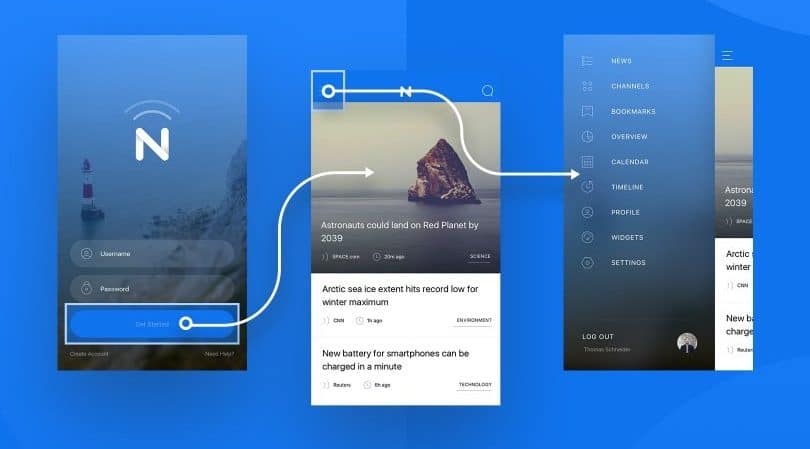
First, it’s cheaper to iterate than coding/testing costs. And second, we can quickly discover flaws and optimize the solution based on user feedback.Doing the same during the active coding phase is what usually buries a project.
One thing to note here is that if we’re working on an AI solution, we should also spend some time creating a proof of concept for the ML algorithms that will power our solution. We do this to validate that the AI piece can garner the required outcomes, and we can work on that in parallel with UI/UX prototyping.
Step 3: Code & Test
We can’t build a health website or web app without coding and testing. That’s when health web developers and QA engineers can flex their muscles. Here’s a bird’s-eye view of how it looks in practice:
- A product manager grooms a feature list in a product backlog, prioritizing items based on business goals
- Developers write code for the front end and back end, releasing new builds (preliminary app versions) in short cycles (often every 1–2 weeks)
- QA engineers test new and previously released functionality, so fixes don’t break what already worked
- A project manager coordinates everyone on the team and keeps you up to date on progress
- And yes — you actively share feedback on the preliminary results, because that’s how you avoid building the wrong thing “perfectly”
What does “Code & Test” looks like in the first 6 weeks (a realistic MVP pace)?
Every team structures this a little differently, but if you’re building a basic healthcare web app MVP, the first 6 weeks usually follow a pattern like this:
Weeks 1–2: Foundation (Backend + Compliance Basics)
This is where we set the guardrails before building features on top of them:
- configure a HIPAA-ready cloud setup (AWS / Google Cloud), including environment separation and secure networking
- set up the database with encryption at rest (commonly PostgreSQL; MongoDB can make sense for some data models)
- implement authentication (often OAuth 2.0 / OIDC) and start defining roles (patient / provider / admin)
- establish logging, error monitoring, and baseline security controls so we’re not “adding security later”
Weeks 3–4: APIs + Data Flows (Make the App Real)
Now we build the “pipes” the UI depends on:
- create REST APIs for core workflows (accounts, profiles, scheduling, basic data capture)
- add audit logging for sensitive actions (access to protected data, exports, admin actions)
- if interoperability is in scope, introduce FHIR thoughtfully (usually starting with the few resources you actually need, not boiling the ocean)
- write integration tests early, because healthcare apps tend to grow “just one more feature” every sprint
Weeks 5–6: Frontend workflows (Make It Usable)
Only now does the UI start to look like a product instead of a prototype:
- build responsive UI components (React is common for complex portals, but the framework matters less than consistency)
- implement role-based access control in the UI and API layer (so the right people see the right data)
- deliver a first version of a patient dashboard (and/or provider/admin views), then iterate based on real feedback
- keep QA tight: regression tests, cross-device checks, and “happy path + failure path” testing
Why We Don’t Code Everything From Scratch
I love coding these days because we don’t need to build every feature entirely from zero. Instead, we can use open-source or commercially available SDKs (pieces of ready code) and customize them. The trick is choosing them carefully — these SDKs become the building blocks of your healthcare solution.
One example is relying on HIPAA-ready cloud services from AWS or Google Cloud. The same applies to things like chat, notifications, or video calls — rebuilding those from scratch is a great way to burn budget while reinventing wheels that still squeak.
Where No-Code and Low-Code Actually Fit
We’re also seeing a growing trend toward no-code and low-code approaches. In practice, that usually means using pre-built components to accelerate internal tooling, admin panels, or early prototypes — so you can iterate rapidly with a working app and validate assumptions faster.
Our team is still very much in love with traditional coding for production-grade healthcare products, but we’re absolutely interested in using no/low-code where it truly reduces development time without creating long-term constraints. After all, delivering better healthcare solutions faster is great — as long as “faster” doesn’t become “fragile.”
Reality check: This 6-week outline is what “basic MVP momentum” can look like when scope stays tight (one or two core workflows, minimal integrations). The moment you add EHR connectivity, complex role hierarchies, device streams, or deeper compliance controls, timelines expand quickly—because you’re now building integration plumbing and governance, not just screens.
Related: Web Development Frameworks
Step 4: Deploy
When it comes to medical practice website development, the deployment step is crucial as it involves moving the fully-tested application to a public-facing server environment, which must be secure and robust enough to handle sensitive patient data.
Deployment in itself is pretty dull. Developers ship a thoroughly tested product to a production environment (public-facing servers) and upload mobile front ends to the App Store and Google Play if necessary.
One thing to note here is that you’ll need a working DevOps infrastructure at this step. The infra itself is ideally created during the development phase. That allows the dev team to push everything to customers seamlessly.
Also Read: SaMD Certification Approval Process: Everything You Need to Know
Step 5: Maintain
Finally, once your web application is live, you have to keep tabs on three areas:
- issues/bugs (a rare testing budget would cover all platforms/browsers/etc.)
- overall app stability (its uptime)
- areas for improvement, new features
- app usage patterns
There are plenty of valuable services to monitor all these KPIs. For example, we love using Sentry, Mixpanel, and a few AWS tools.

The bottom line is that you continue to work on the app once it’s released, almost with the same intensity (although maybe lighter on development per se). In doctor website development, maintenance is particularly important, as updates, new features, and improvements are often needed to keep up with evolving medical standards and practices.
And the DevOps environment that was established during the development phase plays a considerable role in the whole process. Put simply, with a correctly set up CI/CD infrastructure, your devs don’t need to spend time on manual, repetitive tasks and instead focus on polishing the app.
Troubleshooting Common Healthcare Web Development Errors
You’re asking: What are the most common things that break in healthcare web apps—and how do we fix them fast?
In one line: Most “mystery failures” come from a handful of repeat categories: security/auth, data access, integrations, performance, and cross-device UI.
In practice: You don’t need a hero developer—you need a short list of predictable checks that catches 80% of issues before users do.
Common Errors and How to Fix Them
-
“CORS policy error” (browser blocks your API call) → Declare allowed origins correctly on the API, allow credentials only when needed, and make sure “preflight” requests are handled (OPTIONS requests must succeed).
-
Login works, then randomly logs users out → Fix session handling: secure cookies, consistent session timeouts, clock/timezone consistency, and avoid caching authenticated pages.
-
“401 Unauthorized” when the user is logged in → Check token expiry/refresh logic, confirm the API is reading the token, and verify the user’s role/permissions match the endpoint.
-
“403 Forbidden” for the right user → Permission model mismatch: audit role-based access rules, confirm the user is assigned the correct role, and add a clear “why access was denied” log entry.
-
Users can see data they shouldn’t → Stop and treat as a security incident: tighten access rules (least privilege), add server-side permission checks (not just UI hiding), and validate with tests using multiple roles.
-
“HIPAA audit failure” (or internal security review fails) → Don’t guess—run down the usual culprits: missing/insufficient audit logs for PHI access, weak access controls, lack of a BAA with hosting vendors, incomplete encryption coverage, and no documented risk assessment/training evidence.
-
PHI shows up in logs or analytics tools → Remove sensitive fields from logs, mask identifiers, and ensure monitoring/analytics tools aren’t capturing request bodies or patient-facing form inputs.
-
File uploads fail (medical docs/images) → Check file size limits, timeouts, and storage permissions; add resumable uploads for larger files; confirm uploads aren’t publicly accessible.
-
“Slow database queries” or “timeout” spikes → Add indexes for common filters/sorts, reduce “fetch everything” queries, paginate lists, and cache read-heavy endpoints carefully (especially dashboards).
-
Dashboard is slow even when the API is fine → Reduce page weight: split heavy pages, lazy-load noncritical widgets, compress images, and avoid loading huge scripts on every route.
-
Search feels broken or inconsistent → Define what “search” means (prefix vs contains, typos, filters), add basic normalization, and ensure indexing matches real user queries.
-
Scheduling bugs (double bookings, wrong time slots) → Standardize on UTC in storage, convert only at display, lock critical booking flows (server-side), and test edge cases like daylight savings.
-
Notifications don’t send (email/SMS/push) → Add a clear delivery trail: queued → sent → delivered/failed; validate provider credentials; handle retries; and surface failures in an admin view.
-
Video visit won’t connect / “black screen” → Confirm browser permissions, handle restricted networks, and provide fallback guidance; test across browsers early and keep the video stack consistent.
-
EHR/FHIR integration “works in staging, fails in prod” → Tighten the contract: validate payloads, log integration failures with correlation IDs, handle retries safely, and monitor interface health like it’s its own product.
-
Mobile layout breaks or buttons are hard to tap → Go mobile-first: responsive layout rules, readable font sizes, proper spacing, and test on real devices—not just a resized desktop browser.
-
“It’s fine on my machine” releases → Add basic guardrails: automated tests for key flows, role-based checks, and a small set of “must-pass” scenarios before every deploy.
How to Determine the Cost of Medical Web Development?
You’re asking: How much does medical web development cost?
In one line: Cost is mostly scope + complexity: a basic site can fit under $10k, a custom MVP web app often lands around $60k–$90k, and web dashboard + mobile app builds commonly reach $150k–$200k+, with enterprise complexity higher.
In practice: The real pricing lever isn’t “what tech stack?”—it’s how many roles, workflows, integrations, and security constraints you’re committing to in version one.
Directional planning ranges:
|
Build type |
Ballpark cost |
Typical timeline |
|---|---|---|
|
WordPress medical website (marketing site + basic forms) |
$5,000–$15,000 |
2–4 weeks |
|
Basic healthcare web app (custom MVP) |
$60,000–$90,000 |
3–4 months |
|
Custom patient portal (secure auth + patient features) |
$75,000–$100,000 |
4–5 months |
|
Full telemedicine platform (video + scheduling + workflows) |
$150,000–$250,000 |
6–8 months |
|
Enterprise EHR integration program (multiple flows/systems) |
$300,000–$500,000 |
9–12 months |
There is a “simple trick” to estimating software costs: don’t pretend you can nail an exact number before you’ve nailed the scope. Cost comes from decisions—features, roles, integrations, data sensitivity, and how polished the UX needs to be on day one. Until those are defined, any quote is just a confidence performance.
That said, you can still work with useful ranges—especially if we’re talking about MVPs (a minimal viable product you can launch, start onboarding paying customers, and use to justify further development). In practice, pricing for healthcare web work often falls into three buckets:
Seriously though, pricing doesn’t work this way when you create a health website or web application:
- WordPress + freelancer medical site: $5,000–$15,000 (2–4 weeks)
- fully custom MVP web app: $60,000–$90,000 (3–6 months)
- web dashboard + mobile app: $150,000–$200,000 (usually longer than 6 months)
- enterprise-grade (including serious EHR integration): $250,000–$500,000 (9–12+ months)

Please note that we’re talking about MVPs here — a minimal viable product. It’s something you can launch to start onboarding paying customers to fund/justify further development.
Related: MVP App Development: Everything You Need to Know
At Topflight, we don’t offer fixed-price quotes. Instead, we analyze or help you prepare requirements and then plan how much time it will take to release the bare minimal MVP to start getting traction. Based on that and the required team composition, we can have some ballpark estimates. However, that’s not something written in stone because we run agile and opt for full transparency and flexibility to iterate on a scope depending on the market conditions and customer feedback.
Also Read: App Development Costs: How to Budget for your App
Topflight Experience in Web Development for Healthcare
You’re asking: What does healthcare web development look like in real projects?
In one line: It’s usually a mix of patient-facing experiences plus web portals/dashboards backed by cloud services—registries, RPM platforms, and admin/reporting consoles that keep operations running.
In practice: Even when the “main app” is mobile, the real work often lives in the web layer: portals, APIs, data pipelines, and the back office that clinicians and ops teams rely on.
Almost every product we build at Topflight includes medical web development—because modern healthcare apps don’t exist without cloud connectivity, admin tooling, and data moving between systems. I’d honestly struggle to explain how to make a medical website (one that does anything useful) without touching cloud technologies and the web components that support authentication, data sync, integrations, and reporting.
Below are a few examples that show what this looks like in practice.
ME & You
Solution: a nonprofit healthcare organization conducting research and advocating for a rare disease needed a patient registry and biobank to create an extensive global data set for research into the disease.

Why it’s web development: we built a symptom tracking mobile app for patients and a web-based registry for researchers and patients. Cloud technologies are used for storing medical data and syncing it with phones.
Achievements:
- 4,500+ participants enrolled
- COVID-19 control group set up
- Launched in the US and Australia
- 7/10 satisfaction rating of the mobile app
Dedica
Solution: a cardiology practice upgraded its care delivery model with a remote patient monitoring platform to increase efficiency while adhering to the Medicare guidelines.
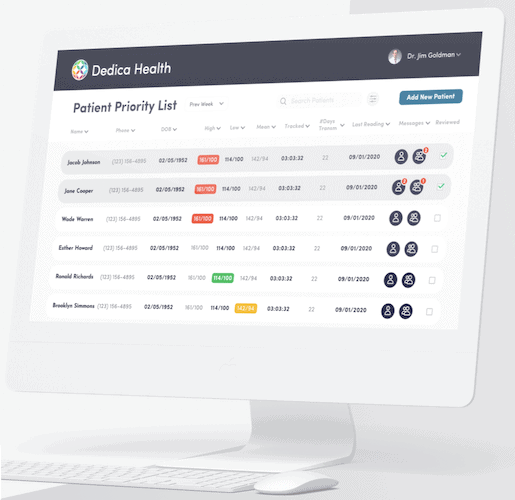
Why it’s web development: clinically certified medical sensors send patient data to the cloud, where doctors monitor it via a web portal. Data is backed up and processed in the cloud.
Achievements: MVP development landed multiple SaaS licenses, turning ROI positive upon launch.
Walker Tracker
Solution: an employee wellness platform helping businesses to increase staff engagement, build team camaraderie, and improve employee health.
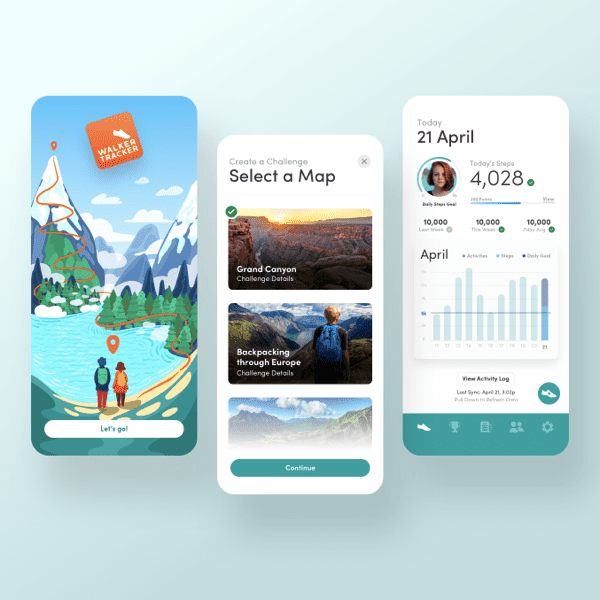
Why it’s web development: a couple of web dashboards (including a content management module) and mobile apps sync health and other data via the cloud.
Achievements:
- mobile app improved from a 2-star rating to 4.6 stars
- 55% more positive reviews
- two mobile app awards, including Stevie Gold Winner
[This blog was originally published in September 2022, but was updated with new data]
Frequently Asked Questions
What technology stack should I use to build a health website?
That depends on whether the app must support your existing software and hardware infrastructure. If it does, the choice of technology will depend on that. However, integration workarounds are usually possible — imagine building a data hub for transferring data between incompatible systems. If you have a CTO, let him talk through the tech stack that’s scalable and resilient; if you don’t, trust your dev team.
Does my app have to be HIPAA Compliant?
Yes, if users working with it have access to PHI.
Wouldn't my customers leave if my software is too open for external integrations? They'll just download their data and be on their way, won't they?
They will only leave if they don’t like your services. Healthcare businesses that still rely on their walled gardens, keeping patient data hostage, are living through their last days. The regulatory environment and whole digital healthcare ecosystem push them to genuine interoperability.
Wait, did you say I need web development even for a mobile healthcare app?
Yep. If your mobile app sync data to a server, then this server part (whatever that might be, for example, a back end with ML algorithms analyzing patient readings) implies web development efforts.
So, healthcare web development is not so much about developing a site for practice?
Yep, I thought health apps were dull when I joined Topflight about five years ago. As it turns out, there’s so much reactive happening in the medical industry it makes you go vertigo just keeping track of everything. And web technologies are the cornerstone of this digital revolution. Pat yourself on the shoulder if you’re thinking about making a healthcare web app; I mean that.
How long does it take to build a HIPAA-compliant web app?
There’s no separate “HIPAA phase” you tack on at the end—compliance is baked into architecture, hosting, access control, and logging from day one. A basic HIPAA-aligned MVP often lands in the 3–6 month range, while anything integration-heavy (EHRs, devices, complex roles) tends to take longer.
What's the difference between a medical website vs web application?
A medical website is mostly informational: services, locations, content, basic lead capture. A web application runs workflows: logins, role-based access, data processing, dashboards, messaging, scheduling, and (often) handling sensitive health data.
Can I use WordPress for HIPAA-compliant healthcare websites?
For a marketing site that doesn’t store or process PHI, WordPress can be fine. Once you introduce patient accounts, intake, uploads, messages, or anything that touches PHI, WordPress becomes a risky place to “do healthcare”—most teams keep WordPress as the public site and build the HIPAA-grade portal/app separately.
What programming languages are best for healthcare web development?
It’s less about the language and more about the team, ecosystem, and what you need to integrate with. Common choices include JavaScript/TypeScript (fast web app delivery), Python (data/AI-heavy workflows), and .NET/Java (enterprise hospital environments). Pick what your team can run securely and maintain for years.
How much does HIPAA compliance add to development costs?
There isn’t a flat “HIPAA fee.” Costs go up because you’re implementing real security controls (access models, audit logs, encryption, secure hosting/BAA, testing, policies) and you’ll spend more time validating edge cases. The smarter way to budget is to treat security/compliance as a first-class scope item, not a last-minute add-on.